Mini Metro Trainer
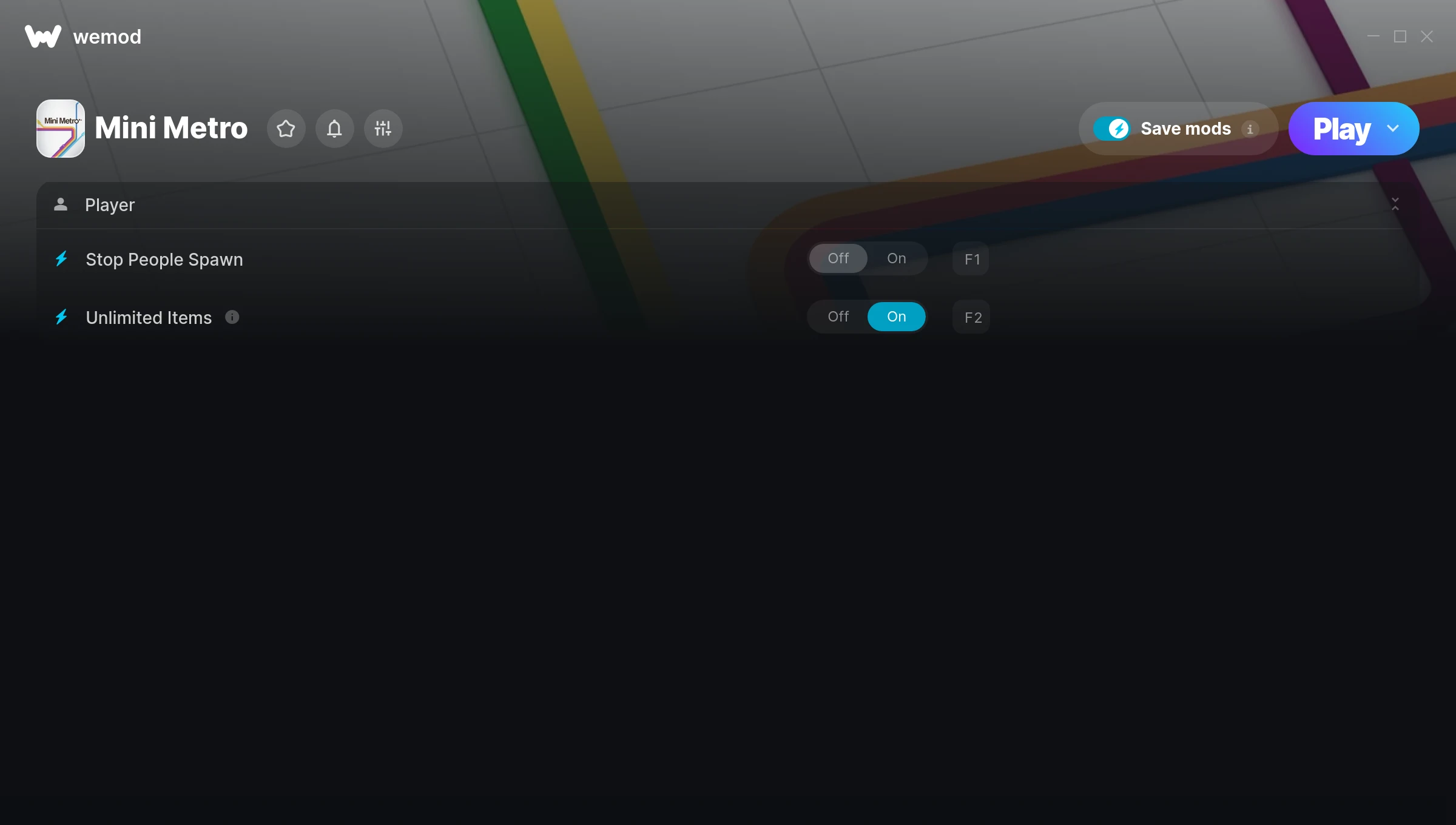
The Mini Metro Trainer gives you access to 2 cheats that let you play the game however you want. Struggling with a tough section? Want to skip the grind? Just want to mess around? This trainer has you covered.
If you’ve already finished the story and want to replay it like an overpowered lunatic, this is for you.
Dropping in 2015, Mini Metro brought something different to the puzzle and simulator scene and players are still hooked.
This is an auto-updating trainer that keeps pace with every game patch automatically. No need to manually grab new versions after updates.
Mini Metro Trainer Cheats
This trainer includes 2 cheats covering inventory.
| # | Cheat | Effect |
|---|---|---|
| 1 | Stop People Spawn | Tweak the stop people spawn mechanic to your advantage |
| 2 | Unlimited Items | Use items freely without your inventory running out |
Download Mini Metro Trainer
Download the latest version of this trainer for PC below.
| Version | Creator | Platform | Date Added | Download |
|---|---|---|---|---|
| Auto-Updating Version (Latest) | MrAntiFun | Steam | 2026-01-09 | Download |
How to Use This Trainer
- Start the Game First – Always start Mini Metro before the trainer. Load your save or start a new game – the trainer needs an active game process.
- Start the Trainer – Open WeMod, type “Mini Metro” in the search bar, and click Play. The overlay pops up in-game and you’re ready to go.
- Turn On Cheats – Pick the cheats you want from the WeMod overlay and switch them on. They kick in instantly and you can toggle them off anytime.
- Enjoy the Game – You’re all set. Play the game with your cheats active and switch them around as you go. Try different combinations to see what’s the most fun.
Tips & Known Issues
- Never activate this trainer during online play. It’s built for single-player only and multiplayer anti-cheat will catch it.
- Trainers are PC-only. If you’re playing on console or through a cloud streaming service, the trainer won’t work.
- If cheats aren’t activating, check that the trainer is running with Administrator rights.
- If using Steam, consider disabling the Steam Overlay (Steam > Settings > In-Game) to avoid conflicts with the trainer.
- One of the perks of WeMod is automatic updates. The trainer syncs with game patches behind the scenes.
Frequently Asked Questions
Will this trainer affect my save files?
No damage to saves. The trainer tweaks memory values on the fly, not your save data. That said, if you earn a million gold with cheats on, that gold saves too.
Can I get banned for using this trainer?
Not in single-player – that’s what trainers are designed for. Never use them in online or multiplayer though, that will get you banned.
Do I need to restart the game after activating cheats?
Nope. Cheats kick in immediately while the game is running. Just toggle them on and off whenever you want.
Will the trainer work with the latest game version?
If you’re using the Auto-Updating Version, yes – it patches itself after every game update.
How do I use this trainer?
Grab the download, launch the game, then fire up the trainer. Toggle cheats with the hotkeys or the overlay – done.
Does this trainer work with Steam?
Fully compatible with Steam. Just launch the game through Steam and run the trainer alongside it.