MiSide Trainer
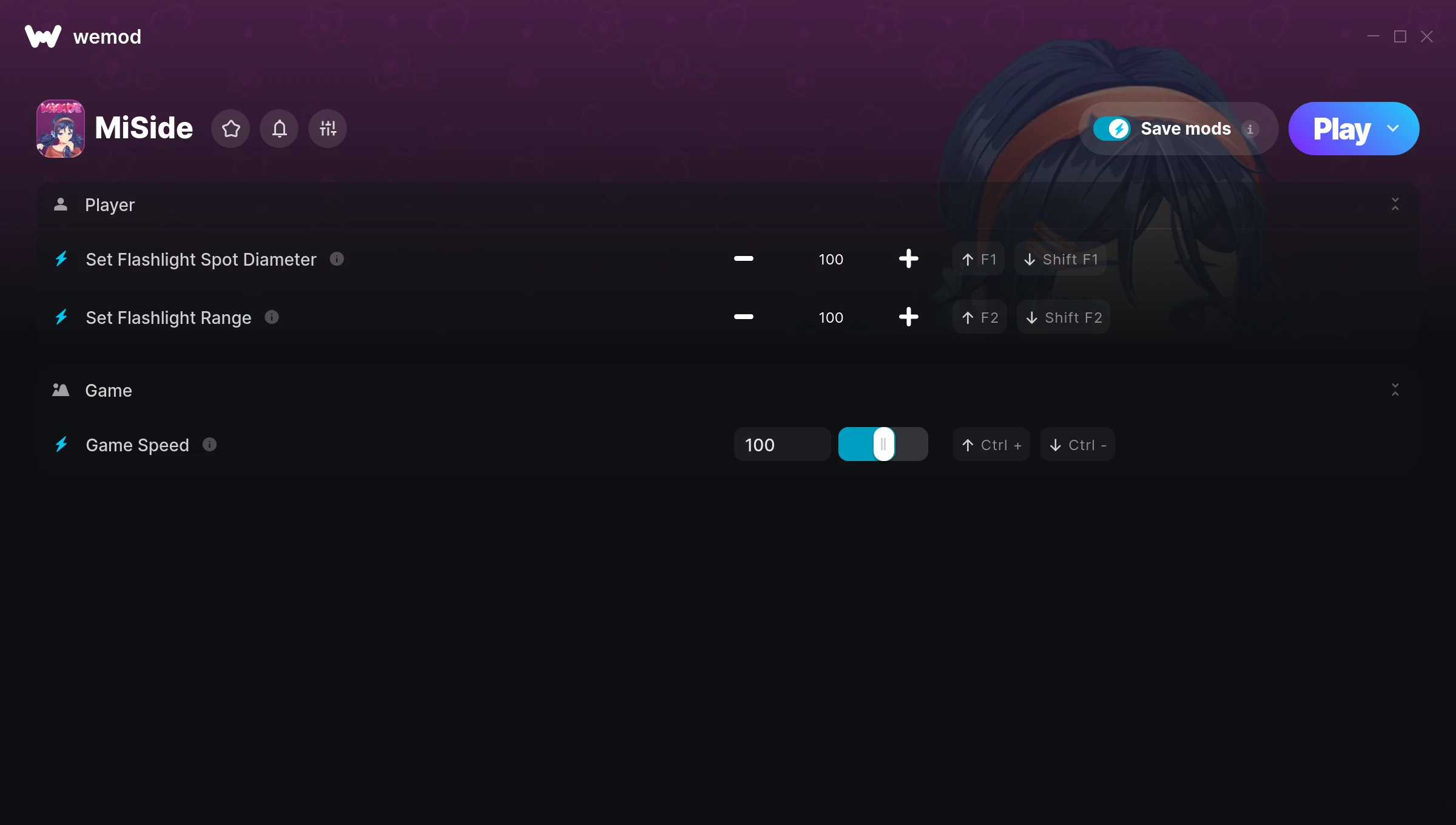
The MiSide Trainer gives you access to 3 cheats that let you play the game however you want. Struggling with a tough section? Want to skip the grind? Just want to mess around? This trainer has you covered.
We’ve seen people sink hundreds of hours into this game with cheats on. It hits different.
Originally a 2024 release, MiSide carved out a solid spot in the adventure and indie space and players keep coming back.
Once you’ve got this trainer installed, it takes care of itself. Every time the game gets a patch, the trainer updates automatically so your cheats keep working.
MiSide Trainer Cheats
This trainer includes 3 cheats covering movement, time.
| # | Cheat | Effect |
|---|---|---|
| 1 | Set Flashlight Spot Diameter | Adjust flashlight spot diameter to whatever feels right |
| 2 | Set Flashlight Range | Manually set your flashlight range to any number |
| 3 | Game Speed | Speed up or slow down the entire game to your liking |
What Can You Do With This Trainer?
Here are some of the standout cheats in this trainer – the ones that really change how you play:
- Set Flashlight Spot Diameter – Choose exactly how much flashlight spot diameter you want
- Set Flashlight Range – Manually set your flashlight range to any number
- Game Speed – Speed up or slow down the entire game to your liking
And that’s just scratching the surface. The full MiSide cheat list above has everything you need to play completely on your own terms.
Download MiSide Trainer
Download the latest version of this trainer for PC below.
| Version | Creator | Platform | Date Added | Download |
|---|---|---|---|---|
| Auto-Updating Version (Latest) | ColonelRVH | Steam | 2026-01-09 | Download |
How to Use This Trainer
- Start the Game First – Always start MiSide before the trainer. Load your save or start a new game – the trainer needs an active game process.
- Launch WeMod – Fire up the WeMod app and search for “MiSide”. Hit Play and the overlay will appear over your game with all cheats ready to toggle.
- Flip On the Cheats – In the WeMod overlay, toggle the cheats you’re interested in. They apply immediately to your game session.
- Enjoy the Game – You’re all set. Play the game with your cheats active and switch them around as you go. Try different combinations to see what’s the most fun.
Tips & Known Issues
- Only use this trainer in single-player. Online and multiplayer modes have anti-cheat systems that will detect and ban you.
- While trainers are safe to use, backing up your save file beforehand is always a smart precaution.
- Right-click the trainer and select Run as Administrator to ensure it has the access it needs.
- Don’t be alarmed if Windows Defender or your antivirus flags the download. Trainers are routinely flagged as false positives.
- No need to check for updates manually with WeMod. The trainer patches itself whenever the game is updated.
Frequently Asked Questions
Will this trainer affect my save files?
The trainer only modifies values in memory while the game is running. Your save files stay intact, though any progress you make with cheats on will save as normal.
Do I need to restart the game after activating cheats?
Nope. Cheats kick in immediately while the game is running. Just toggle them on and off whenever you want.
Can I use multiple cheats at the same time?
Yes – enable as many as you like simultaneously. Combining cheats is where things get really fun.
Can I customise how much health or money I get?
Some cheats include an edit mode where you can set a specific value rather than just maxing things out. Great for keeping things balanced if you want.
Does this trainer work with Steam?
Yes. The trainer hooks into the game process when launched through Steam.