Mother Russia Bleeds Trainer
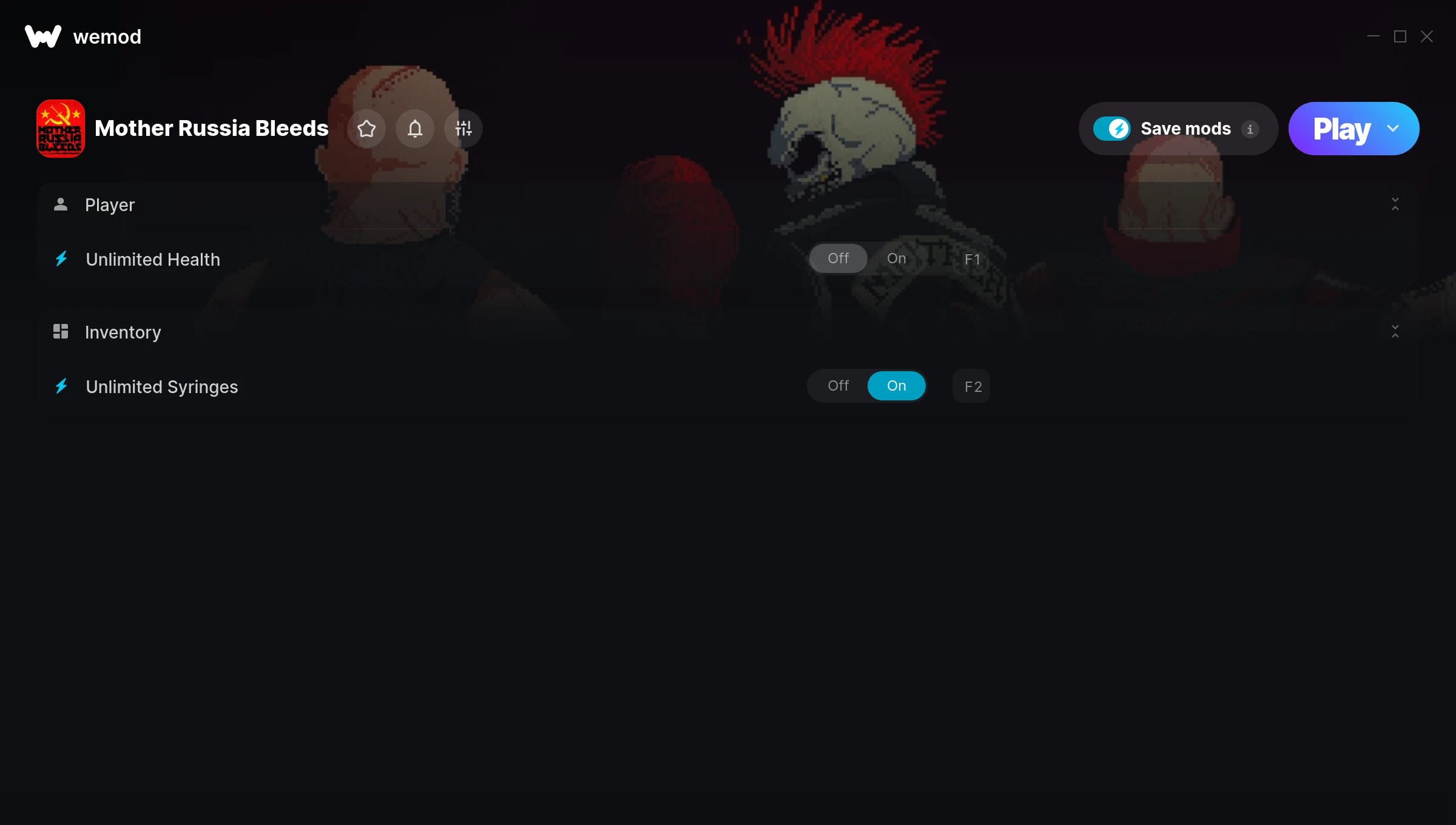
The Mother Russia Bleeds Trainer gives you access to 2 cheats that let you play the game however you want. Struggling with a tough section? Want to skip the grind? Just want to mess around? This trainer has you covered.
These cheats won’t break your save file. Toggle them on, have fun, toggle them off whenever you want.
A fighting and hack and slash/beat ’em up title that first dropped in 2016, Mother Russia Bleeds still draws players who want to tweak the experience to their liking.
No need to check for updates manually. This auto-updating trainer keeps itself compatible with the latest version of the game so your cheats always work.
Mother Russia Bleeds Trainer Cheats
This trainer includes 2 cheats covering health.
| # | Cheat | Effect |
|---|---|---|
| 1 | Unlimited Health | Your health stays maxed out no matter what hits you |
| 2 | Unlimited Syringes | Use your syringes as much as you want without limits |
Download Mother Russia Bleeds Trainer
Download the latest version of this trainer for PC below.
| Version | Creator | Platform | Date Added | Download |
|---|---|---|---|---|
| Auto-Updating Version (Latest) | STN | Steam | 2025-05-15 | Download |
How to Use This Trainer
- Boot Up Mother Russia Bleeds – Start the game like you normally would. Once you’re at the main menu or loaded into your save, you’re ready for the next step.
- Activate WeMod – Run the WeMod app, locate “Mother Russia Bleeds”, and hit Play. WeMod attaches to the game and shows you the full cheat list in the overlay.
- Activate Cheats – Toggle the cheats you want using the WeMod overlay or press the assigned hotkeys. Cheats activate in real-time while you play.
- Start Playing – That’s all there is to it. Dive back in and enjoy Mother Russia Bleeds with your cheats running. Feel free to adjust them anytime mid-game.
Tips & Known Issues
- This is a single-player trainer only. Do not use it in online or multiplayer modes – you will get banned.
- Having issues on Steam? Try disabling the Steam Overlay under Settings > In-Game. It can sometimes clash with trainers.
- Always match your game version to the trainer version. An outdated game build can cause cheats to fail silently.
- Trainers are PC-only. If you’re playing on console or through a cloud streaming service, the trainer won’t work.
- One of the perks of WeMod is automatic updates. The trainer syncs with game patches behind the scenes.
Frequently Asked Questions
Is this trainer compatible with mods?
Generally, yes. Most mods and trainers operate independently. You might see odd behaviour if a mod directly changes the same stats the trainer controls.
Is this trainer free to download?
100% free. Hit one of the download buttons above and you can be up and running in seconds.
How do I use this trainer?
Just download the trainer and open it while the game is running. Each cheat has a toggle – flip them on or off as you play.
Will this trainer affect my save files?
The trainer only modifies values in memory while the game is running. Your save files stay intact, though any progress you make with cheats on will save as normal.
How do I know which version to download?
This trainer auto-updates whenever the game is patched, so you always have the latest compatible version. Just download it once and you’re set.
Does this trainer work with Steam?
Yes, it works with the Steam version of the game.