Only Up! Trainer
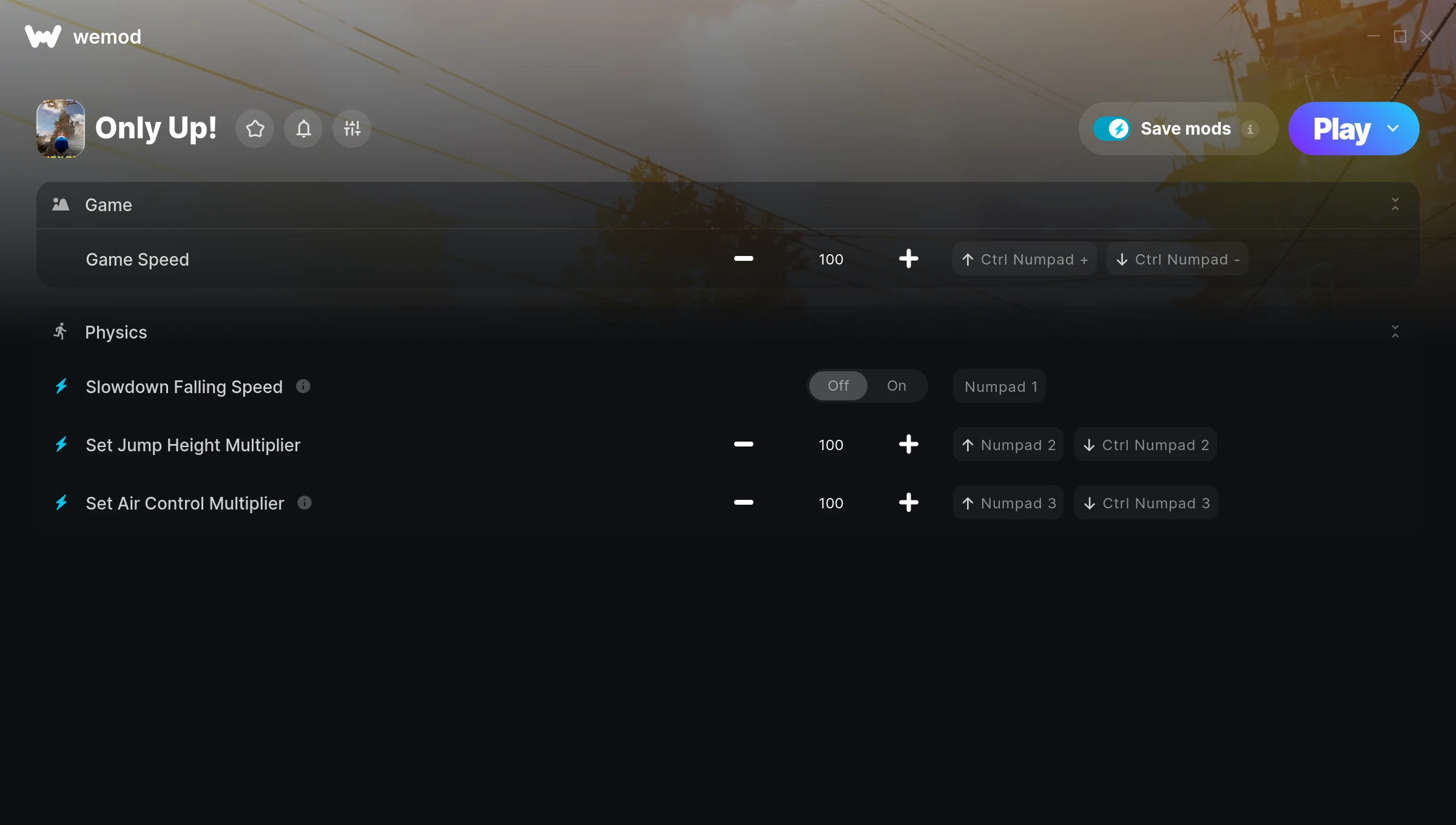
The Only Up! Trainer gives you access to 4 cheats that let you play the game however you want. Struggling with a tough section? Want to skip the grind? Just want to mess around? This trainer has you covered.
Fair warning – some of these cheats will completely break the game. In the best way possible.
A adventure and indie title that first dropped in 2023, Only Up! still draws players who want to tweak the experience to their liking.
The best part? This PC trainer auto-updates whenever the game is patched. Zero effort on your part – it stays compatible in the background so you can just play.
Only Up! Trainer Cheats
This trainer includes 4 cheats covering movement, time.
| # | Cheat | Effect |
|---|---|---|
| 1 | Game Speed | Speed up or slow down the entire game to your liking |
| 2 | Slowdown Falling Speed | Tweak the slowdown falling speed mechanic to your advantage |
| 3 | Set Jump Height Multiplier | Pick your own value for jump height |
| 4 | Set Air Control Multiplier | Adjust air control to whatever feels right |
What Can You Do With This Trainer?
Here are some of the standout cheats in this trainer – the ones that really change how you play:
- Game Speed – Speed up or slow down the entire game to your liking
- Slowdown Falling Speed – Tweak the slowdown falling speed mechanic to your advantage
- Set Jump Height Multiplier – Adjust jump height to whatever feels right
- Set Air Control Multiplier – Choose exactly how much air control you want
And that’s just scratching the surface. The full Only Up! cheat list above has everything you need to play completely on your own terms.
Download Only Up! Trainer
Download the latest version of this trainer for PC below.
| Version | Creator | Platform | Date Added | Download |
|---|---|---|---|---|
| Auto-Updating Version (Latest) | GreenHouse | Steam | 2025-05-14 | Download |
How to Use This Trainer
- Fire Up Only Up! – Open the game and let it load fully. Whether you’re continuing a save or starting new, just make sure it’s running.
- Launch WeMod – Fire up the WeMod app and search for “Only Up!”. Hit Play and the overlay will appear over your game with all cheats ready to toggle.
- Flip On the Cheats – In the WeMod overlay, toggle the cheats you’re interested in. They apply immediately to your game session.
- Get Back to the Game – Everything is set up. Continue playing Only Up! with your chosen cheats active. Experiment freely – you can change things at any time.
Tips & Known Issues
- Trainers are designed for single-player use only. Using them online or in multiplayer will result in a ban.
- Running an older game version? The trainer may not work correctly. Update your game to the latest patch first.
- Your antivirus might quarantine the trainer file. This is a known false positive – whitelist the trainer in your security software.
- Not on PC? Unfortunately, trainers don’t work on console or cloud gaming platforms – they require direct memory access.
- WeMod handles version compatibility automatically. When the game updates, the trainer follows shortly after.
Frequently Asked Questions
Can I get banned for using this trainer?
Trainers are for single-player only. Seriously, do not try these in online or multiplayer modes – that is a fast track to a ban.
What should I do if the trainer stops working after an update?
If a game patch breaks things, the auto-updating trainer will fix itself automatically – usually within a day or two.
What cheats are included in this trainer?
The trainer comes loaded with 4 cheats. Everything from combat tweaks to resource mods – the full list is in the table above.
Can I customise how much health or money I get?
Where available, yes. Look for cheats labelled ‘Set’ or ‘Edit’ – these let you punch in a custom value instead of going straight to infinite.
Will this trainer affect my save files?
The trainer only modifies values in memory while the game is running. Your save files stay intact, though any progress you make with cheats on will save as normal.
Does this trainer work with Steam?
Yes. The trainer hooks into the game process when launched through Steam.