
OPUS: Prism Peak Trainer
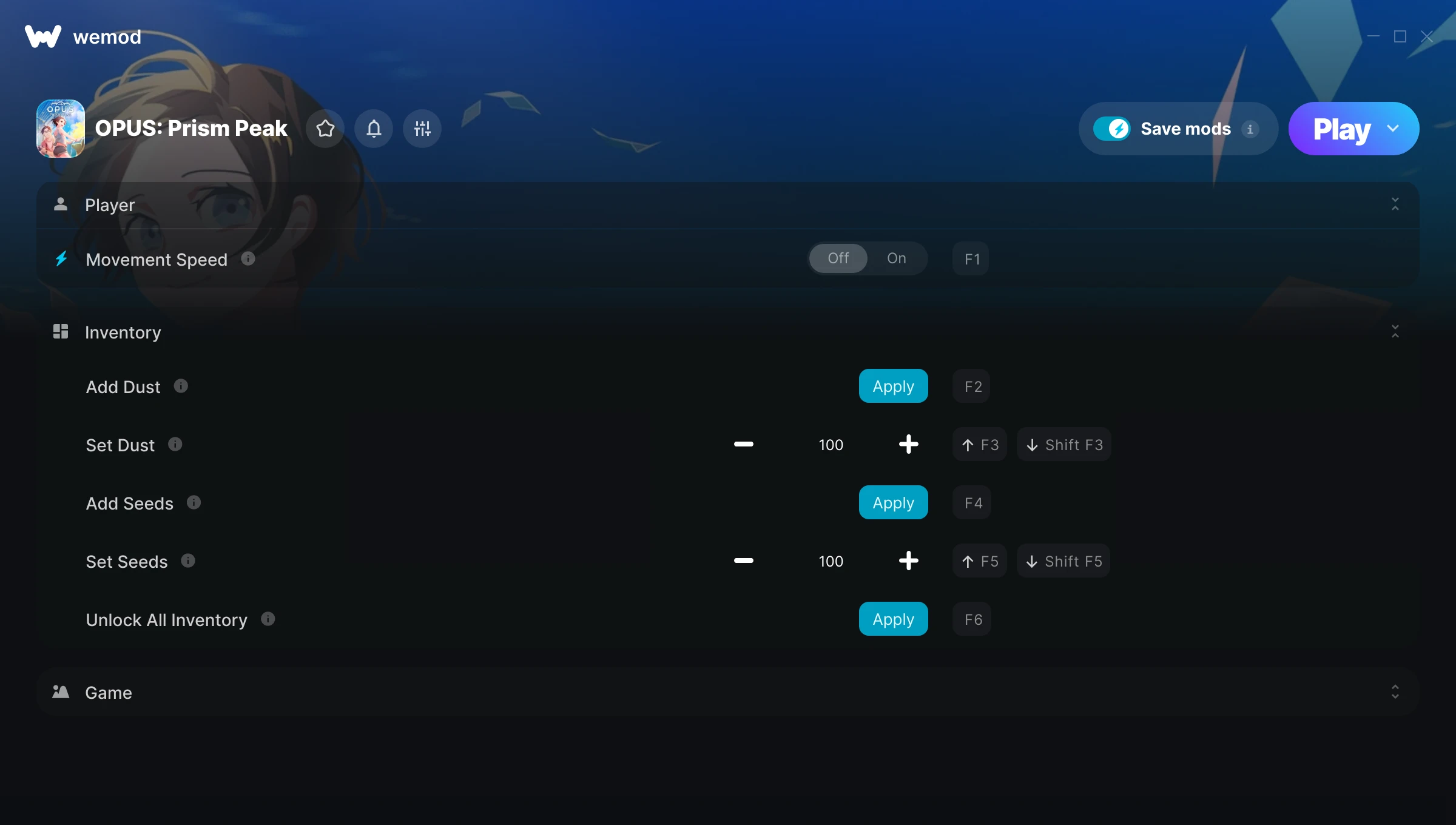
The OPUS: Prism Peak Trainer gives you access to 8 cheats that let you play the game however you want. Struggling with a tough section? Want to skip the grind? Just want to mess around? This trainer has you covered.
If you’ve already finished the story and want to replay it like an overpowered lunatic, this is for you.
If you missed OPUS: Prism Peak when it launched in 2026, now’s a great time to jump into this adventure and indie title.
Once you’ve got this trainer installed, it takes care of itself. Every time the game gets a patch, the trainer updates automatically so your cheats keep working.
Some of the most popular cheats included in this trainer are Movement Speed, Add Dust, Set Dust, Add Seeds, and many more. These modifications let you customize difficulty, skip grinding, or simply experiment with the game in new ways.
OPUS: Prism Peak Trainer Cheats
This trainer includes 8 cheats covering movement, inventory, time.
| # | Cheat | Effect |
|---|---|---|
| 1 | Movement Speed | Tweak the movement speed mechanic to your advantage |
| 2 | Add Dust | Give yourself more dust on demand |
| 3 | Set Dust | Pick your own value for dust |
| 4 | Add Seeds | Give yourself more seeds on demand |
| 5 | Set Seeds | Choose exactly how much seeds you want |
| 6 | Unlock All Inventory | Instantly unlock every piece of content in the game |
| 7 | Skip Cutscene | Tweak the skip cutscene mechanic to your advantage |
| 8 | Game Speed | Speed up or slow down the entire game to your liking |
What Can You Do With This Trainer?
Here are some of the standout cheats in this trainer – the ones that really change how you play:
- Movement Speed – Tweak the movement speed mechanic to your advantage
- Add Dust – Give yourself more dust on demand
- Set Dust – Adjust dust to whatever feels right
- Add Seeds – Add extra seeds whenever you need it
- Set Seeds – Choose exactly how much seeds you want
And that’s just scratching the surface. The full OPUS: Prism Peak cheat list above has everything you need to play completely on your own terms.
Download OPUS: Prism Peak Trainer
Download the latest version of this trainer for PC below.
| Version | Creator | Platform | Date Added | Download |
|---|---|---|---|---|
| Auto-Updating Version (Latest) | Yxbx | Steam | 2026-04-08 | Download |
How to Use This Trainer
- Load OPUS: Prism Peak – Start the game and either load your existing save or begin a new one. The trainer connects to the running game process.
- Activate WeMod – Run the WeMod app, locate “OPUS: Prism Peak”, and hit Play. WeMod attaches to the game and shows you the full cheat list in the overlay.
- Choose Your Cheats – Scroll through the WeMod overlay and enable the cheats that interest you. All changes happen live while you play.
- Play and Enjoy – That’s it – jump back into the game and enjoy. You can toggle cheats on and off whenever you want. Half the fun is experimenting to find your perfect setup.
Tips & Known Issues
- Only use this trainer in single-player. Online and multiplayer modes have anti-cheat systems that will detect and ban you.
- Steam’s in-game overlay sometimes interferes with trainers. If cheats aren’t activating, disable it in Steam > Settings > In-Game.
- Trainers are PC-only. If you’re playing on console or through a cloud streaming service, the trainer won’t work.
- Some antivirus software may flag the trainer as a false positive. You may need to add an exception for it.
- WeMod handles version compatibility automatically. When the game updates, the trainer follows shortly after.
Frequently Asked Questions
Will this trainer affect my save files?
No damage to saves. The trainer tweaks memory values on the fly, not your save data. That said, if you earn a million gold with cheats on, that gold saves too.
Will the trainer work with the latest game version?
If you’re using the Auto-Updating Version, yes – it patches itself after every game update.
How do I use this trainer?
Just download the trainer and open it while the game is running. Each cheat has a toggle – flip them on or off as you play.
What should I do if the trainer stops working after an update?
If a game patch breaks things, the auto-updating trainer will fix itself automatically – usually within a day or two.
Does this trainer work with Steam?
Fully compatible with Steam. Just launch the game through Steam and run the trainer alongside it.



