PERISH Trainer
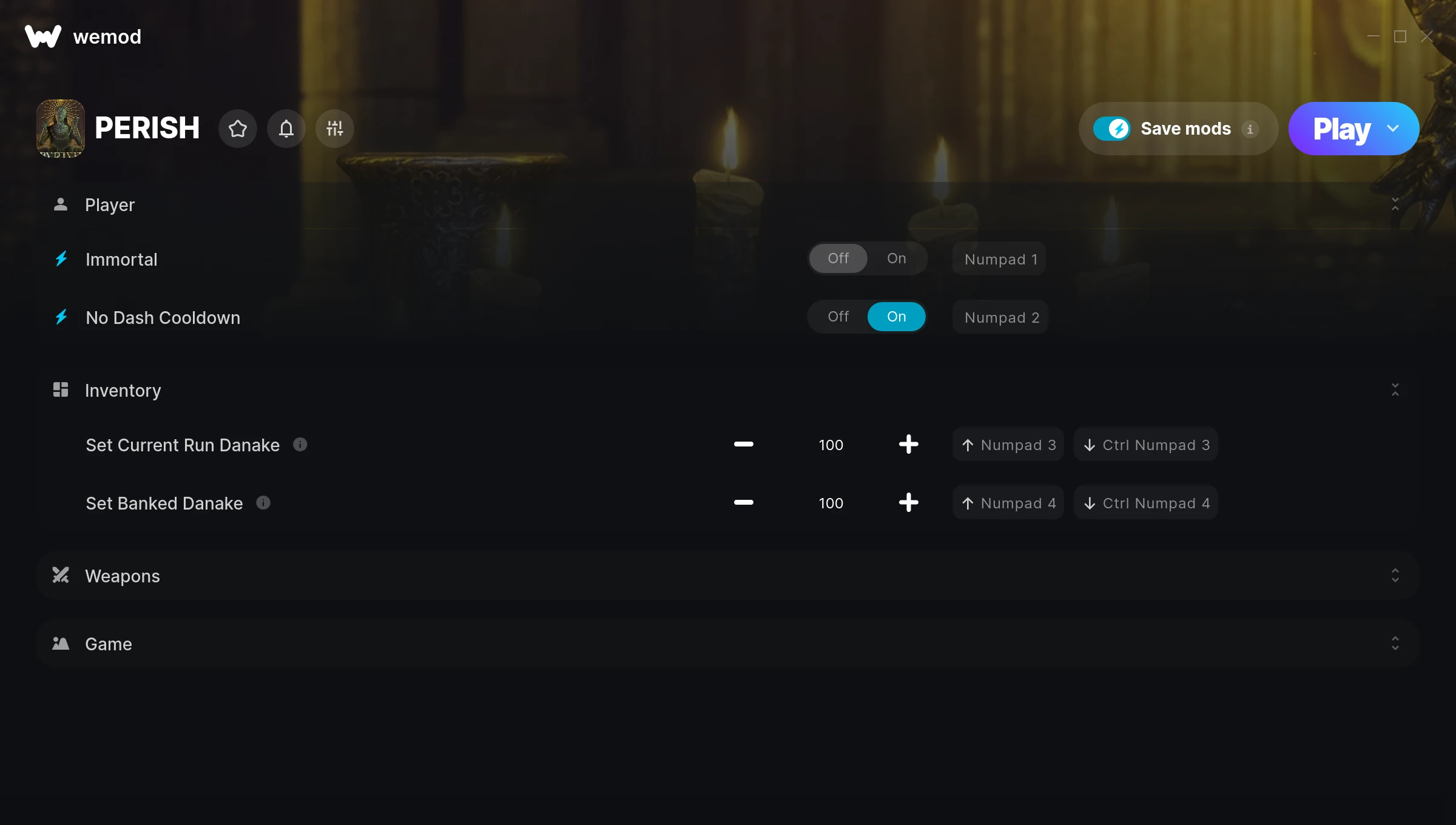
The PERISH Trainer gives you access to 7 cheats that let you play the game however you want. Struggling with a tough section? Want to skip the grind? Just want to mess around? This trainer has you covered.
With infinite ammo, every weapon becomes viable and you never have to hold back. These cheats let you get past the frustrating parts and actually enjoy the game at your own pace.
If you’re the type who reads every tooltip and explores every corner, infinite health makes that a lot more relaxing.
PERISH first launched in 2023 as a shooter and indie title and still has a strong community of players today.
This trainer stays in sync with game patches automatically. You’ll never have to worry about downloading a new version after an update – it handles everything behind the scenes.
Some of the most popular cheats included in this trainer are Infinite Ammo, Immortal, No Dash Cooldown, Set Current Run Danake, and many more. These modifications let you customize difficulty, skip grinding, or simply experiment with the game in new ways.
PERISH Trainer Cheats
This trainer includes 7 cheats covering ammo, movement, cooldowns, time.
| # | Cheat | Effect |
|---|---|---|
| 1 | Immortal | Tweak the immortal mechanic to your advantage |
| 2 | No Dash Cooldown | Remove dash cooldown from the equation |
| 3 | Set Current Run Danake | Adjust current run danake to whatever feels right |
| 4 | Set Banked Danake | Adjust banked danake to whatever feels right |
| 5 | No Dagger Cooldown | Turn off dagger cooldown entirely for easier gameplay |
| 6 | Infinite Ammo | Your ammo count never drops no matter how much you shoot |
| 7 | Game Speed | Speed up or slow down the entire game to your liking |
What Can You Do With This Trainer?
Here are some of the standout cheats in this trainer – the ones that really change how you play:
- Immortal – Tweak the immortal mechanic to your advantage
- No Dash Cooldown – Remove dash cooldown from the equation
- Set Current Run Danake – Pick your own value for current run danake
- Set Banked Danake – Manually set your banked danake to any number
- No Dagger Cooldown – Turn off dagger cooldown entirely for easier gameplay
And that’s just scratching the surface. The full PERISH cheat list above has everything you need to play completely on your own terms.
Download PERISH Trainer
Download the latest version of this trainer for PC below.
| Version | Creator | Platform | Date Added | Download |
|---|---|---|---|---|
| Auto-Updating Version (Latest) | GreenHouse | Steam | 2026-01-22 | Download |
How to Use This Trainer
- Load PERISH – Start the game and either load your existing save or begin a new one. The trainer connects to the running game process.
- Connect WeMod – Launch the WeMod application and find “PERISH” in the library. Press Play and WeMod will hook into the running game automatically.
- Turn On Cheats – Pick the cheats you want from the WeMod overlay and switch them on. They kick in instantly and you can toggle them off anytime.
- Get Back to the Game – Everything is set up. Continue playing PERISH with your chosen cheats active. Experiment freely – you can change things at any time.
Tips & Known Issues
- Trainers are designed for single-player use only. Using them online or in multiplayer will result in a ban.
- The Steam Overlay can occasionally conflict with trainer software. Disable it in Steam settings if you notice problems.
- This trainer only works on PC. Console versions and cloud gaming platforms are not supported.
- Running the trainer as Admin avoids most permission-related issues. Right-click and choose Run as Administrator.
- WeMod auto-updates the trainer after game patches, so you never have to manually download a new version.
Frequently Asked Questions
Can I use multiple cheats at the same time?
Yes – enable as many as you like simultaneously. Combining cheats is where things get really fun.
Is this trainer compatible with mods?
In most cases they work fine together. Conflicts only happen when a mod alters the exact same memory values the trainer is trying to modify.
What should I do if the trainer stops working after an update?
If a game patch breaks things, the auto-updating trainer will fix itself automatically – usually within a day or two.
Can I customise how much health or money I get?
Where available, yes. Look for cheats labelled ‘Set’ or ‘Edit’ – these let you punch in a custom value instead of going straight to infinite.
Does this trainer work with Steam?
Fully compatible with Steam. Just launch the game through Steam and run the trainer alongside it.