Plan B: Terraform Trainer
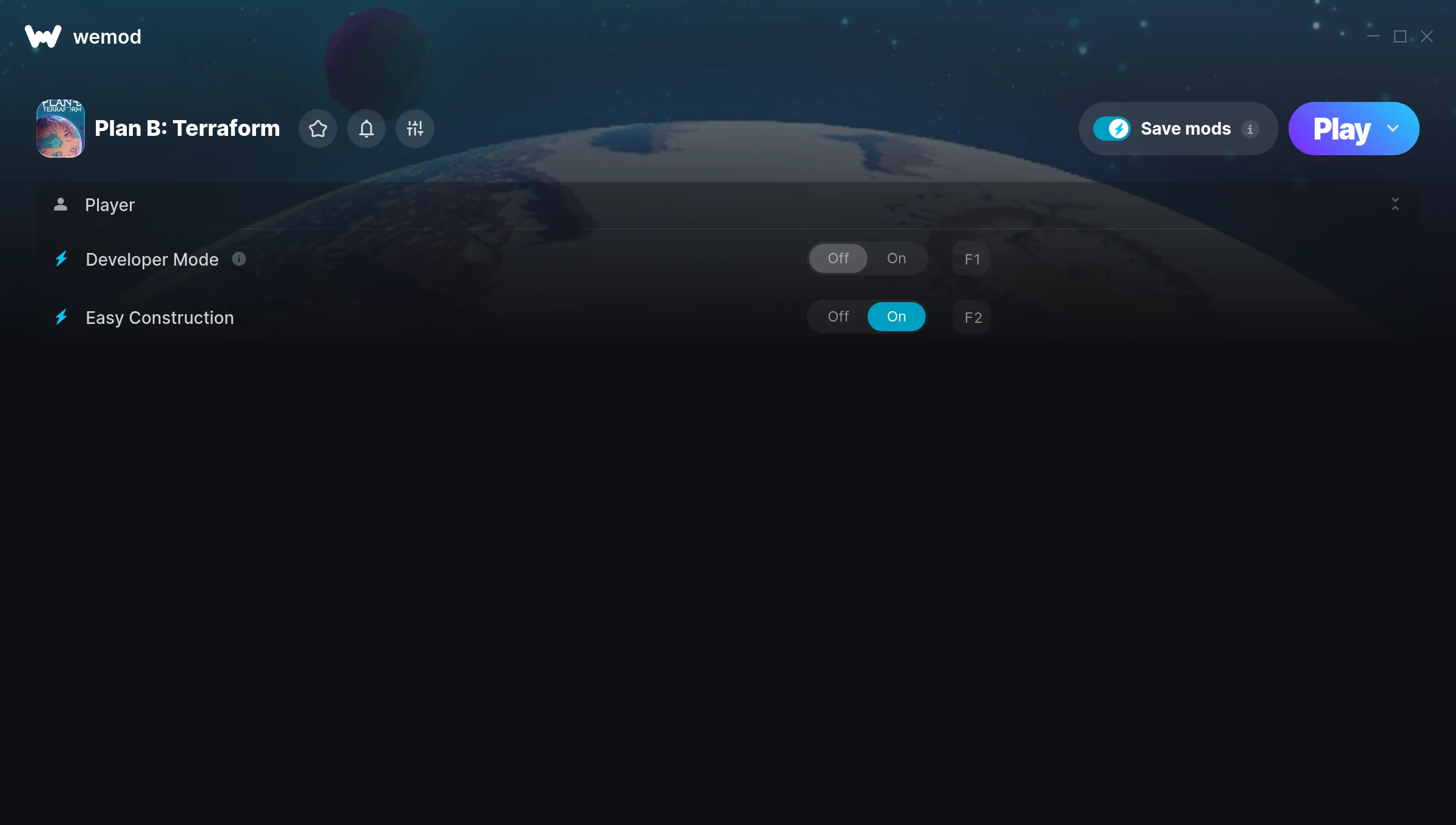
The Plan B: Terraform Trainer gives you access to 2 cheats that let you play the game however you want. Struggling with a tough section? Want to skip the grind? Just want to mess around? This trainer has you covered.
Pro tip: start with one or two cheats and see how it feels. Or turn them all on. Your call.
Out since 2025, this simulator and strategy title is still going strong with players who want to shape the experience on their own terms.
This trainer stays in sync with game patches automatically. You’ll never have to worry about downloading a new version after an update – it handles everything behind the scenes.
Plan B: Terraform Trainer Cheats
This trainer includes 2 cheats for tweaking your gameplay.
| # | Cheat | Effect |
|---|---|---|
| 1 | Developer Mode | Tweak the developer mode mechanic to your advantage |
| 2 | Easy Construction | Tweak the easy construction mechanic to your advantage |
Download Plan B: Terraform Trainer
Download the latest version of this trainer for PC below.
| Version | Creator | Platform | Date Added | Download |
|---|---|---|---|---|
| Auto-Updating Version (Latest) | MrAntiFun | Steam | 2025-12-11 | Download |
How to Use This Trainer
- Load Plan B: Terraform – Start the game and either load your existing save or begin a new one. The trainer connects to the running game process.
- Start the Trainer – Open WeMod, type “Plan B: Terraform” in the search bar, and click Play. The overlay pops up in-game and you’re ready to go.
- Select and Activate – Choose your cheats from the WeMod overlay and flip them on. Every toggle takes effect right away with no need to reload.
- Have Fun – Done! Get back to playing and enjoy the ride. Mix and match cheats whenever you want – there’s no wrong way to use them.
Tips & Known Issues
- This trainer is strictly for single-player gameplay. Anti-cheat software in online modes will flag and ban your account.
- Trainers are PC-only. If you’re playing on console or through a cloud streaming service, the trainer won’t work.
- Right-click the trainer and select Run as Administrator to ensure it has the access it needs.
- If cheats aren’t working, check for conflicting overlays. Discord, GeForce Experience, and similar tools can interfere.
- Using WeMod? The trainer stays current on its own – it auto-patches after every game update.
Frequently Asked Questions
How do I use this trainer?
It’s straightforward: download, run the trainer while the game is open, and press the hotkeys to activate whichever cheats you want.
Can I customise how much health or money I get?
Some cheats include an edit mode where you can set a specific value rather than just maxing things out. Great for keeping things balanced if you want.
Do I need to restart the game after activating cheats?
No. Cheats are live the instant you toggle them. You can switch them on and off mid-gameplay without interruption.
Will the trainer work with the latest game version?
If you’re using the Auto-Updating Version, yes – it patches itself after every game update.
Is this trainer compatible with mods?
They’re typically fine together. The rare exception is when a mod overwrites the same values the trainer hooks into, but that’s uncommon.
Does this trainer work with Steam?
Fully compatible with Steam. Just launch the game through Steam and run the trainer alongside it.