Police Stories Trainer
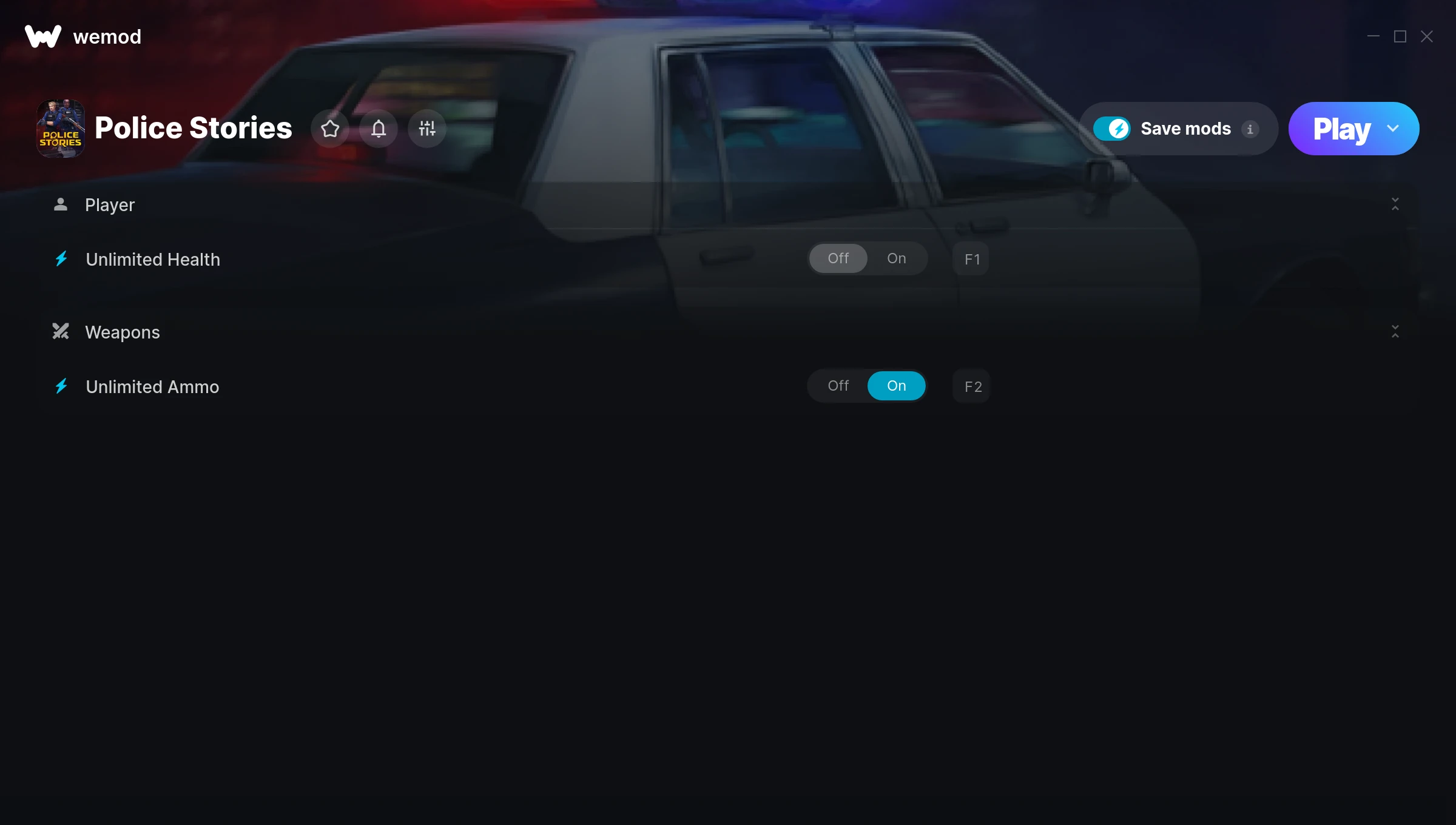
The Police Stories Trainer gives you access to 2 cheats that let you play the game however you want. Struggling with a tough section? Want to skip the grind? Just want to mess around? This trainer has you covered.
Think of it as unlocking developer mode. Except better.
This shooter and simulator title has been around since 2019 and remains a popular pick for players looking to push their experience further.
The best part? This PC trainer auto-updates whenever the game is patched. Zero effort on your part – it stays compatible in the background so you can just play.
Police Stories Trainer Cheats
This trainer includes 2 cheats covering health, ammo.
| # | Cheat | Effect |
|---|---|---|
| 1 | Unlimited Health | Your health stays maxed out no matter what hits you |
| 2 | Unlimited Ammo | Fire away without ever worrying about running dry |
Recommended Cheat Presets
Not sure which cheats to enable? Here are some recommended preset combinations for different playstyles:
Easy Mode
Turn the difficulty down to nothing. Perfect for enjoying the story, or for a second playthrough where you just want to feel unstoppable.
- Unlimited Health
- Unlimited Ammo
Download Police Stories Trainer
Download the latest version of this trainer for PC below.
| Version | Creator | Platform | Date Added | Download |
|---|---|---|---|---|
| Auto-Updating Version (Latest) | MrAntiFun | Steam | 2025-05-14 | Download |
How to Use This Trainer
- Boot Up Police Stories – Start the game like you normally would. Once you’re at the main menu or loaded into your save, you’re ready for the next step.
- Open the Trainer – Open the WeMod app and search for “Police Stories”. Click Play to launch the overlay. WeMod will detect the game and enable all available cheats.
- Turn On Cheats – Pick the cheats you want from the WeMod overlay and switch them on. They kick in instantly and you can toggle them off anytime.
- Start Playing – That’s all there is to it. Dive back in and enjoy Police Stories with your cheats running. Feel free to adjust them anytime mid-game.
Tips & Known Issues
- This is a single-player trainer only. Do not use it in online or multiplayer modes – you will get banned.
- Steam’s in-game overlay sometimes interferes with trainers. If cheats aren’t activating, disable it in Steam > Settings > In-Game.
- Right-click the trainer and select Run as Administrator to ensure it has the access it needs.
- If your antivirus blocks the trainer, add it to your exception list. Memory-editing tools are commonly flagged as false positives.
- WeMod auto-updates the trainer after game patches, so you never have to manually download a new version.
Frequently Asked Questions
Is this trainer compatible with mods?
Generally, yes. Most mods and trainers operate independently. You might see odd behaviour if a mod directly changes the same stats the trainer controls.
What cheats are included in this trainer?
This trainer packs 2 cheats covering everything from infinite health to unlimited resources and more. The full list is in the table above.
How do I use this trainer?
Download the trainer, run it alongside the game, and use the hotkeys to toggle cheats on and off. It really is that simple.
How do I know which version to download?
This trainer auto-updates whenever the game is patched, so you always have the latest compatible version. Just download it once and you’re set.
What should I do if the trainer stops working after an update?
If a game patch breaks things, the auto-updating trainer will fix itself automatically – usually within a day or two.
Will this trainer affect my save files?
The trainer only modifies values in memory while the game is running. Your save files stay intact, though any progress you make with cheats on will save as normal.
Does this trainer work with Steam?
It does. This trainer is built to work with the Steam version.