Poppy Playtime Trainer
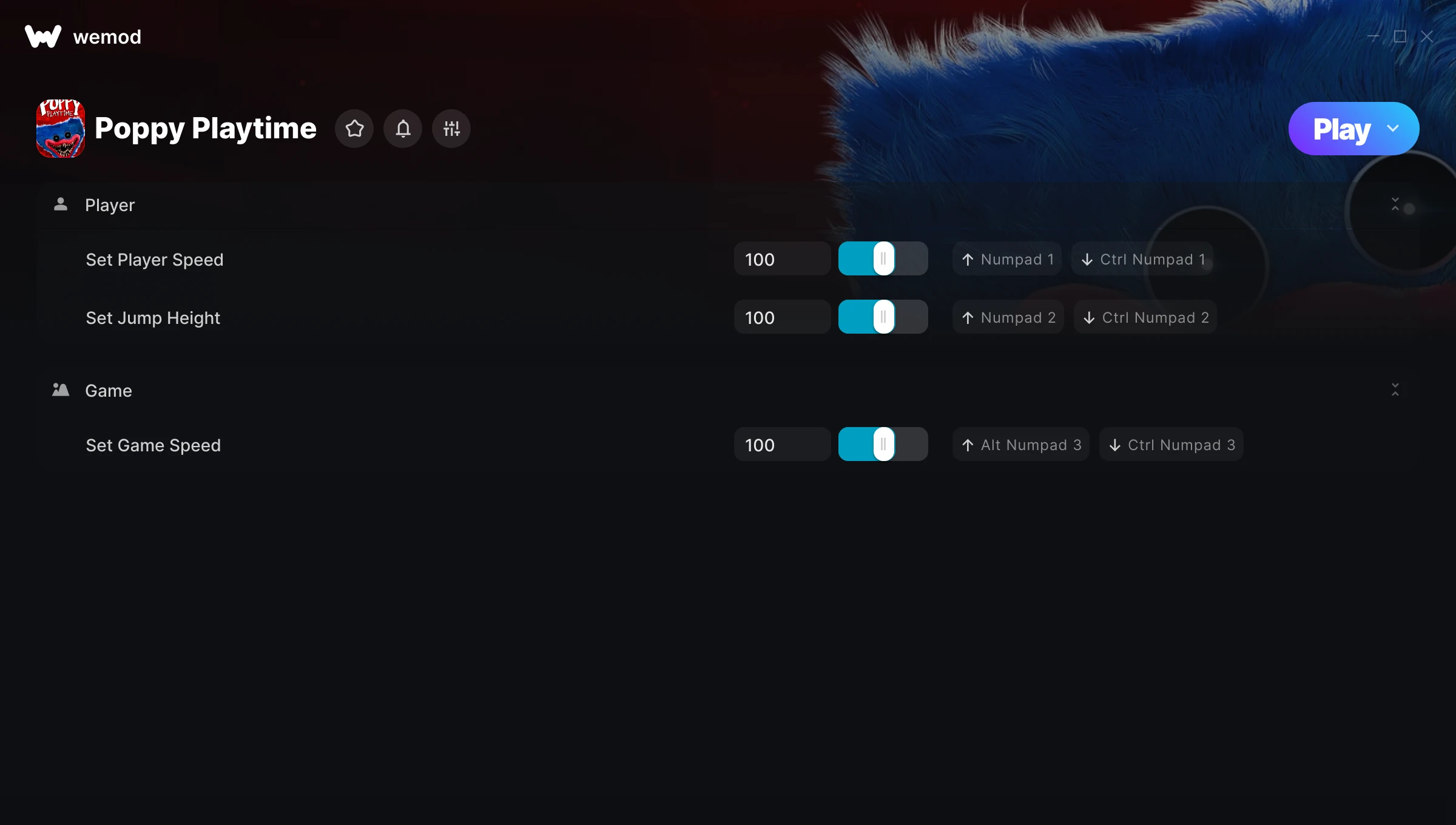
The Poppy Playtime Trainer gives you access to 3 cheats that let you play the game however you want. Struggling with a tough section? Want to skip the grind? Just want to mess around? This trainer has you covered.
Whether you’ve already beaten it legit or just want to cause some chaos, you’re in the right place.
Poppy Playtime first launched in 2021 as a puzzle and adventure title and still has a strong community of players today.
Once you’ve got this trainer installed, it takes care of itself. Every time the game gets a patch, the trainer updates automatically so your cheats keep working.
Poppy Playtime Trainer Cheats
This trainer includes 3 cheats covering movement, time.
| # | Cheat | Effect |
|---|---|---|
| 1 | Set Player Speed | Pick your own value for player speed |
| 2 | Set Jump Height | Adjust jump height to whatever feels right |
| 3 | Set Game Speed | Speed up or slow down the entire game to your liking |
What Can You Do With This Trainer?
Here are some of the standout cheats in this trainer – the ones that really change how you play:
- Set Player Speed – Adjust player speed to whatever feels right
- Set Jump Height – Adjust jump height to whatever feels right
- Set Game Speed – Speed up or slow down the entire game to your liking
And that’s just scratching the surface. The full Poppy Playtime cheat list above has everything you need to play completely on your own terms.
Download Poppy Playtime Trainer
Download the latest version of this trainer for PC below.
| Version | Creator | Platform | Date Added | Download |
|---|---|---|---|---|
| Auto-Updating Version (Latest) | FLiNG | Steam | 2025-11-10 | Download |
How to Use This Trainer
- Fire Up Poppy Playtime – Open the game and let it load fully. Whether you’re continuing a save or starting new, just make sure it’s running.
- Launch Your Trainer – WeMod users: open the app, find “Poppy Playtime”, and hit Play. FLiNG users: right-click the downloaded trainer and run it as Administrator.
- Switch On Your Cheats – Browse the cheat list in the WeMod overlay and toggle on whatever you want. Effects are instant and reversible.
- Jump Back In – You’re good to go. Return to the game and enjoy your modified experience. Toggle cheats on or off anytime as you play.
Tips & Known Issues
- Never activate this trainer during online play. It’s built for single-player only and multiplayer anti-cheat will catch it.
- While trainers are safe to use, backing up your save file beforehand is always a smart precaution.
- Cloud gaming services like GeForce NOW or Xbox Cloud Gaming are not compatible with trainers. You need the game running locally on PC.
- Overlay apps from Discord, NVIDIA, or Razer can occasionally clash with trainer hooks. Disable them as a troubleshooting step.
- Using WeMod? The trainer stays current on its own – it auto-patches after every game update.
Frequently Asked Questions
How do I use this trainer?
Download the trainer, run it alongside the game, and use the hotkeys to toggle cheats on and off. It really is that simple.
Will this trainer affect my save files?
The trainer only modifies values in memory while the game is running. Your save files stay intact, though any progress you make with cheats on will save as normal.
How do I know which version to download?
This trainer auto-updates whenever the game is patched, so you always have the latest compatible version. Just download it once and you’re set.
Is this trainer compatible with mods?
Usually, yes. Trainers and mods can run side by side without issues. The only time you might hit a snag is if a mod changes the same values the trainer is targeting.
How often is this trainer updated?
This trainer auto-updates shortly after each game patch, so it stays compatible without you having to do anything.
Does this trainer work with Steam?
Fully compatible with Steam. Just launch the game through Steam and run the trainer alongside it.