Project Zomboid Trainer
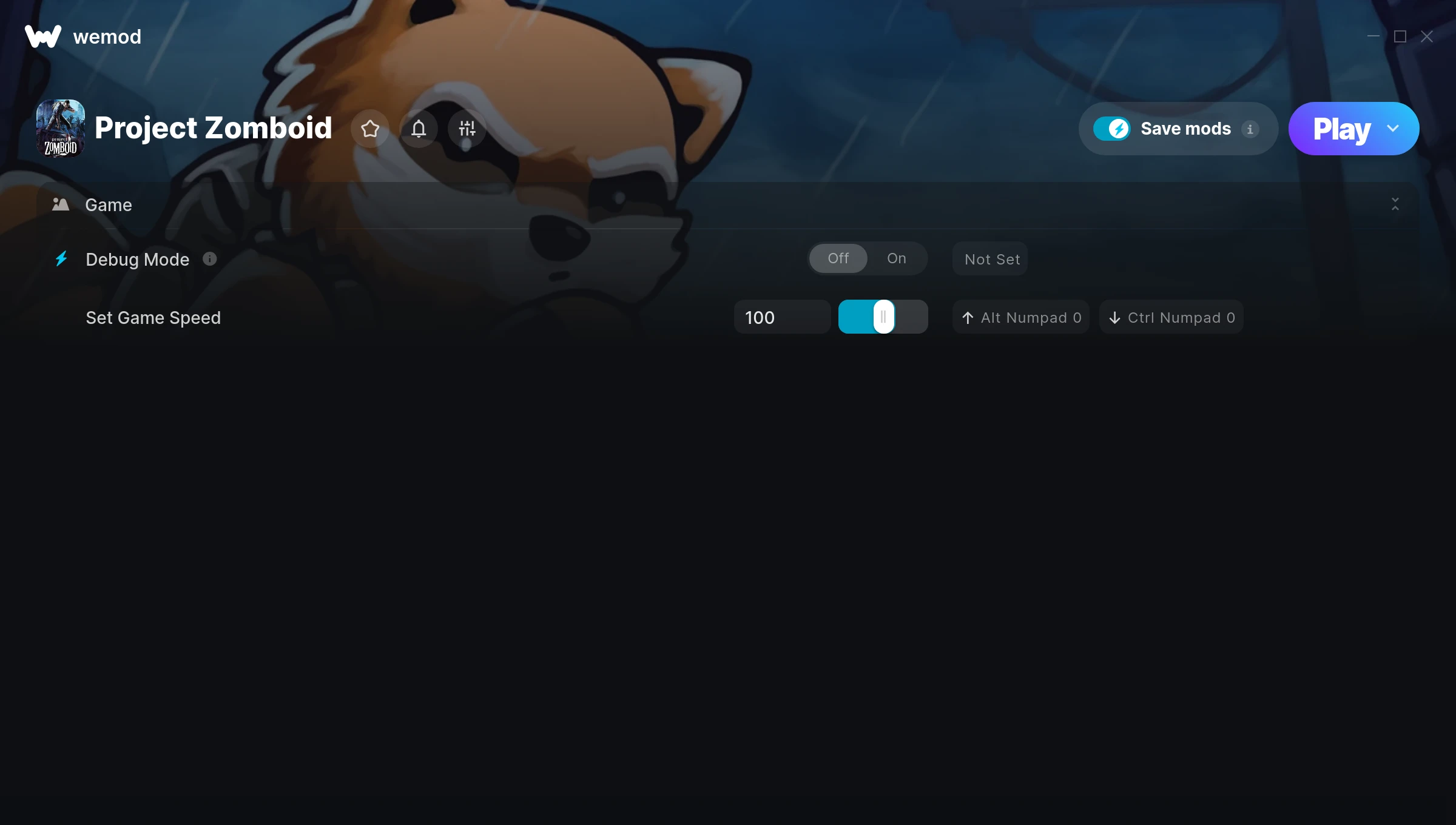
The Project Zomboid Trainer gives you access to 2 cheats that let you play the game however you want. Struggling with a tough section? Want to skip the grind? Just want to mess around? This trainer has you covered.
We’ve seen people sink hundreds of hours into this game with cheats on. It hits different.
Since its 2013 release, Project Zomboid has built a loyal following among role-playing (rpg) and simulator fans looking to customize their playthrough.
This is an auto-updating trainer that keeps pace with every game patch automatically. No need to manually grab new versions after updates.
Project Zomboid Trainer Cheats
This trainer includes 2 cheats covering movement, time.
| # | Cheat | Effect |
|---|---|---|
| 1 | Debug Mode | Tweak the debug mode mechanic to your advantage |
| 2 | Set Game Speed | Speed up or slow down the entire game to your liking |
Download Project Zomboid Trainer
Download the latest version of this trainer for PC below.
| Version | Creator | Platform | Date Added | Download |
|---|---|---|---|---|
| Auto-Updating Version (Latest) | FLiNG | Steam | 2026-01-30 | Download |
How to Use This Trainer
- Load Project Zomboid – Start the game and either load your existing save or begin a new one. The trainer connects to the running game process.
- Run Your Chosen Trainer – For the auto-updating version, open WeMod and find “Project Zomboid”. For the standalone version, run the FLiNG .exe file as Administrator. Both connect to the game automatically.
- Choose Your Cheats – Scroll through the WeMod overlay and enable the cheats that interest you. All changes happen live while you play.
- Play Your Way – That’s the full setup. Get back into Project Zomboid and play on your own terms. Adjust cheats whenever the mood strikes.
Tips & Known Issues
- Keep this trainer offline. Single-player only – any online or multiplayer use risks a permanent ban from the game.
- If the trainer isn’t working, make sure your game is fully updated to the latest version.
- If cheats aren’t activating, check that the trainer is running with Administrator rights.
- For the smoothest experience on Steam, switch off the Steam Overlay in your Steam settings before running the trainer.
- The WeMod version updates itself automatically after each game patch. No action needed on your end.
Frequently Asked Questions
Will this trainer affect my save files?
It won’t corrupt your saves. The trainer works in memory only – but keep in mind that any progress made with cheats enabled will be saved normally.
Is this trainer free to download?
It is. No hidden fees, no sign-up walls – just download it from the links above and start playing.
Can I customise how much health or money I get?
Where available, yes. Look for cheats labelled ‘Set’ or ‘Edit’ – these let you punch in a custom value instead of going straight to infinite.
What should I do if the trainer stops working after an update?
If a game patch breaks things, the auto-updating trainer will fix itself automatically – usually within a day or two.
Does this trainer work with Steam?
Yes. The trainer hooks into the game process when launched through Steam.