Sonic Racing: CrossWorlds Trainer
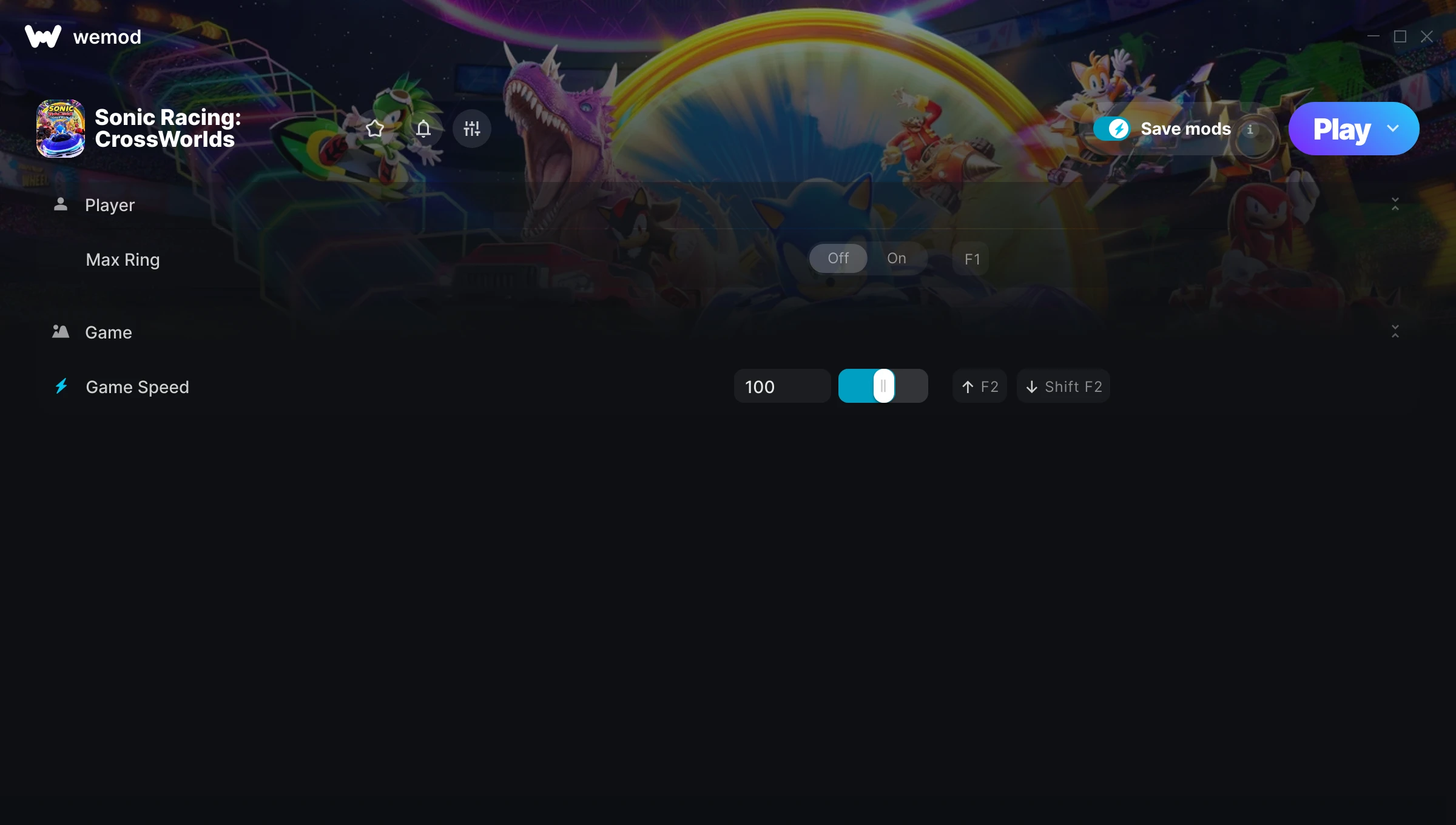
The Sonic Racing: CrossWorlds Trainer gives you access to 2 cheats that let you play the game however you want. Struggling with a tough section? Want to skip the grind? Just want to mess around? This trainer has you covered.
Some people call it cheating. We call it playing on your own terms.
A racing and sport title that first dropped in 2025, Sonic Racing: CrossWorlds still draws players who want to tweak the experience to their liking.
Once you’ve got this trainer installed, it takes care of itself. Every time the game gets a patch, the trainer updates automatically so your cheats keep working.
Sonic Racing: CrossWorlds Trainer Cheats
This trainer includes 2 cheats covering movement, time.
| # | Cheat | Effect |
|---|---|---|
| 1 | Max Ring | Max out your ring in one go |
| 2 | Game Speed | Speed up or slow down the entire game to your liking |
Download Sonic Racing: CrossWorlds Trainer
Download the latest version of this trainer for PC below.
| Version | Creator | Platform | Date Added | Download |
|---|---|---|---|---|
| Auto-Updating Version (Latest) | Switchyyyy | Steam | 2026-01-21 | Download |
How to Use This Trainer
- Get Into Sonic Racing: CrossWorlds – Launch the game, get past the splash screens, and load into gameplay. Once you can see your character or the main menu, move to step 2.
- Connect WeMod – Launch the WeMod application and find “Sonic Racing: CrossWorlds” in the library. Press Play and WeMod will hook into the running game automatically.
- Flip On the Cheats – In the WeMod overlay, toggle the cheats you’re interested in. They apply immediately to your game session.
- Enjoy the Game – You’re all set. Play the game with your cheats active and switch them around as you go. Try different combinations to see what’s the most fun.
Tips & Known Issues
- Trainers are designed for single-player use only. Using them online or in multiplayer will result in a ban.
- It’s good practice to back up your saves before activating cheats. That way you can revert if anything feels off.
- If using Steam, consider disabling the Steam Overlay (Steam > Settings > In-Game) to avoid conflicts with the trainer.
- Cloud gaming services like GeForce NOW or Xbox Cloud Gaming are not compatible with trainers. You need the game running locally on PC.
- WeMod handles version compatibility automatically. When the game updates, the trainer follows shortly after.
Frequently Asked Questions
How do I know which version to download?
This trainer auto-updates whenever the game is patched, so you always have the latest compatible version. Just download it once and you’re set.
How often is this trainer updated?
This trainer auto-updates shortly after each game patch, so it stays compatible without you having to do anything.
Do I need to restart the game after activating cheats?
Nope. Cheats kick in immediately while the game is running. Just toggle them on and off whenever you want.
Can I get banned for using this trainer?
Single-player? No risk at all. Online or multiplayer? Do not even think about it. Anti-cheat systems will catch you and you will be banned.
Does this trainer work with Steam?
Yes. The trainer hooks into the game process when launched through Steam.