Stormworks: Build and Rescue Trainer
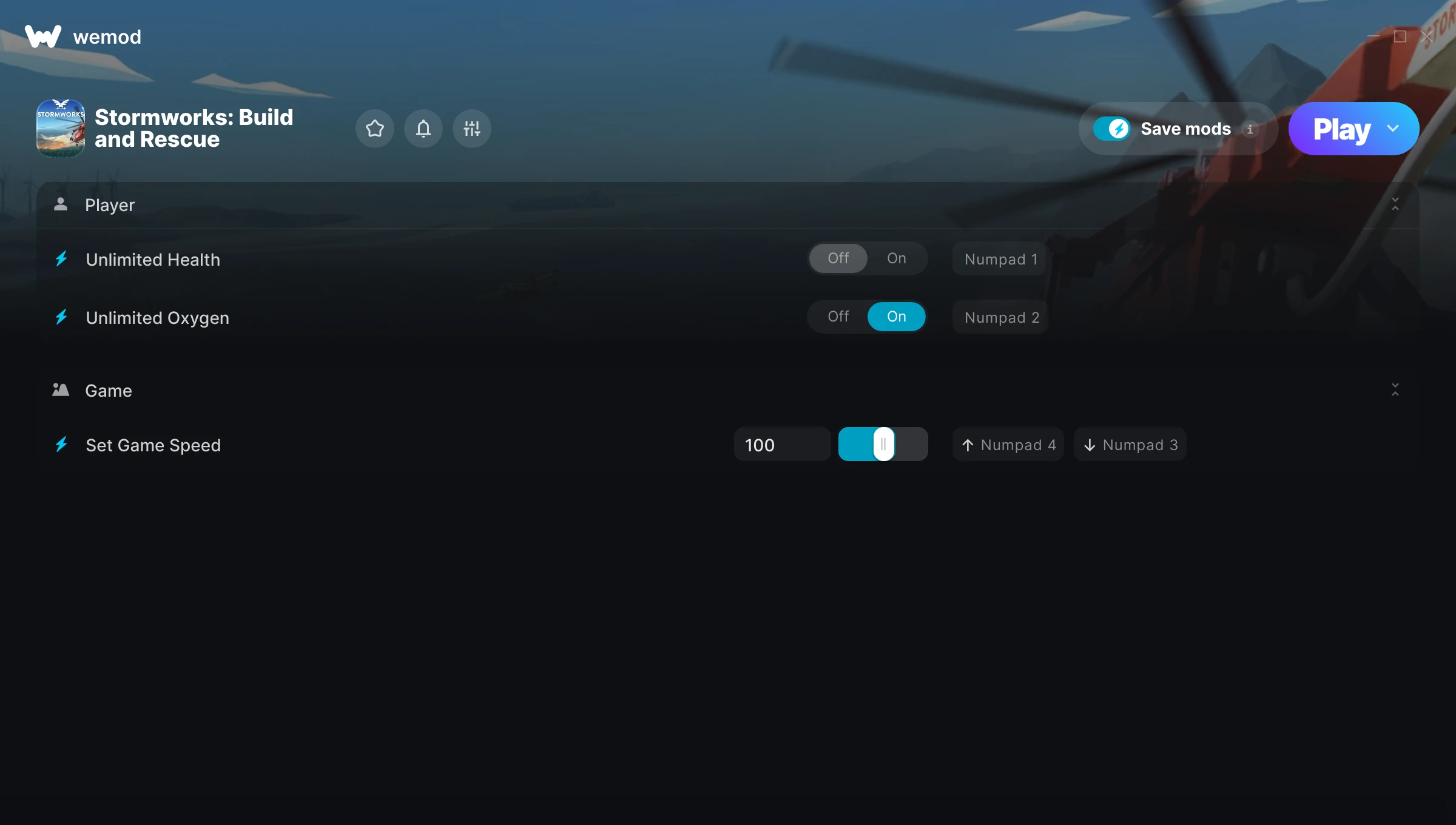
The Stormworks: Build and Rescue Trainer gives you access to 3 cheats that let you play the game however you want. Struggling with a tough section? Want to skip the grind? Just want to mess around? This trainer has you covered.
You can play it straight or go full chaos mode. No judgement either way.
Out since 2020, this simulator and strategy title is still going strong with players who want to shape the experience on their own terms.
This trainer stays in sync with game patches automatically. You’ll never have to worry about downloading a new version after an update – it handles everything behind the scenes.
Stormworks: Build and Rescue Trainer Cheats
This trainer includes 3 cheats covering health, movement, time.
| # | Cheat | Effect |
|---|---|---|
| 1 | Unlimited Health | Your health stays maxed out no matter what hits you |
| 2 | Unlimited Oxygen | Use your oxygen as much as you want without limits |
| 3 | Set Game Speed | Speed up or slow down the entire game to your liking |
What Can You Do With This Trainer?
Here are some of the standout cheats in this trainer – the ones that really change how you play:
- Unlimited Health – Your health stays maxed out no matter what hits you
- Unlimited Oxygen – Your oxygen never runs out or depletes
- Set Game Speed – Speed up or slow down the entire game to your liking
And that’s just scratching the surface. The full Stormworks: Build and Rescue cheat list above has everything you need to play completely on your own terms.
Download Stormworks: Build and Rescue Trainer
Download the latest version of this trainer for PC below.
| Version | Creator | Platform | Date Added | Download |
|---|---|---|---|---|
| Auto-Updating Version (Latest) | STiNGERR | Steam | 2025-05-14 | Download |
How to Use This Trainer
- Boot Up Stormworks: Build and Rescue – Start the game like you normally would. Once you’re at the main menu or loaded into your save, you’re ready for the next step.
- Open WeMod Overlay – Search for “Stormworks: Build and Rescue” in WeMod and click Play. The in-game overlay will appear with toggles for every available cheat.
- Flip On the Cheats – In the WeMod overlay, toggle the cheats you’re interested in. They apply immediately to your game session.
- Enjoy the Game – You’re all set. Play the game with your cheats active and switch them around as you go. Try different combinations to see what’s the most fun.
Tips & Known Issues
- Never activate this trainer during online play. It’s built for single-player only and multiplayer anti-cheat will catch it.
- This trainer is for the PC version of the game only. PlayStation, Xbox, and Switch are not supported.
- Don’t be alarmed if Windows Defender or your antivirus flags the download. Trainers are routinely flagged as false positives.
- Running the trainer as Admin avoids most permission-related issues. Right-click and choose Run as Administrator.
- WeMod auto-updates the trainer after game patches, so you never have to manually download a new version.
Frequently Asked Questions
Can I get banned for using this trainer?
As long as you stick to single-player, you’re fine. Using cheats in multiplayer or online modes is a completely different story – don’t do it.
Will this trainer affect my save files?
The trainer only modifies values in memory while the game is running. Your save files stay intact, though any progress you make with cheats on will save as normal.
How often is this trainer updated?
This trainer auto-updates shortly after each game patch, so it stays compatible without you having to do anything.
What should I do if the trainer stops working after an update?
If a game patch breaks things, the auto-updating trainer will fix itself automatically – usually within a day or two.
Can I customise how much health or money I get?
Where available, yes. Look for cheats labelled ‘Set’ or ‘Edit’ – these let you punch in a custom value instead of going straight to infinite.
Can I use multiple cheats at the same time?
Yes – enable as many as you like simultaneously. Combining cheats is where things get really fun.
Does this trainer work with Steam?
Fully compatible with Steam. Just launch the game through Steam and run the trainer alongside it.