Surviving Mars: Relaunched Trainer
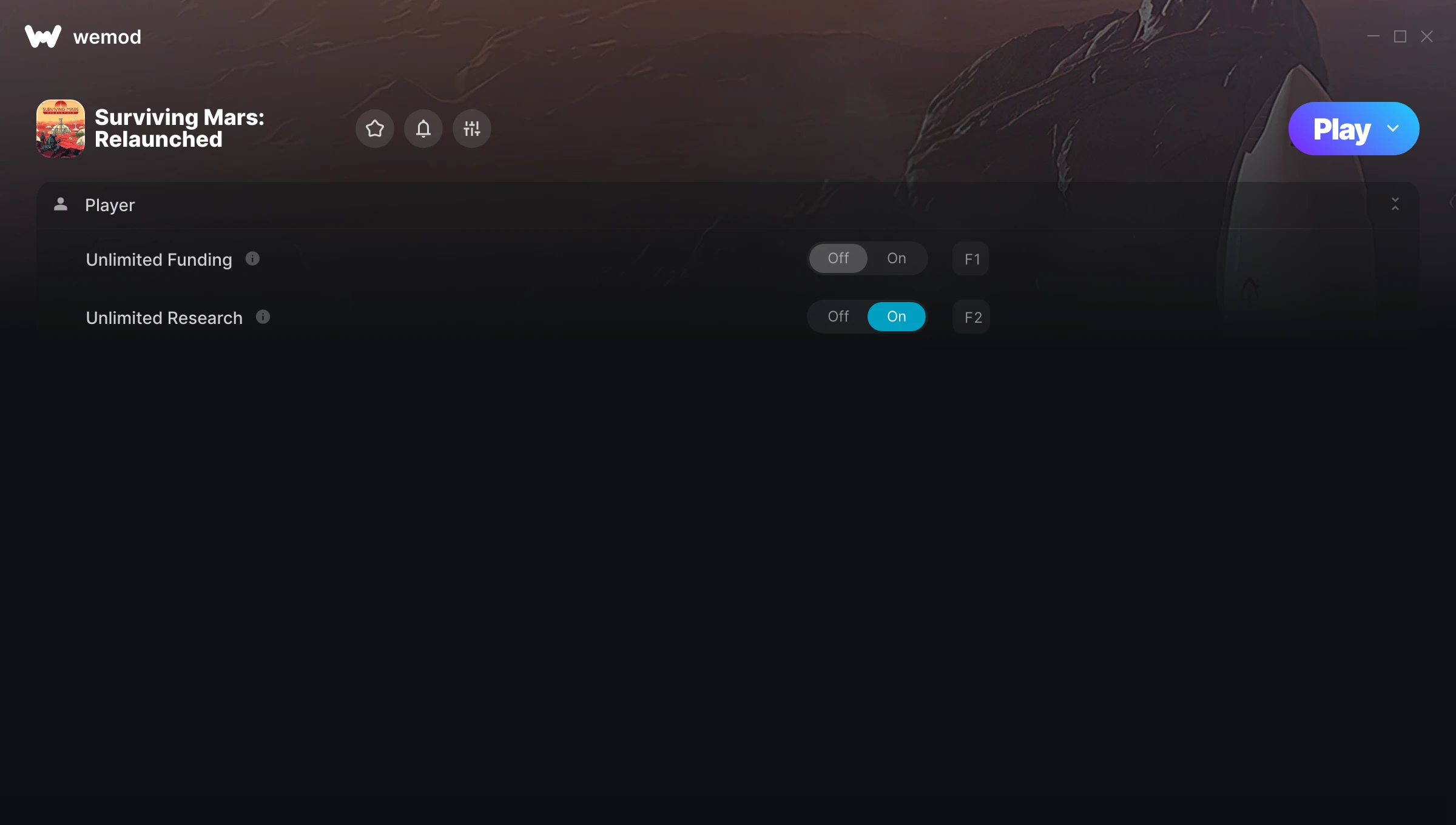
The Surviving Mars: Relaunched Trainer gives you access to 2 cheats that let you play the game however you want. Struggling with a tough section? Want to skip the grind? Just want to mess around? This trainer has you covered.
Stuck at a difficulty wall? This trainer turns that wall into tissue paper.
Surviving Mars: Relaunched has been a go-to simulator and strategy title since 2025, and players are still finding new ways to enjoy it.
Once you’ve got this trainer installed, it takes care of itself. Every time the game gets a patch, the trainer updates automatically so your cheats keep working.
Surviving Mars: Relaunched Trainer Cheats
This trainer includes 2 cheats for tweaking your gameplay.
| # | Cheat | Effect |
|---|---|---|
| 1 | Unlimited Funding | Your funding never runs out or depletes |
| 2 | Unlimited Research | Your research never runs out or depletes |
Download Surviving Mars: Relaunched Trainer
Download the latest version of this trainer for PC below.
| Version | Creator | Platform | Date Added | Download |
|---|---|---|---|---|
| Auto-Updating Version (Latest) | MrAntiFun | Steam | 2026-01-30 | Download |
How to Use This Trainer
- Open Surviving Mars: Relaunched – Launch the game and wait until you’re in-game or at the main menu. The trainer needs the game process running to hook into it.
- Launch WeMod – Fire up the WeMod app and search for “Surviving Mars: Relaunched”. Hit Play and the overlay will appear over your game with all cheats ready to toggle.
- Enable the Cheats You Want – Use the WeMod overlay to enable any combination of cheats. Everything activates in real-time while the game is running.
- Dive In – Everything is ready. Return to Surviving Mars: Relaunched and enjoy the game your way. Swap cheats around whenever you feel like mixing things up.
Tips & Known Issues
- Keep this trainer offline. Single-player only – any online or multiplayer use risks a permanent ban from the game.
- This trainer only works on PC. Console versions and cloud gaming platforms are not supported.
- Antivirus software may detect the trainer as suspicious. This is normal for game trainers – add an exclusion to proceed.
- Steam’s in-game overlay sometimes interferes with trainers. If cheats aren’t activating, disable it in Steam > Settings > In-Game.
- No need to check for updates manually with WeMod. The trainer patches itself whenever the game is updated.
Frequently Asked Questions
Will the trainer work with the latest game version?
The auto-updating trainer stays compatible with new patches on its own. If you grabbed the Standalone version, you might need to check for a newer release after big updates.
How often is this trainer updated?
This trainer auto-updates shortly after each game patch, so it stays compatible without you having to do anything.
Can I get banned for using this trainer?
Trainers are for single-player only. Seriously, do not try these in online or multiplayer modes – that is a fast track to a ban.
Will this trainer affect my save files?
The trainer only modifies values in memory while the game is running. Your save files stay intact, though any progress you make with cheats on will save as normal.
Does this trainer work with Steam?
It does. This trainer is built to work with the Steam version.