Suzerain Trainer
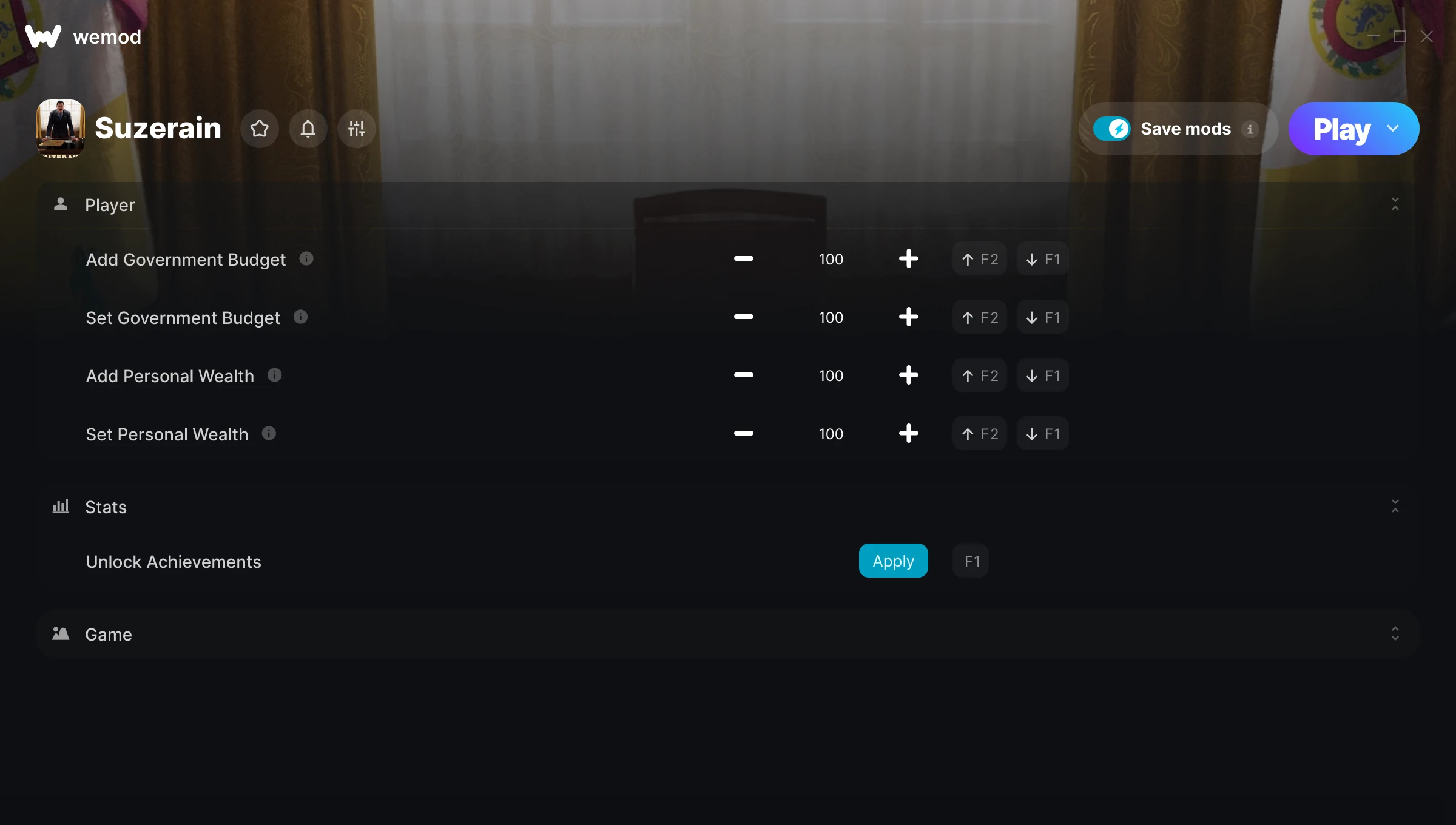
The Suzerain Trainer gives you access to 7 cheats that let you play the game however you want. Struggling with a tough section? Want to skip the grind? Just want to mess around? This trainer has you covered.
Honestly, half the fun is seeing what happens when you turn everything on at once.
Since its 2020 release, Suzerain has built a loyal following among role-playing (rpg) and simulator fans looking to customize their playthrough.
This is an auto-updating trainer that keeps pace with every game patch automatically. No need to manually grab new versions after updates.
Some of the most popular cheats included in this trainer are Add Government Budget, Set Government Budget, Add Personal Wealth, Set Personal Wealth, and many more. These modifications let you customize difficulty, skip grinding, or simply experiment with the game in new ways.
Suzerain Trainer Cheats
This trainer includes 7 cheats covering movement, time.
| # | Cheat | Effect |
|---|---|---|
| 1 | Add Government Budget | Add extra government budget whenever you need it |
| 2 | Set Government Budget | Adjust government budget to whatever feels right |
| 3 | Add Personal Wealth | Give yourself more personal wealth on demand |
| 4 | Set Personal Wealth | Adjust personal wealth to whatever feels right |
| 5 | Unlock Achievements | Skip the requirements and unlock achievements right away |
| 6 | Game Speed | Speed up or slow down the entire game to your liking |
| 7 | Hi-Res Screenshot | Tweak the hi res screenshot mechanic to your advantage |
What Can You Do With This Trainer?
Here are some of the standout cheats in this trainer – the ones that really change how you play:
- Add Government Budget – Add extra government budget whenever you need it
- Set Government Budget – Manually set your government budget to any number
- Add Personal Wealth – Give yourself more personal wealth on demand
- Set Personal Wealth – Choose exactly how much personal wealth you want
- Unlock Achievements – Instantly gain access to achievements
And that’s just scratching the surface. The full Suzerain cheat list above has everything you need to play completely on your own terms.
Download Suzerain Trainer
Download the latest version of this trainer for PC below.
| Version | Creator | Platform | Date Added | Download |
|---|---|---|---|---|
| Auto-Updating Version (Latest) | milapesa | Steam | 2026-07-22 | Download |
How to Use This Trainer
- Get Suzerain Running – Launch the game through your usual platform. Wait until you’re past any intro screens and into the menu or gameplay.
- Launch WeMod – Fire up the WeMod app and search for “Suzerain”. Hit Play and the overlay will appear over your game with all cheats ready to toggle.
- Activate Cheats – Toggle the cheats you want using the WeMod overlay or press the assigned hotkeys. Cheats activate in real-time while you play.
- Start Playing – That’s all there is to it. Dive back in and enjoy Suzerain with your cheats running. Feel free to adjust them anytime mid-game.
Tips & Known Issues
- Only use this trainer in single-player. Online and multiplayer modes have anti-cheat systems that will detect and ban you.
- For the smoothest experience on Steam, switch off the Steam Overlay in your Steam settings before running the trainer.
- While trainers are safe to use, backing up your save file beforehand is always a smart precaution.
- Your antivirus might quarantine the trainer file. This is a known false positive – whitelist the trainer in your security software.
- The WeMod version updates itself automatically after each game patch. No action needed on your end.
Frequently Asked Questions
Can I customise how much health or money I get?
Some cheats include an edit mode where you can set a specific value rather than just maxing things out. Great for keeping things balanced if you want.
What should I do if the trainer stops working after an update?
If a game patch breaks things, the auto-updating trainer will fix itself automatically – usually within a day or two.
Do I need to restart the game after activating cheats?
Nope. Cheats kick in immediately while the game is running. Just toggle them on and off whenever you want.
How do I know which version to download?
This trainer auto-updates whenever the game is patched, so you always have the latest compatible version. Just download it once and you’re set.
Can I get banned for using this trainer?
As long as you stick to single-player, you’re fine. Using cheats in multiplayer or online modes is a completely different story – don’t do it.
Is this trainer compatible with mods?
In most cases they work fine together. Conflicts only happen when a mod alters the exact same memory values the trainer is trying to modify.
Does this trainer work with Steam?
Yes. The trainer hooks into the game process when launched through Steam.