
Synthetik Trainer
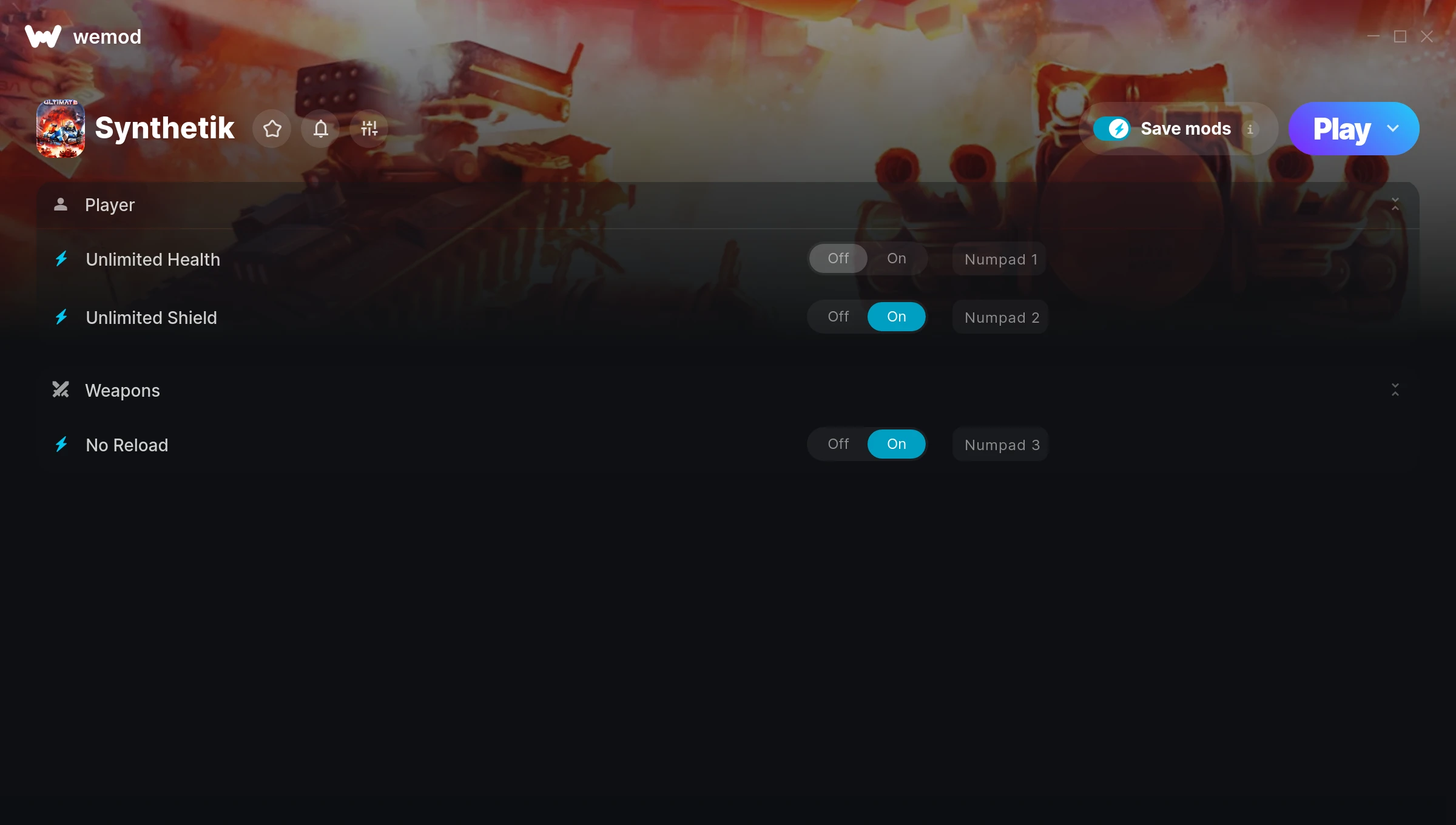
The Synthetik Trainer gives you access to 3 cheats that let you play the game however you want. Struggling with a tough section? Want to skip the grind? Just want to mess around? This trainer has you covered.
No reload means nonstop firepower. Seriously, it changes how you approach every fight. These cheats let you get past the frustrating parts and actually enjoy the game at your own pace.
If you’re the type who reads every tooltip and explores every corner, infinite health makes that a lot more relaxing.
It’s been a while since Synthetik first hit in 2018, but this shooter and indie title still has plenty to offer.
This trainer stays in sync with game patches automatically. You’ll never have to worry about downloading a new version after an update – it handles everything behind the scenes.
Synthetik Trainer Cheats
This trainer includes 3 cheats covering health, ammo, defense.
| # | Cheat | Effect |
|---|---|---|
| 1 | Unlimited Health | Your health stays maxed out no matter what hits you |
| 2 | Unlimited Shield | Your shield never runs out or depletes |
| 3 | No Reload | Skip reload animations entirely and keep firing nonstop |
What Can You Do With This Trainer?
Here are some of the standout cheats in this trainer – the ones that really change how you play:
- Unlimited Health – Your health stays maxed out no matter what hits you
- Unlimited Shield – Use your shield as much as you want without limits
- No Reload – Skip reload animations entirely and keep firing nonstop
And that’s just scratching the surface. The full Synthetik cheat list above has everything you need to play completely on your own terms.
Recommended Cheat Presets
Not sure which cheats to enable? Here are some recommended preset combinations for different playstyles:
Easy Mode
Turn the difficulty down to nothing. Perfect for enjoying the story, or for a second playthrough where you just want to feel unstoppable.
- Unlimited Health
- No Reload
Download Synthetik Trainer
Download the latest version of this trainer for PC below.
| Version | Creator | Platform | Date Added | Download |
|---|---|---|---|---|
| Auto-Updating Version (Latest) | STiNGERR | Steam | 2025-08-12 | Download |
How to Use This Trainer
- Fire Up Synthetik – Open the game and let it load fully. Whether you’re continuing a save or starting new, just make sure it’s running.
- Start the Trainer – Open WeMod, type “Synthetik” in the search bar, and click Play. The overlay pops up in-game and you’re ready to go.
- Activate Cheats – Toggle the cheats you want using the WeMod overlay or press the assigned hotkeys. Cheats activate in real-time while you play.
- Dive In – Everything is ready. Return to Synthetik and enjoy the game your way. Swap cheats around whenever you feel like mixing things up.
Tips & Known Issues
- Only use this trainer in single-player. Online and multiplayer modes have anti-cheat systems that will detect and ban you.
- Launch the trainer with elevated permissions (Run as Administrator) to avoid access issues.
- Overlay apps from Discord, NVIDIA, or Razer can occasionally clash with trainer hooks. Disable them as a troubleshooting step.
- It’s good practice to back up your saves before activating cheats. That way you can revert if anything feels off.
- Using WeMod? The trainer stays current on its own – it auto-patches after every game update.
Frequently Asked Questions
Is this trainer free to download?
It is. No hidden fees, no sign-up walls – just download it from the links above and start playing.
What should I do if the trainer stops working after an update?
If a game patch breaks things, the auto-updating trainer will fix itself automatically – usually within a day or two.
How do I use this trainer?
Just download the trainer and open it while the game is running. Each cheat has a toggle – flip them on or off as you play.
What cheats are included in this trainer?
The trainer comes loaded with 3 cheats. Everything from combat tweaks to resource mods – the full list is in the table above.
Is this trainer compatible with mods?
Usually, yes. Trainers and mods can run side by side without issues. The only time you might hit a snag is if a mod changes the same values the trainer is targeting.
Does this trainer work with Steam?
Fully compatible with Steam. Just launch the game through Steam and run the trainer alongside it.



