
The Outer Worlds Trainer
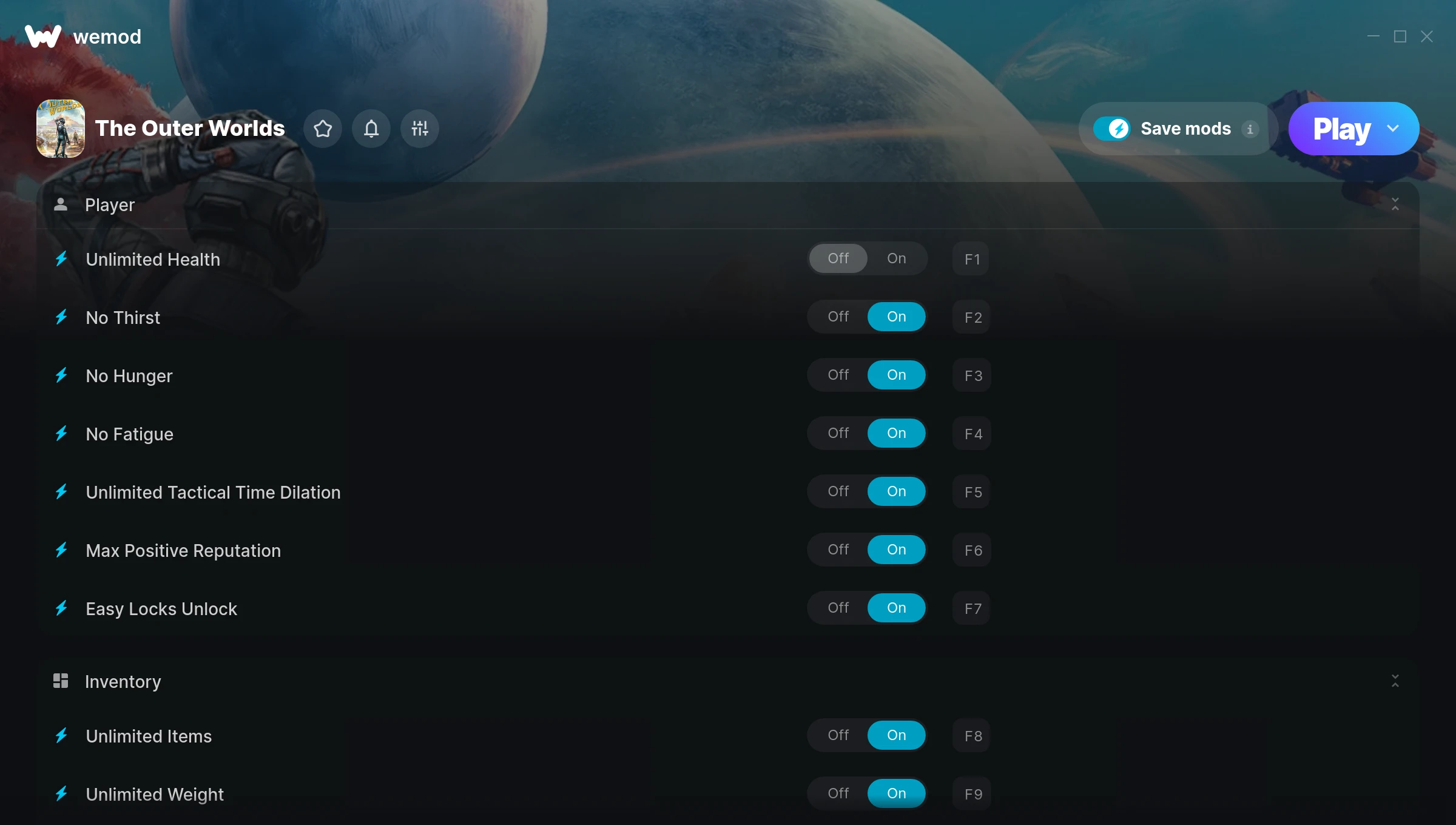
The The Outer Worlds Trainer gives you access to 22 cheats that let you play the game however you want. Struggling with a tough section? Want to skip the grind? Just want to mess around? This trainer has you covered.
Unlimited money removes the grind entirely – just buy what you want and get back to the fun parts. These cheats let you get past the frustrating parts and actually enjoy the game at your own pace.
There’s a reason trainers have been around since the DOS era. They just make games more fun.
First hitting the scene in 2019, this shooter and role-playing (rpg) title keeps attracting players who want more control over their run.
Not sure which version to grab? The Auto-Updating Version keeps itself in sync with game patches automatically. The Standalone is a fixed release – great if you’re running an older game version.
Some of the most popular cheats included in this trainer are Unlimited Health, Max Positive Reputation, Unlimited Money, Unlimited Ammo, and many more. These modifications let you customize difficulty, skip grinding, or simply experiment with the game in new ways.
The Outer Worlds Trainer Cheats
This trainer includes 22 cheats covering health, ammo, resources, movement, experience.
| # | Cheat | Effect |
|---|---|---|
| 1 | Unlimited Health | Your health stays maxed out no matter what hits you |
| 2 | No Thirst | Remove thirst from the equation |
| 3 | No Hunger | Completely disable hunger |
| 4 | No Fatigue | Remove fatigue from the equation |
| 5 | Unlimited Tactical Time Dilation | Remove all limits on your tactical time dilation |
| 6 | Max Positive Reputation | Max out your positive reputation in one go |
| 7 | Easy Locks Unlock | Tweak the easy locks unlock mechanic to your advantage |
| 8 | Unlimited Items | Use items freely without your inventory running out |
| 9 | Unlimited Weight | Remove all limits on your weight |
| 10 | Unlimited Money | Buy anything you want without thinking about cost |
| 11 | Mega Exp | Boost your exp to massive levels |
| 12 | Set Skill Points | Choose exactly how much skill points you want |
| 13 | Set Perk Points | Pick your own value for perk points |
| 14 | Unlimited Ammo | Fire away without ever worrying about running dry |
| 15 | No Reload | Skip reload animations entirely and keep firing nonstop |
| 16 | Unlimited Durability | Your durability never runs out or depletes |
| 17 | One-Hit Kills | Tweak the one hit kills mechanic to your advantage |
| 18 | Flying Speed | Tweak the flying speed mechanic to your advantage |
| 19 | Set Player Walking Speed | Pick your own value for player walking speed |
| 20 | Set Player Running Speed | Adjust player running speed to whatever feels right |
| 21 | Set Jump Height | Manually set your jump height to any number |
| 22 | Set Gravity | Pick your own value for gravity |
What Can You Do With This Trainer?
Here are some of the standout cheats in this trainer – the ones that really change how you play:
- Unlimited Health – Your health stays maxed out no matter what hits you
- No Thirst – Turn off thirst entirely for easier gameplay
- No Hunger – Turn off hunger entirely for easier gameplay
- No Fatigue – Turn off fatigue entirely for easier gameplay
- Unlimited Tactical Time Dilation – Your tactical time dilation never runs out or depletes
And that’s just scratching the surface. The full cheat list above has everything you need to play the game completely on your own terms.
Recommended Cheat Presets
Not sure which cheats to enable? Here are some recommended preset combinations for different playstyles:
Easy Mode
Turn the difficulty down to nothing. Perfect for enjoying the story, or for a second playthrough where you just want to feel unstoppable.
- Unlimited Health
- Unlimited Ammo
- No Reload
Farming Preset
Skip the grind entirely. Max out your loot, XP, and cash without spending hours farming the same enemies over and over.
- Unlimited Money
- Mega Exp
- Set Skill Points
Download The Outer Worlds Trainer
Download the latest version of this trainer for PC below.
| Version | Creator | Platform | Date Added | Download |
|---|---|---|---|---|
| Auto-Updating Version (Latest) | MrAntiFun | Steam, Xbox, Epic Games | 2026-01-30 | Download |
| Standalone Version | FLiNG | Steam | 2025-11-10 | Download |
How to Use This Trainer
- Boot Up The Outer Worlds – Start the game like you normally would. Once you’re at the main menu or loaded into your save, you’re ready for the next step.
- Run Your Chosen Trainer – For the auto-updating version, open WeMod and find “The Outer Worlds”. For the standalone version, run the FLiNG .exe file as Administrator. Both connect to the game automatically.
- Flip On the Cheats – In the WeMod overlay, toggle the cheats you’re interested in. They apply immediately to your game session.
- Enjoy the Game – You’re all set. Play the game with your cheats active and switch them around as you go. Try different combinations to see what’s the most fun.
Tips & Known Issues
- Trainers are designed for single-player use only. Using them online or in multiplayer will result in a ban.
- A quick save backup takes seconds and gives you peace of mind when experimenting with trainer cheats.
- This trainer is for the PC version of the game only. PlayStation, Xbox, and Switch are not supported.
- If cheats aren’t working, check for conflicting overlays. Discord, GeForce Experience, and similar tools can interfere.
- No need to check for updates manually with WeMod. The trainer patches itself whenever the game is updated.
Frequently Asked Questions
Can I use multiple cheats at the same time?
Yes – enable as many as you like simultaneously. Combining cheats is where things get really fun.
Do I need to restart the game after activating cheats?
Not at all. Everything applies in real-time. Turn cheats on, turn them off, no restarts required at any point.
How do I use this trainer?
Grab the download, launch the game, then fire up the trainer. Toggle cheats with the hotkeys or the overlay – done.
Will the trainer work with the latest game version?
The auto-updating trainer stays compatible with new patches on its own. If you grabbed the Standalone version, you might need to check for a newer release after big updates.
Is this trainer free to download?
Free as it gets. The download links are right above this section, pick whichever version suits you.
Is this trainer compatible with mods?
Usually, yes. Trainers and mods can run side by side without issues. The only time you might hit a snag is if a mod changes the same values the trainer is targeting.
Does this trainer work with Steam?
Yes. The trainer hooks into the game process regardless of whether you launch through Steam, Xbox, Epic Games.



