Tinkertown Trainer
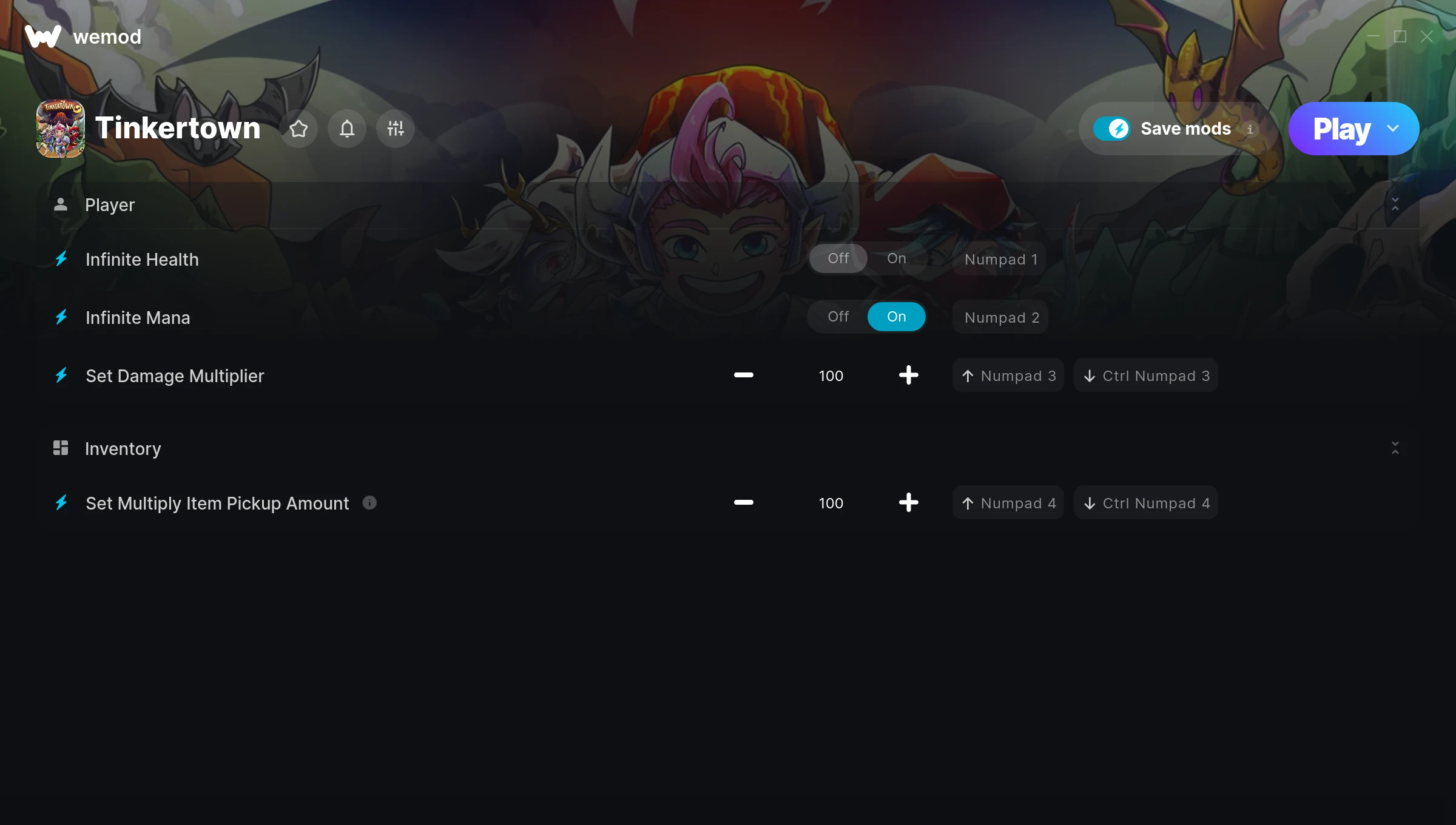
The Tinkertown Trainer gives you access to 4 cheats that let you play the game however you want. Struggling with a tough section? Want to skip the grind? Just want to mess around? This trainer has you covered.
Infinite health means you can charge headfirst into anything without consequences. It’s as liberating as it sounds. These cheats let you get past the frustrating parts and actually enjoy the game at your own pace.
These cheats won’t break your save file. Toggle them on, have fun, toggle them off whenever you want.
If you missed Tinkertown when it launched in 2023, now’s a great time to jump into this role-playing (rpg) and adventure title.
The best part? This PC trainer auto-updates whenever the game is patched. Zero effort on your part – it stays compatible in the background so you can just play.
Tinkertown Trainer Cheats
This trainer includes 4 cheats covering health, combat.
| # | Cheat | Effect |
|---|---|---|
| 1 | Infinite Health | Health that never drops – charge into anything without worry |
| 2 | Infinite Mana | Your mana pool never empties – keep casting forever |
| 3 | Set Damage Multiplier | Hit harder – multiply the damage on every attack you land |
| 4 | Set Multiply Item Pickup Amount | Choose exactly how much multiply item pickup amount you want |
What Can You Do With This Trainer?
Here are some of the standout cheats in this trainer – the ones that really change how you play:
- Infinite Health – Health that never drops – charge into anything without worry
- Infinite Mana – Your mana pool never empties – keep casting forever
- Set Damage Multiplier – Hit harder – multiply the damage on every attack you land
- Set Multiply Item Pickup Amount – Manually set your multiply item pickup amount to any number
And that’s just scratching the surface. The full Tinkertown cheat list above has everything you need to play completely on your own terms.
Download Tinkertown Trainer
Download the latest version of this trainer for PC below.
| Version | Creator | Platform | Date Added | Download |
|---|---|---|---|---|
| Auto-Updating Version (Latest) | GreenHouse | Steam | 2025-12-12 | Download |
How to Use This Trainer
- Start Tinkertown – Fire up the game and get to the main menu or load your save. The game needs to be running before you open the trainer.
- Open the Trainer – Open the WeMod app and search for “Tinkertown”. Click Play to launch the overlay. WeMod will detect the game and enable all available cheats.
- Select and Activate – Choose your cheats from the WeMod overlay and flip them on. Every toggle takes effect right away with no need to reload.
- Play and Enjoy – That’s it – jump back into the game and enjoy. You can toggle cheats on and off whenever you want. Half the fun is experimenting to find your perfect setup.
Tips & Known Issues
- Only use this trainer in single-player. Online and multiplayer modes have anti-cheat systems that will detect and ban you.
- Running an older game version? The trainer may not work correctly. Update your game to the latest patch first.
- Consider backing up your save files before using cheats, especially if you’re on your main playthrough.
- If your antivirus blocks the trainer, add it to your exception list. Memory-editing tools are commonly flagged as false positives.
- WeMod auto-updates the trainer after game patches, so you never have to manually download a new version.
Frequently Asked Questions
Can I customise how much health or money I get?
Yes – many cheats have edit or set options that let you type in the exact value you want. Perfect for dialling things in without going completely overboard.
Will this trainer affect my save files?
No damage to saves. The trainer tweaks memory values on the fly, not your save data. That said, if you earn a million gold with cheats on, that gold saves too.
How do I know which version to download?
This trainer auto-updates whenever the game is patched, so you always have the latest compatible version. Just download it once and you’re set.
What cheats are included in this trainer?
You get 4 cheats to play with. Scroll up to the cheat list to see exactly what’s available.
Does this trainer work with Steam?
It does. This trainer is built to work with the Steam version.