Transport Fever 2 Trainer
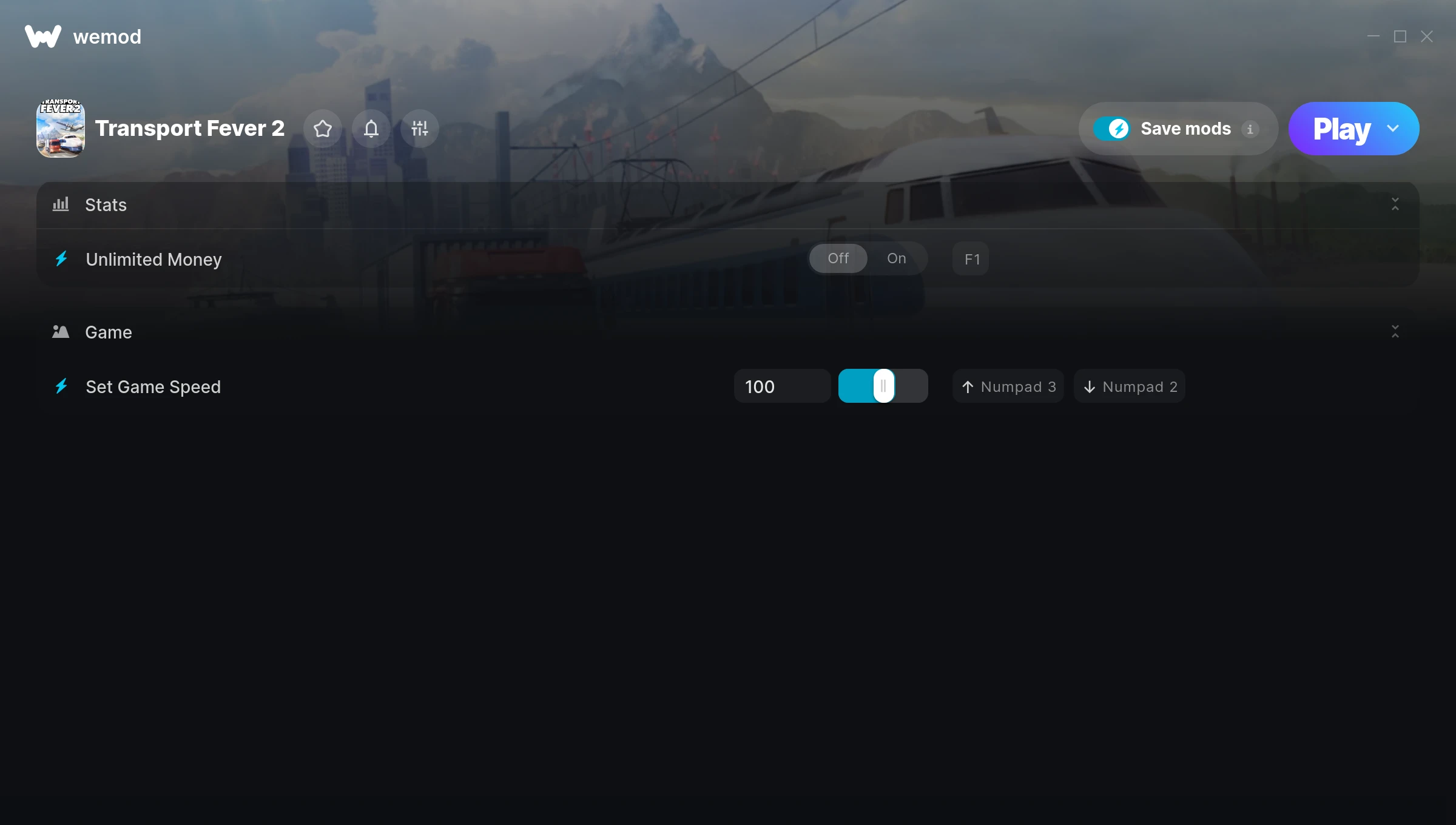
The Transport Fever 2 Trainer gives you access to 2 cheats that let you play the game however you want. Struggling with a tough section? Want to skip the grind? Just want to mess around? This trainer has you covered.
Unlimited money removes the grind entirely – just buy what you want and get back to the fun parts. These cheats let you get past the frustrating parts and actually enjoy the game at your own pace.
Every cheat on this list has been tested and works with the current build.
This simulator and strategy title has been around since 2019 and remains a popular pick for players looking to push their experience further.
There’s an Auto-Updating Version that syncs with game patches on its own, and a Standalone version for anyone who prefers a one-time download. Either way, every cheat in the list is included.
Transport Fever 2 Trainer Cheats
This trainer includes 2 cheats covering resources, movement, time.
| # | Cheat | Effect |
|---|---|---|
| 1 | Unlimited Money | Buy anything you want without thinking about cost |
| 2 | Set Game Speed | Speed up or slow down the entire game to your liking |
Download Transport Fever 2 Trainer
Download the latest version of this trainer for PC below.
| Version | Creator | Platform | Date Added | Download |
|---|---|---|---|---|
| Auto-Updating Version (Latest) | STiNGERR | Steam | 2025-05-14 | Download |
| Standalone Version | FLiNG | Steam | 2025-03-08 | Download |
How to Use This Trainer
- Launch Transport Fever 2 – Start the game and load into your save file or start a new game. Make sure it’s running before activating the trainer.
- Open the Trainer – If using WeMod, open the app and search for “Transport Fever 2”. Click Play to launch the overlay. For the standalone FLiNG trainer, run the downloaded .exe as Administrator.
- Enable the Cheats You Want – Use the WeMod overlay to enable any combination of cheats. Everything activates in real-time while the game is running.
- Start Playing – That’s all there is to it. Dive back in and enjoy Transport Fever 2 with your cheats running. Feel free to adjust them anytime mid-game.
Tips & Known Issues
- Keep this trainer offline. Single-player only – any online or multiplayer use risks a permanent ban from the game.
- Running into problems? Other overlay software (Discord, NVIDIA ShadowPlay) can conflict with trainers. Try turning them off.
- While trainers are safe to use, backing up your save file beforehand is always a smart precaution.
- This trainer only works on PC. Console versions and cloud gaming platforms are not supported.
- Using WeMod? The trainer stays current on its own – it auto-patches after every game update.
Frequently Asked Questions
How do I use this trainer?
Grab the download, launch the game, then fire up the trainer. Toggle cheats with the hotkeys or the overlay – done.
Is this trainer free to download?
Yep, completely free. Just grab it from the download links above and you’re good to go.
What should I do if the trainer stops working after an update?
If a game patch breaks things, the Auto-Updating Version will fix itself automatically. For the Standalone version, check back for a new release.
Is this trainer compatible with mods?
Usually, yes. Trainers and mods can run side by side without issues. The only time you might hit a snag is if a mod changes the same values the trainer is targeting.
How often is this trainer updated?
The auto-updating trainer stays current automatically after each patch. Standalone updates happen on a less regular schedule.
Does this trainer work with Steam?
Yes. The trainer hooks into the game process when launched through Steam.