Ultimate Custom Night Trainer
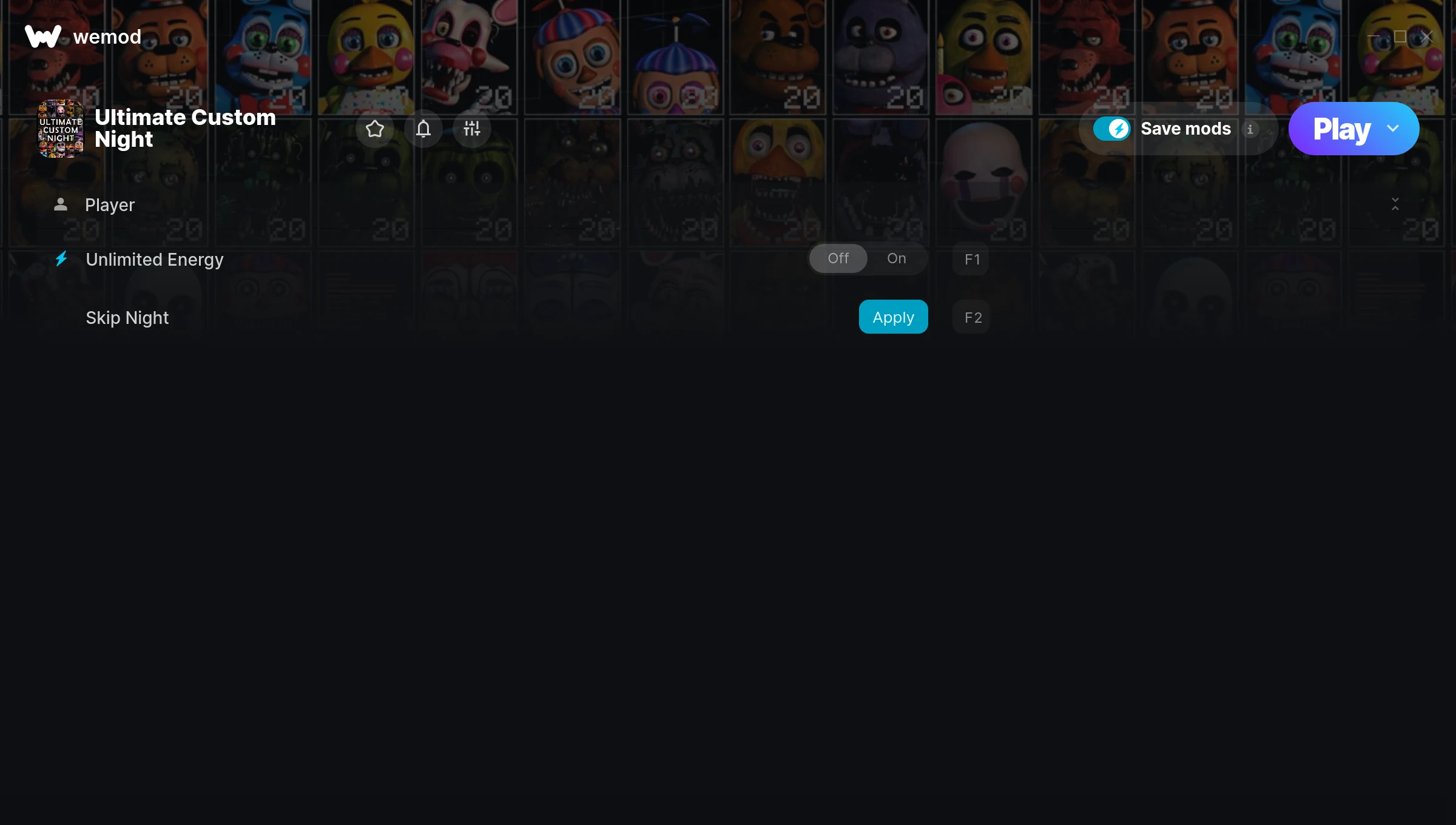
The Ultimate Custom Night Trainer gives you access to 2 cheats that let you play the game however you want. Struggling with a tough section? Want to skip the grind? Just want to mess around? This trainer has you covered.
Turn on god mode and play the game like a walking cutscene. No shame in it.
Since its 2018 release, Ultimate Custom Night has built a loyal following among simulator and strategy fans looking to customize their playthrough.
This trainer stays in sync with game patches automatically. You’ll never have to worry about downloading a new version after an update – it handles everything behind the scenes.
Ultimate Custom Night Trainer Cheats
This trainer includes 2 cheats for tweaking your gameplay.
| # | Cheat | Effect |
|---|---|---|
| 1 | Unlimited Energy | Your energy never runs out or depletes |
| 2 | Skip Night | Tweak the skip night mechanic to your advantage |
Download Ultimate Custom Night Trainer
Download the latest version of this trainer for PC below.
| Version | Creator | Platform | Date Added | Download |
|---|---|---|---|---|
| Auto-Updating Version (Latest) | MrAntiFun | Steam | 2026-01-30 | Download |
How to Use This Trainer
- Launch the Game – Open Ultimate Custom Night and get to the point where you’re actually playing. The trainer hooks into the game while it’s running.
- Activate WeMod – Run the WeMod app, locate “Ultimate Custom Night”, and hit Play. WeMod attaches to the game and shows you the full cheat list in the overlay.
- Activate Cheats – Toggle the cheats you want using the WeMod overlay or press the assigned hotkeys. Cheats activate in real-time while you play.
- Dive In – Everything is ready. Return to Ultimate Custom Night and enjoy the game your way. Swap cheats around whenever you feel like mixing things up.
Tips & Known Issues
- Never activate this trainer during online play. It’s built for single-player only and multiplayer anti-cheat will catch it.
- If your antivirus blocks the trainer, add it to your exception list. Memory-editing tools are commonly flagged as false positives.
- Right-click the trainer and select Run as Administrator to ensure it has the access it needs.
- If this is your primary save, consider making a backup first. Cheats won’t corrupt data, but it’s good to have a safety net.
- One of the perks of WeMod is automatic updates. The trainer syncs with game patches behind the scenes.
Frequently Asked Questions
What cheats are included in this trainer?
You get 2 cheats to play with. Scroll up to the cheat list to see exactly what’s available.
Can I use multiple cheats at the same time?
Of course. There’s no limit to how many you can have active. Layer them however you want.
How do I use this trainer?
Just download the trainer and open it while the game is running. Each cheat has a toggle – flip them on or off as you play.
How do I know which version to download?
This trainer auto-updates whenever the game is patched, so you always have the latest compatible version. Just download it once and you’re set.
How often is this trainer updated?
This trainer auto-updates shortly after each game patch, so it stays compatible without you having to do anything.
Is this trainer compatible with mods?
They’re typically fine together. The rare exception is when a mod overwrites the same values the trainer hooks into, but that’s uncommon.
Does this trainer work with Steam?
Yes, it works with the Steam version of the game.