Undermine Trainer
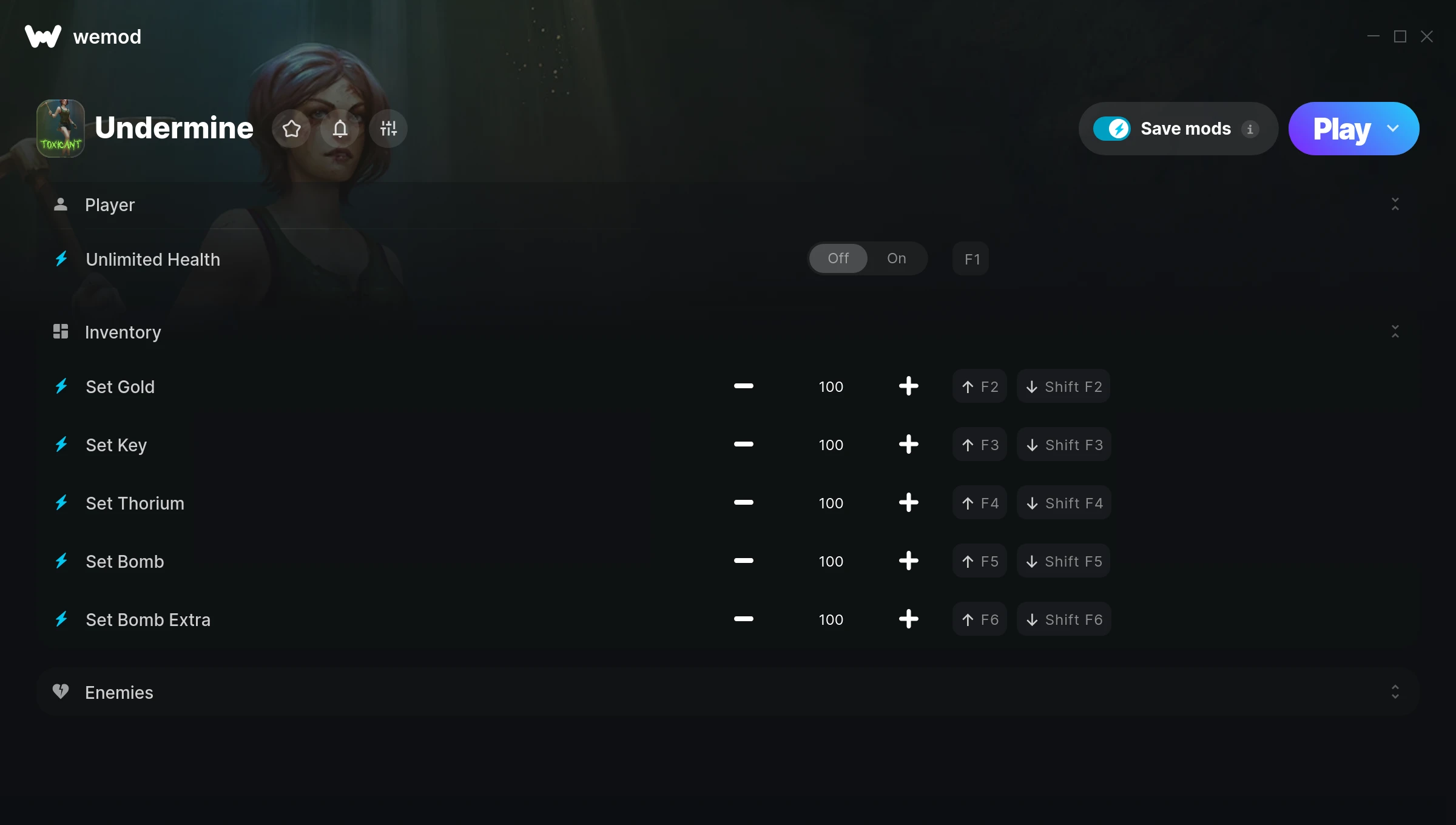
The Undermine Trainer gives you access to 7 cheats that let you play the game however you want. Struggling with a tough section? Want to skip the grind? Just want to mess around? This trainer has you covered.
If you’ve been stuck on a boss for hours, you’re about to have a very good day.
If you missed Undermine when it launched in 2020, now’s a great time to jump into this role-playing (rpg) and adventure title.
This is an auto-updating trainer that keeps pace with every game patch automatically. No need to manually grab new versions after updates.
Some of the most popular cheats included in this trainer are Unlimited Health, Set Gold, Set Key, Set Thorium, and many more. These modifications let you customize difficulty, skip grinding, or simply experiment with the game in new ways.
Undermine Trainer Cheats
This trainer includes 7 cheats covering health, resources.
| # | Cheat | Effect |
|---|---|---|
| 1 | Unlimited Health | Your health stays maxed out no matter what hits you |
| 2 | Set Gold | Adjust gold to whatever feels right |
| 3 | Set Key | Choose exactly how much key you want |
| 4 | Set Thorium | Pick your own value for thorium |
| 5 | Set Bomb | Choose exactly how much bomb you want |
| 6 | Set Bomb Extra | Manually set your bomb extra to any number |
| 7 | One-Hit Kills | Tweak the one hit kills mechanic to your advantage |
What Can You Do With This Trainer?
Here are some of the standout cheats in this trainer – the ones that really change how you play:
- Unlimited Health – Your health stays maxed out no matter what hits you
- Set Gold – Adjust gold to whatever feels right
- Set Key – Choose exactly how much key you want
- Set Thorium – Manually set your thorium to any number
- Set Bomb – Manually set your bomb to any number
And that’s just scratching the surface. The full Undermine cheat list above has everything you need to play completely on your own terms.
Download Undermine Trainer
Download the latest version of this trainer for PC below.
| Version | Creator | Platform | Date Added | Download |
|---|---|---|---|---|
| Auto-Updating Version (Latest) | MrAntiFun | Steam | 2025-12-10 | Download |
How to Use This Trainer
- Boot Up Undermine – Start the game like you normally would. Once you’re at the main menu or loaded into your save, you’re ready for the next step.
- Start the Trainer – Open WeMod, type “Undermine” in the search bar, and click Play. The overlay pops up in-game and you’re ready to go.
- Choose Your Cheats – Scroll through the WeMod overlay and enable the cheats that interest you. All changes happen live while you play.
- Jump Back In – You’re good to go. Return to the game and enjoy your modified experience. Toggle cheats on or off anytime as you play.
Tips & Known Issues
- This trainer is strictly for single-player gameplay. Anti-cheat software in online modes will flag and ban your account.
- Running the trainer as Admin avoids most permission-related issues. Right-click and choose Run as Administrator.
- Some antivirus software may flag the trainer as a false positive. You may need to add an exception for it.
- Overlay apps from Discord, NVIDIA, or Razer can occasionally clash with trainer hooks. Disable them as a troubleshooting step.
- Using WeMod? The trainer stays current on its own – it auto-patches after every game update.
Frequently Asked Questions
Can I get banned for using this trainer?
Trainers are for single-player only. Seriously, do not try these in online or multiplayer modes – that is a fast track to a ban.
How often is this trainer updated?
This trainer auto-updates shortly after each game patch, so it stays compatible without you having to do anything.
Do I need to restart the game after activating cheats?
No restart needed. Cheats take effect the moment you activate them – toggle freely while you play.
Is this trainer compatible with mods?
Usually, yes. Trainers and mods can run side by side without issues. The only time you might hit a snag is if a mod changes the same values the trainer is targeting.
How do I know which version to download?
This trainer auto-updates whenever the game is patched, so you always have the latest compatible version. Just download it once and you’re set.
Does this trainer work with Steam?
It does. This trainer is built to work with the Steam version.