UnderRail Trainer
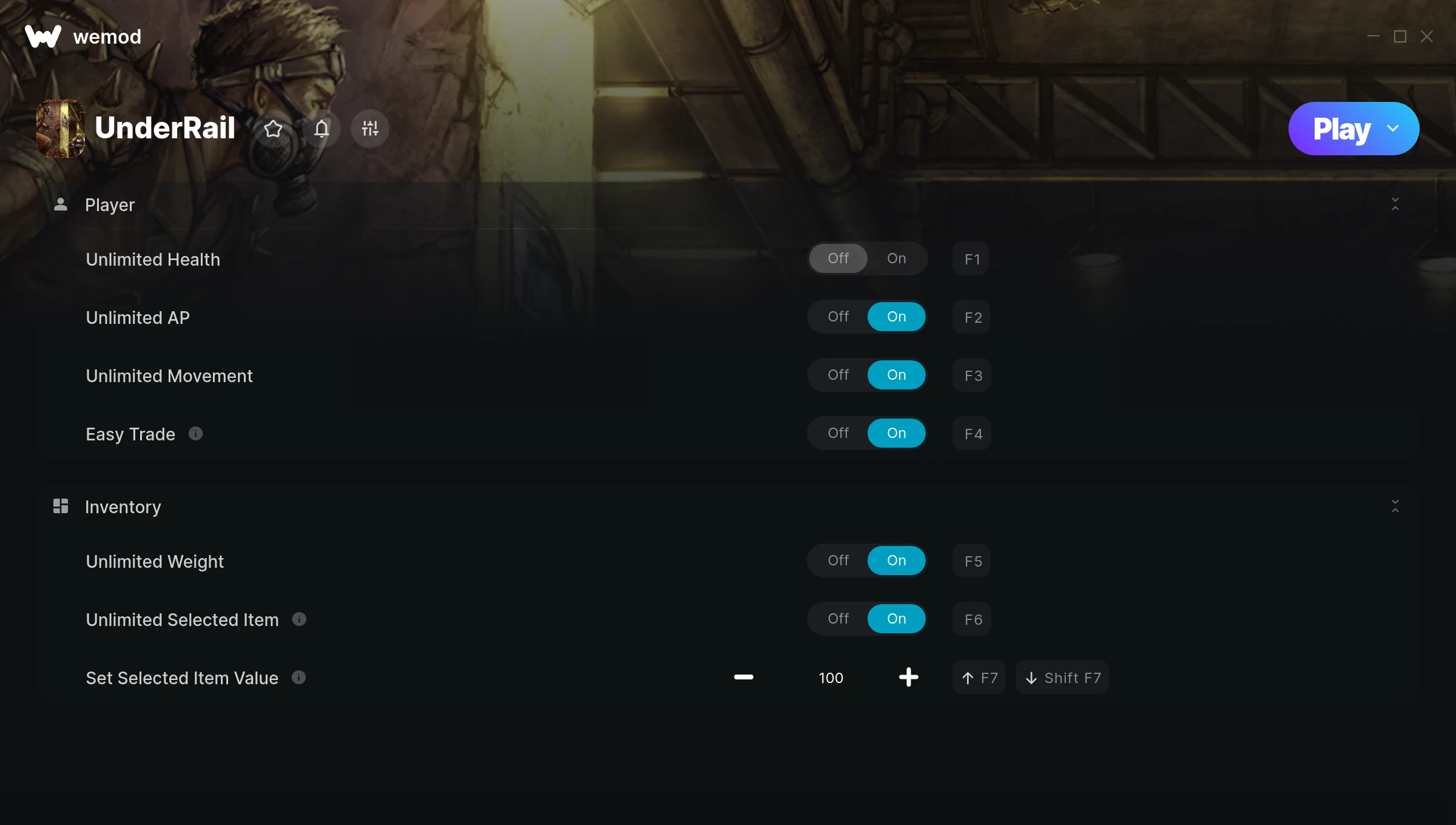
The UnderRail Trainer gives you access to 7 cheats that let you play the game however you want. Struggling with a tough section? Want to skip the grind? Just want to mess around? This trainer has you covered.
Not every game needs to be a challenge. Sometimes you just want to vibe and explore.
Dropping in 2013, UnderRail brought something different to the role-playing (rpg) and turn-based strategy (tbs) scene and players are still hooked.
This trainer is auto-updating – it patches itself every time the game gets an update, so you never have to hunt for a new download. Just install it once and you’re set.
Some of the most popular cheats included in this trainer are Unlimited Health, Unlimited AP, Unlimited Movement, Easy Trade, and many more. These modifications let you customize difficulty, skip grinding, or simply experiment with the game in new ways.
UnderRail Trainer Cheats
This trainer includes 7 cheats covering health, inventory.
| # | Cheat | Effect |
|---|---|---|
| 1 | Unlimited Health | Your health stays maxed out no matter what hits you |
| 2 | Unlimited AP | Remove all limits on your ap |
| 3 | Unlimited Movement | Remove all limits on your movement |
| 4 | Easy Trade | Tweak the easy trade mechanic to your advantage |
| 5 | Unlimited Weight | Remove all limits on your weight |
| 6 | Unlimited Selected Item | Use your selected item as much as you want without limits |
| 7 | Set Selected Item Value | Adjust selected item value to whatever feels right |
What Can You Do With This Trainer?
Here are some of the standout cheats in this trainer – the ones that really change how you play:
- Unlimited Health – Your health stays maxed out no matter what hits you
- Unlimited AP – Use your ap as much as you want without limits
- Unlimited Movement – Your movement never runs out or depletes
- Easy Trade – Tweak the easy trade mechanic to your advantage
- Unlimited Weight – Use your weight as much as you want without limits
And that’s just scratching the surface. The full UnderRail cheat list above has everything you need to play completely on your own terms.
Download UnderRail Trainer
Download the latest version of this trainer for PC below.
| Version | Creator | Platform | Date Added | Download |
|---|---|---|---|---|
| Auto-Updating Version (Latest) | MrAntiFun | Steam | 2026-01-29 | Download |
How to Use This Trainer
- Run UnderRail – Get the game running first – load a save or start fresh. The trainer won’t work unless the game is already open.
- Open the Trainer – Open the WeMod app and search for “UnderRail”. Click Play to launch the overlay. WeMod will detect the game and enable all available cheats.
- Toggle Your Cheats – Flip on whichever cheats you want from the WeMod overlay. Each one takes effect immediately – no restart needed.
- Have Fun – Done! Get back to playing and enjoy the ride. Mix and match cheats whenever you want – there’s no wrong way to use them.
Tips & Known Issues
- Trainers are designed for single-player use only. Using them online or in multiplayer will result in a ban.
- The Steam Overlay can occasionally conflict with trainer software. Disable it in Steam settings if you notice problems.
- Trainer hooks are version-specific. Make sure your copy of the game is on the latest patch for full compatibility.
- Your antivirus might quarantine the trainer file. This is a known false positive – whitelist the trainer in your security software.
- WeMod auto-updates the trainer after game patches, so you never have to manually download a new version.
Frequently Asked Questions
Do I need to restart the game after activating cheats?
No. Cheats are live the instant you toggle them. You can switch them on and off mid-gameplay without interruption.
Is this trainer compatible with mods?
In most cases they work fine together. Conflicts only happen when a mod alters the exact same memory values the trainer is trying to modify.
How do I know which version to download?
This trainer auto-updates whenever the game is patched, so you always have the latest compatible version. Just download it once and you’re set.
Can I use multiple cheats at the same time?
Of course. There’s no limit to how many you can have active. Layer them however you want.
Does this trainer work with Steam?
Fully compatible with Steam. Just launch the game through Steam and run the trainer alongside it.