Uplink Trainer
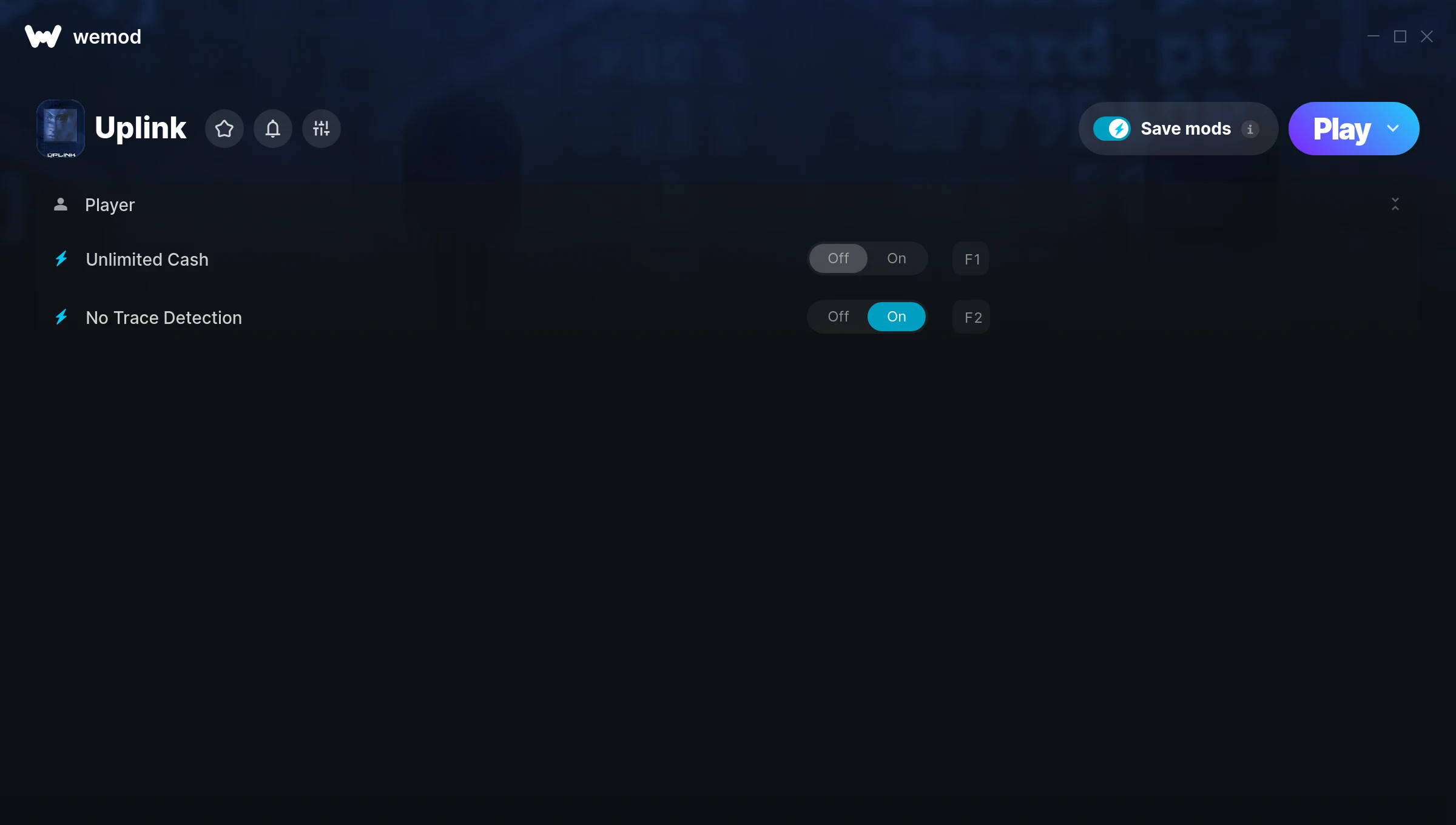
The Uplink Trainer gives you access to 2 cheats that let you play the game however you want. Struggling with a tough section? Want to skip the grind? Just want to mess around? This trainer has you covered.
Consider this your shortcut past every annoying difficulty spike in the game.
A simulator and strategy title that first dropped in 2001, Uplink still draws players who want to tweak the experience to their liking.
This trainer is auto-updating – it patches itself every time the game gets an update, so you never have to hunt for a new download. Just install it once and you’re set.
Uplink Trainer Cheats
This trainer includes 2 cheats covering stealth.
| # | Cheat | Effect |
|---|---|---|
| 1 | Unlimited Cash | Your cash never runs out or depletes |
| 2 | No Trace Detection | Turn off trace detection entirely for easier gameplay |
Download Uplink Trainer
Download the latest version of this trainer for PC below.
| Version | Creator | Platform | Date Added | Download |
|---|---|---|---|---|
| Auto-Updating Version (Latest) | MrAntiFun | Steam | 2026-01-11 | Download |
How to Use This Trainer
- Start the Game First – Always start Uplink before the trainer. Load your save or start a new game – the trainer needs an active game process.
- Open WeMod Overlay – Search for “Uplink” in WeMod and click Play. The in-game overlay will appear with toggles for every available cheat.
- Switch On Your Cheats – Browse the cheat list in the WeMod overlay and toggle on whatever you want. Effects are instant and reversible.
- Play Your Way – That’s the full setup. Get back into Uplink and play on your own terms. Adjust cheats whenever the mood strikes.
Tips & Known Issues
- Only use this trainer in single-player. Online and multiplayer modes have anti-cheat systems that will detect and ban you.
- Steam users may want to turn off the Steam Overlay to prevent it from interfering with the trainer.
- Always run the trainer as Administrator for best compatibility.
- Antivirus software may detect the trainer as suspicious. This is normal for game trainers – add an exclusion to proceed.
- One of the perks of WeMod is automatic updates. The trainer syncs with game patches behind the scenes.
Frequently Asked Questions
What should I do if the trainer stops working after an update?
If a game patch breaks things, the auto-updating trainer will fix itself automatically – usually within a day or two.
Do I need to restart the game after activating cheats?
No restart needed. Cheats take effect the moment you activate them – toggle freely while you play.
How do I use this trainer?
It’s straightforward: download, run the trainer while the game is open, and press the hotkeys to activate whichever cheats you want.
How do I know which version to download?
This trainer auto-updates whenever the game is patched, so you always have the latest compatible version. Just download it once and you’re set.
Does this trainer work with Steam?
Yes. The trainer hooks into the game process when launched through Steam.