Voor De Kroon Trainer
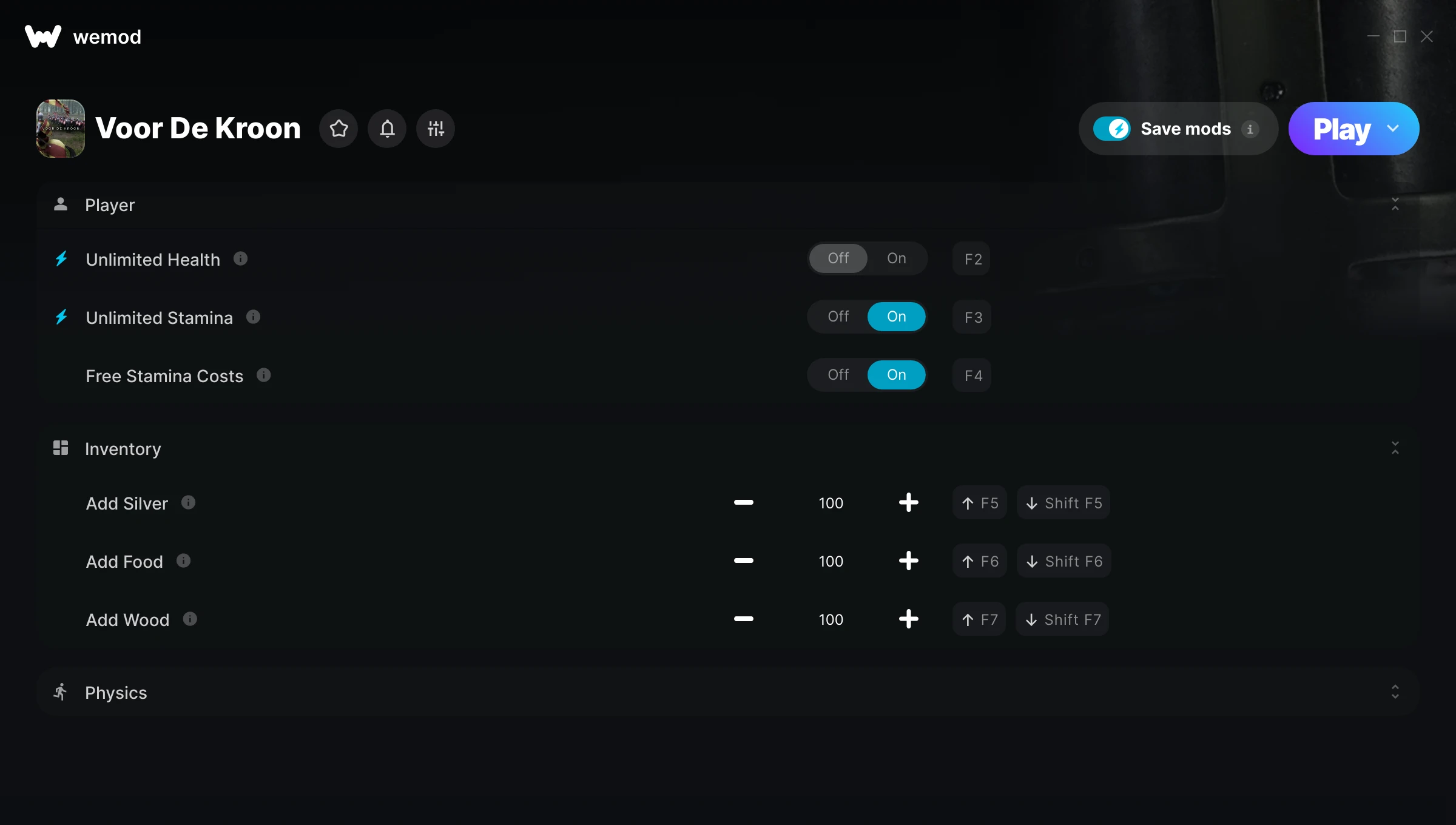
The Voor De Kroon Trainer gives you access to 7 cheats that let you play the game however you want. Struggling with a tough section? Want to skip the grind? Just want to mess around? This trainer has you covered.
Unlimited stamina means you can sprint, dodge, and fight nonstop without that annoying stamina bar slowing you down. These cheats let you get past the frustrating parts and actually enjoy the game at your own pace.
Perfect for a second playthrough where you just want to mess around and have fun.
This simulator and strategy title has been around since 2022 and remains a popular pick for players looking to push their experience further.
No need to check for updates manually. This auto-updating trainer keeps itself compatible with the latest version of the game so your cheats always work.
Some of the most popular cheats included in this trainer are Unlimited Health, Unlimited Stamina, Super Speed, Free Stamina Costs, and many more. These modifications let you customize difficulty, skip grinding, or simply experiment with the game in new ways.
Voor De Kroon Trainer Cheats
This trainer includes 7 cheats covering health, movement.
| # | Cheat | Effect |
|---|---|---|
| 1 | Unlimited Health | Your health stays maxed out no matter what hits you |
| 2 | Unlimited Stamina | Sprint, dodge, and fight without ever getting winded |
| 3 | Free Stamina Costs | Tweak the free stamina costs mechanic to your advantage |
| 4 | Add Silver | Add extra silver whenever you need it |
| 5 | Add Food | Add extra food whenever you need it |
| 6 | Add Wood | Give yourself more wood on demand |
| 7 | Super Speed | Move through the game world at blazing speed |
What Can You Do With This Trainer?
Here are some of the standout cheats in this trainer – the ones that really change how you play:
- Unlimited Health – Your health stays maxed out no matter what hits you
- Unlimited Stamina – Sprint, dodge, and fight without ever getting winded
- Free Stamina Costs – Tweak the free stamina costs mechanic to your advantage
- Add Silver – Add extra silver whenever you need it
- Add Food – Add extra food whenever you need it
And that’s just scratching the surface. The full Voor De Kroon cheat list above has everything you need to play completely on your own terms.
Recommended Cheat Presets
Not sure which cheats to enable? Here are some recommended preset combinations for different playstyles:
Exploration Mode
Explore every corner of the map with zero restrictions. No stamina bar holding you back, no invisible walls – just pure freedom.
- Unlimited Stamina
- Super Speed
Download Voor De Kroon Trainer
Download the latest version of this trainer for PC below.
| Version | Creator | Platform | Date Added | Download |
|---|---|---|---|---|
| Auto-Updating Version (Latest) | Technox | Steam | 2026-05-03 | Download |
How to Use This Trainer
- Run Voor De Kroon – Get the game running first – load a save or start fresh. The trainer won’t work unless the game is already open.
- Connect WeMod – Launch the WeMod application and find “Voor De Kroon” in the library. Press Play and WeMod will hook into the running game automatically.
- Toggle Your Cheats – Flip on whichever cheats you want from the WeMod overlay. Each one takes effect immediately – no restart needed.
- Enjoy Your Playthrough – All done. Now play Voor De Kroon however you want. You can tweak your active cheats at any point without restarting.
Tips & Known Issues
- Trainers are designed for single-player use only. Using them online or in multiplayer will result in a ban.
- Always match your game version to the trainer version. An outdated game build can cause cheats to fail silently.
- Running into problems? Other overlay software (Discord, NVIDIA ShadowPlay) can conflict with trainers. Try turning them off.
- Some antivirus software may flag the trainer as a false positive. You may need to add an exception for it.
- The WeMod version updates itself automatically after each game patch. No action needed on your end.
Frequently Asked Questions
Can I use multiple cheats at the same time?
Of course. There’s no limit to how many you can have active. Layer them however you want.
Will the trainer work with the latest game version?
If you’re using the Auto-Updating Version, yes – it patches itself after every game update.
What should I do if the trainer stops working after an update?
If a game patch breaks things, the auto-updating trainer will fix itself automatically – usually within a day or two.
Do I need to restart the game after activating cheats?
No. Cheats are live the instant you toggle them. You can switch them on and off mid-gameplay without interruption.
Does this trainer work with Steam?
Yes. The trainer hooks into the game process when launched through Steam.