Who’s at the door? Trainer
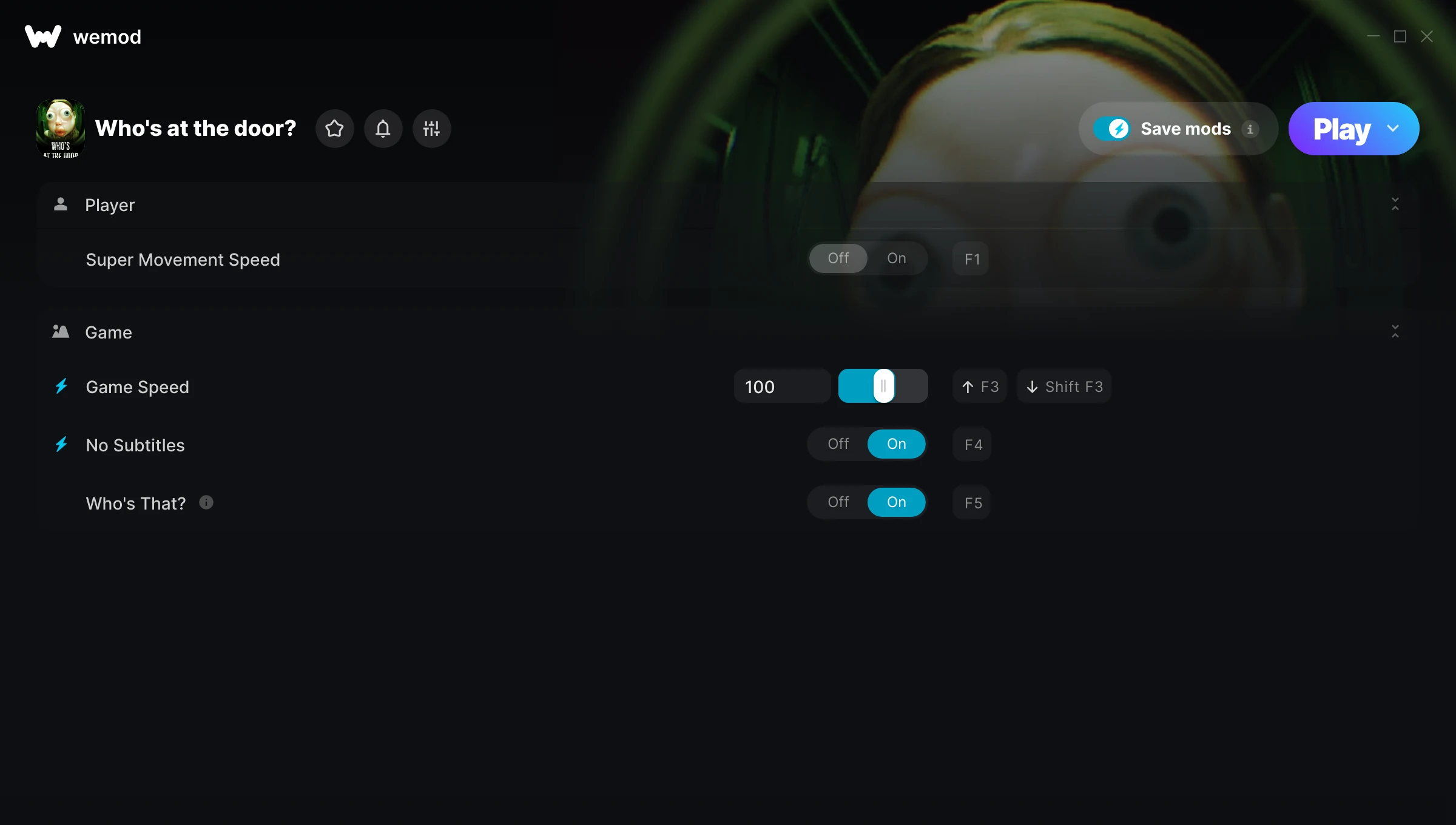
The Who’s at the door? Trainer gives you access to 5 cheats that let you play the game however you want. Struggling with a tough section? Want to skip the grind? Just want to mess around? This trainer has you covered.
Not every game needs to be a challenge. Sometimes you just want to vibe and explore.
A puzzle and simulator title that first dropped in 2025, Who’s at the door? still draws players who want to tweak the experience to their liking.
Once you’ve got this trainer installed, it takes care of itself. Every time the game gets a patch, the trainer updates automatically so your cheats keep working.
Some of the most popular cheats included in this trainer are Super Movement Speed, Movement Speed Multiplier, Game Speed, No Subtitles, and many more. These modifications let you customize difficulty, skip grinding, or simply experiment with the game in new ways.
Who’s at the door? Trainer Cheats
This trainer includes 5 cheats covering movement, time.
| # | Cheat | Effect |
|---|---|---|
| 1 | Super Movement Speed | Massively boost your movement speed beyond normal limits |
| 2 | Movement Speed Multiplier | Boost your movement speed earnings dramatically |
| 3 | Game Speed | Speed up or slow down the entire game to your liking |
| 4 | No Subtitles | Completely disable subtitles |
| 5 | Who’s That? | Tweak the who’s that? mechanic to your advantage |
What Can You Do With This Trainer?
Here are some of the standout cheats in this trainer – the ones that really change how you play:
- Super Movement Speed – Massively boost your movement speed beyond normal limits
- Movement Speed Multiplier – Boost your movement speed earnings dramatically
- Game Speed – Speed up or slow down the entire game to your liking
- No Subtitles – Remove subtitles from the equation
- Who’s That? – Tweak the who’s that? mechanic to your advantage
And that’s just scratching the surface. The full Who’s at the door? cheat list above has everything you need to play completely on your own terms.
Download Who’s at the door? Trainer
Download the latest version of this trainer for PC below.
| Version | Creator | Platform | Date Added | Download |
|---|---|---|---|---|
| Auto-Updating Version (Latest) | Switchyyyy | Steam | 2025-07-15 | Download |
How to Use This Trainer
- Boot Up Who’s at the door? – Start the game like you normally would. Once you’re at the main menu or loaded into your save, you’re ready for the next step.
- Start the Trainer – Open WeMod, type “Who’s at the door?” in the search bar, and click Play. The overlay pops up in-game and you’re ready to go.
- Choose Your Cheats – Scroll through the WeMod overlay and enable the cheats that interest you. All changes happen live while you play.
- Play and Enjoy – That’s it – jump back into the game and enjoy. You can toggle cheats on and off whenever you want. Half the fun is experimenting to find your perfect setup.
Tips & Known Issues
- Trainers are designed for single-player use only. Using them online or in multiplayer will result in a ban.
- Cloud gaming services like GeForce NOW or Xbox Cloud Gaming are not compatible with trainers. You need the game running locally on PC.
- If this is your primary save, consider making a backup first. Cheats won’t corrupt data, but it’s good to have a safety net.
- Always match your game version to the trainer version. An outdated game build can cause cheats to fail silently.
- WeMod auto-updates the trainer after game patches, so you never have to manually download a new version.
Frequently Asked Questions
How do I know which version to download?
This trainer auto-updates whenever the game is patched, so you always have the latest compatible version. Just download it once and you’re set.
Do I need to restart the game after activating cheats?
No. Cheats are live the instant you toggle them. You can switch them on and off mid-gameplay without interruption.
Will this trainer affect my save files?
No damage to saves. The trainer tweaks memory values on the fly, not your save data. That said, if you earn a million gold with cheats on, that gold saves too.
Is this trainer free to download?
100% free. Hit one of the download buttons above and you can be up and running in seconds.
How often is this trainer updated?
This trainer auto-updates shortly after each game patch, so it stays compatible without you having to do anything.
Is this trainer compatible with mods?
Usually, yes. Trainers and mods can run side by side without issues. The only time you might hit a snag is if a mod changes the same values the trainer is targeting.
Does this trainer work with Steam?
Yes. The trainer hooks into the game process when launched through Steam.