Airport CEO Trainer
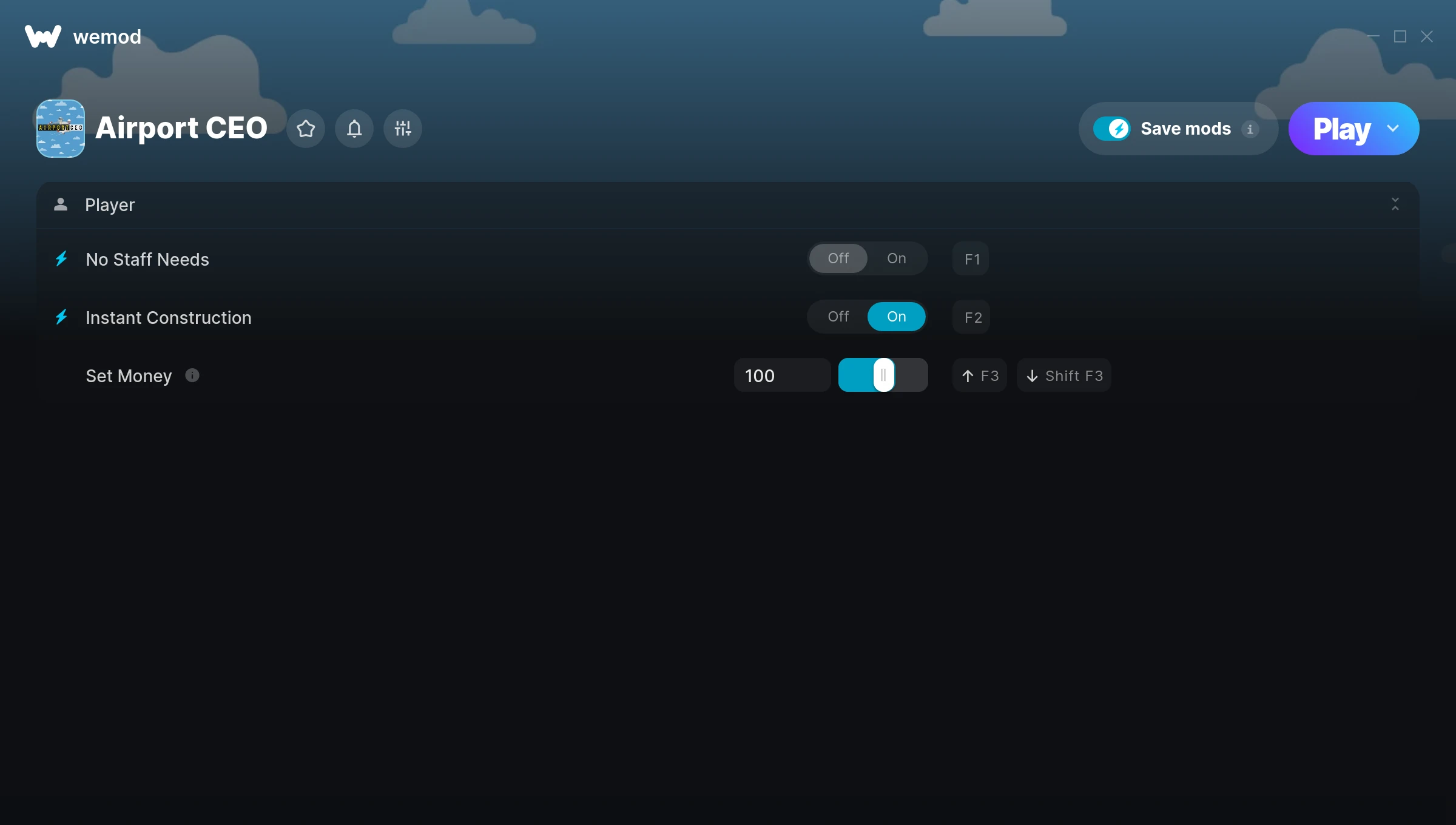
The Airport CEO Trainer gives you access to 3 cheats that let you play the game however you want. Struggling with a tough section? Want to skip the grind? Just want to mess around? This trainer has you covered.
If you’ve been stuck on a boss for hours, you’re about to have a very good day.
Originally a 2017 release, Airport CEO carved out a solid spot in the simulator and strategy space and players keep coming back.
The best part? This PC trainer auto-updates whenever the game is patched. Zero effort on your part – it stays compatible in the background so you can just play.
Airport CEO Trainer Cheats
This trainer includes 3 cheats covering resources.
| # | Cheat | Effect |
|---|---|---|
| 1 | No Staff Needs | Remove staff needs from the equation |
| 2 | Instant Construction | Skip the wait and trigger construction right away |
| 3 | Set Money | Choose exactly how much money you want |
What Can You Do With This Trainer?
Here are some of the standout cheats in this trainer – the ones that really change how you play:
- No Staff Needs – Turn off staff needs entirely for easier gameplay
- Instant Construction – Skip the wait and trigger construction right away
- Set Money – Adjust money to whatever feels right
And that’s just scratching the surface. The full Airport CEO cheat list above has everything you need to play completely on your own terms.
Download Airport CEO Trainer
Download the latest version of this trainer for PC below.
| Version | Creator | Platform | Date Added | Download |
|---|---|---|---|---|
| Auto-Updating Version (Latest) | MrAntiFun | Steam | 2026-01-09 | Download |
How to Use This Trainer
- Fire Up Airport CEO – Open the game and let it load fully. Whether you’re continuing a save or starting new, just make sure it’s running.
- Connect WeMod – Launch the WeMod application and find “Airport CEO” in the library. Press Play and WeMod will hook into the running game automatically.
- Enable the Cheats You Want – Use the WeMod overlay to enable any combination of cheats. Everything activates in real-time while the game is running.
- Jump Back In – You’re good to go. Return to the game and enjoy your modified experience. Toggle cheats on or off anytime as you play.
Tips & Known Issues
- Never activate this trainer during online play. It’s built for single-player only and multiplayer anti-cheat will catch it.
- For the smoothest experience on Steam, switch off the Steam Overlay in your Steam settings before running the trainer.
- Overlay apps from Discord, NVIDIA, or Razer can occasionally clash with trainer hooks. Disable them as a troubleshooting step.
- Right-click the trainer and select Run as Administrator to ensure it has the access it needs.
- WeMod handles version compatibility automatically. When the game updates, the trainer follows shortly after.
Frequently Asked Questions
Can I use multiple cheats at the same time?
Yes – enable as many as you like simultaneously. Combining cheats is where things get really fun.
What should I do if the trainer stops working after an update?
If a game patch breaks things, the auto-updating trainer will fix itself automatically – usually within a day or two.
Is this trainer compatible with mods?
Generally, yes. Most mods and trainers operate independently. You might see odd behaviour if a mod directly changes the same stats the trainer controls.
How do I use this trainer?
It’s straightforward: download, run the trainer while the game is open, and press the hotkeys to activate whichever cheats you want.
Does this trainer work with Steam?
It does. This trainer is built to work with the Steam version.