Builders of Egypt Trainer
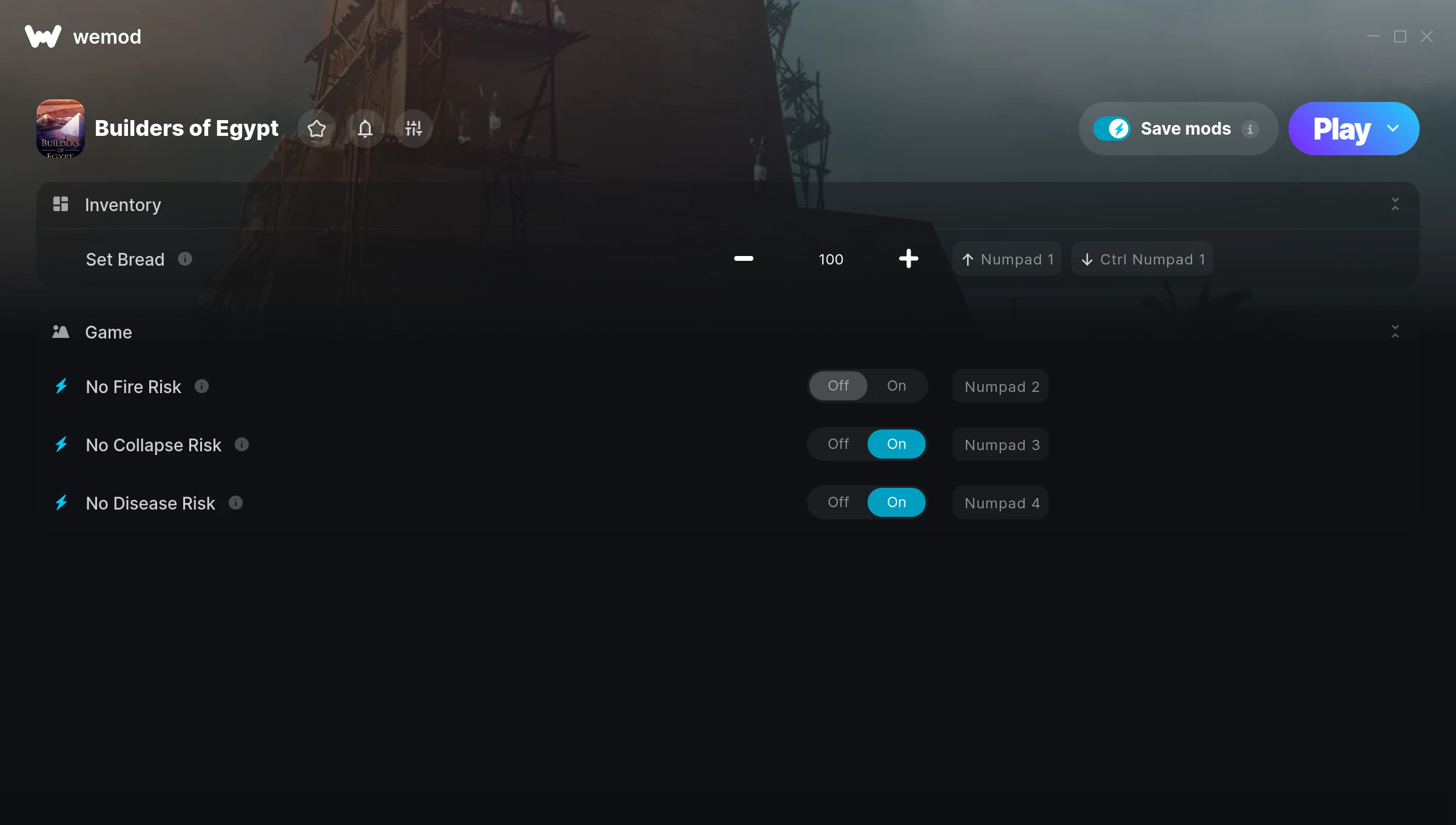
The Builders of Egypt Trainer gives you access to 4 cheats that let you play the game however you want. Struggling with a tough section? Want to skip the grind? Just want to mess around? This trainer has you covered.
If you’ve been stuck on a boss for hours, you’re about to have a very good day.
If you missed Builders of Egypt when it launched in 2025, now’s a great time to jump into this simulator and strategy title.
The best part? This PC trainer auto-updates whenever the game is patched. Zero effort on your part – it stays compatible in the background so you can just play.
Builders of Egypt Trainer Cheats
This trainer includes 4 cheats for tweaking your gameplay.
| # | Cheat | Effect |
|---|---|---|
| 1 | Set Bread | Adjust bread to whatever feels right |
| 2 | No Fire Risk | Completely disable fire risk |
| 3 | No Collapse Risk | Remove collapse risk from the equation |
| 4 | No Disease Risk | Turn off disease risk entirely for easier gameplay |
What Can You Do With This Trainer?
Here are some of the standout cheats in this trainer – the ones that really change how you play:
- Set Bread – Pick your own value for bread
- No Fire Risk – Completely disable fire risk
- No Collapse Risk – Turn off collapse risk entirely for easier gameplay
- No Disease Risk – Remove disease risk from the equation
And that’s just scratching the surface. The full Builders of Egypt cheat list above has everything you need to play completely on your own terms.
Download Builders of Egypt Trainer
Download the latest version of this trainer for PC below.
| Version | Creator | Platform | Date Added | Download |
|---|---|---|---|---|
| Auto-Updating Version (Latest) | GreenHouse | Steam | 2025-10-12 | Download |
How to Use This Trainer
- Launch the Game – Open Builders of Egypt and get to the point where you’re actually playing. The trainer hooks into the game while it’s running.
- Launch WeMod – Fire up the WeMod app and search for “Builders of Egypt”. Hit Play and the overlay will appear over your game with all cheats ready to toggle.
- Toggle Your Cheats – Flip on whichever cheats you want from the WeMod overlay. Each one takes effect immediately – no restart needed.
- Enjoy the Game – You’re all set. Play the game with your cheats active and switch them around as you go. Try different combinations to see what’s the most fun.
Tips & Known Issues
- Only use this trainer in single-player. Online and multiplayer modes have anti-cheat systems that will detect and ban you.
- Right-click the trainer and select Run as Administrator to ensure it has the access it needs.
- It’s good practice to back up your saves before activating cheats. That way you can revert if anything feels off.
- Always match your game version to the trainer version. An outdated game build can cause cheats to fail silently.
- One of the perks of WeMod is automatic updates. The trainer syncs with game patches behind the scenes.
Frequently Asked Questions
How do I use this trainer?
Download the trainer, run it alongside the game, and use the hotkeys to toggle cheats on and off. It really is that simple.
Is this trainer compatible with mods?
Generally, yes. Most mods and trainers operate independently. You might see odd behaviour if a mod directly changes the same stats the trainer controls.
What cheats are included in this trainer?
This trainer packs 4 cheats covering everything from infinite health to unlimited resources and more. The full list is in the table above.
How often is this trainer updated?
This trainer auto-updates shortly after each game patch, so it stays compatible without you having to do anything.
How do I know which version to download?
This trainer auto-updates whenever the game is patched, so you always have the latest compatible version. Just download it once and you’re set.
Can I use multiple cheats at the same time?
Yes – enable as many as you like simultaneously. Combining cheats is where things get really fun.
Does this trainer work with Steam?
It does. This trainer is built to work with the Steam version.