Fishing: Barents Sea Trainer
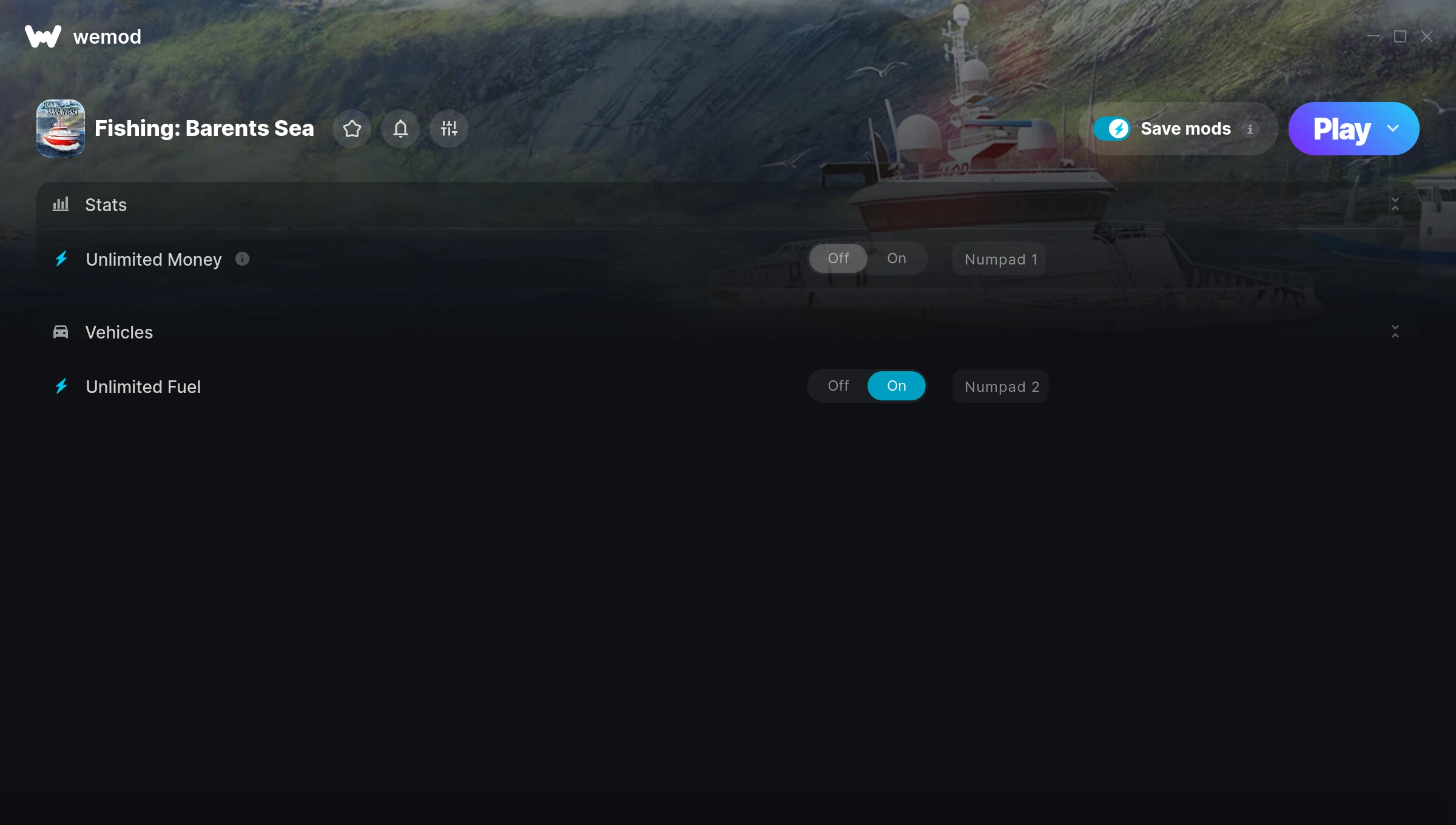
The Fishing: Barents Sea Trainer gives you access to 2 cheats that let you play the game however you want. Struggling with a tough section? Want to skip the grind? Just want to mess around? This trainer has you covered.
Unlimited money removes the grind entirely – just buy what you want and get back to the fun parts. These cheats let you get past the frustrating parts and actually enjoy the game at your own pace.
Not every game needs to be a challenge. Sometimes you just want to vibe and explore.
Since its 2018 release, Fishing: Barents Sea has built a loyal following among simulator fans looking to customize their playthrough.
Once you’ve got this trainer installed, it takes care of itself. Every time the game gets a patch, the trainer updates automatically so your cheats keep working.
Fishing: Barents Sea Trainer Cheats
This trainer includes 2 cheats covering resources.
| # | Cheat | Effect |
|---|---|---|
| 1 | Unlimited Money | Buy anything you want without thinking about cost |
| 2 | Unlimited Fuel | Remove all limits on your fuel |
Download Fishing: Barents Sea Trainer
Download the latest version of this trainer for PC below.
| Version | Creator | Platform | Date Added | Download |
|---|---|---|---|---|
| Auto-Updating Version (Latest) | STiNGERR | Steam | 2025-05-14 | Download |
How to Use This Trainer
- Get Fishing: Barents Sea Running – Launch the game through your usual platform. Wait until you’re past any intro screens and into the menu or gameplay.
- Launch WeMod – Fire up the WeMod app and search for “Fishing: Barents Sea”. Hit Play and the overlay will appear over your game with all cheats ready to toggle.
- Enable the Cheats You Want – Use the WeMod overlay to enable any combination of cheats. Everything activates in real-time while the game is running.
- Game On – You’re set. Head back into Fishing: Barents Sea and have fun. Remember, you can toggle cheats at any time – find the combination that works best for you.
Tips & Known Issues
- Never activate this trainer during online play. It’s built for single-player only and multiplayer anti-cheat will catch it.
- Steam users may want to turn off the Steam Overlay to prevent it from interfering with the trainer.
- Launch the trainer with elevated permissions (Run as Administrator) to avoid access issues.
- Consider backing up your save files before using cheats, especially if you’re on your main playthrough.
- WeMod auto-updates the trainer after game patches, so you never have to manually download a new version.
Frequently Asked Questions
What should I do if the trainer stops working after an update?
If a game patch breaks things, the auto-updating trainer will fix itself automatically – usually within a day or two.
How often is this trainer updated?
This trainer auto-updates shortly after each game patch, so it stays compatible without you having to do anything.
Can I get banned for using this trainer?
As long as you stick to single-player, you’re fine. Using cheats in multiplayer or online modes is a completely different story – don’t do it.
Is this trainer compatible with mods?
Generally, yes. Most mods and trainers operate independently. You might see odd behaviour if a mod directly changes the same stats the trainer controls.
Can I customise how much health or money I get?
Yes – many cheats have edit or set options that let you type in the exact value you want. Perfect for dialling things in without going completely overboard.
Does this trainer work with Steam?
Yes. The trainer hooks into the game process when launched through Steam.