Look Outside Trainer
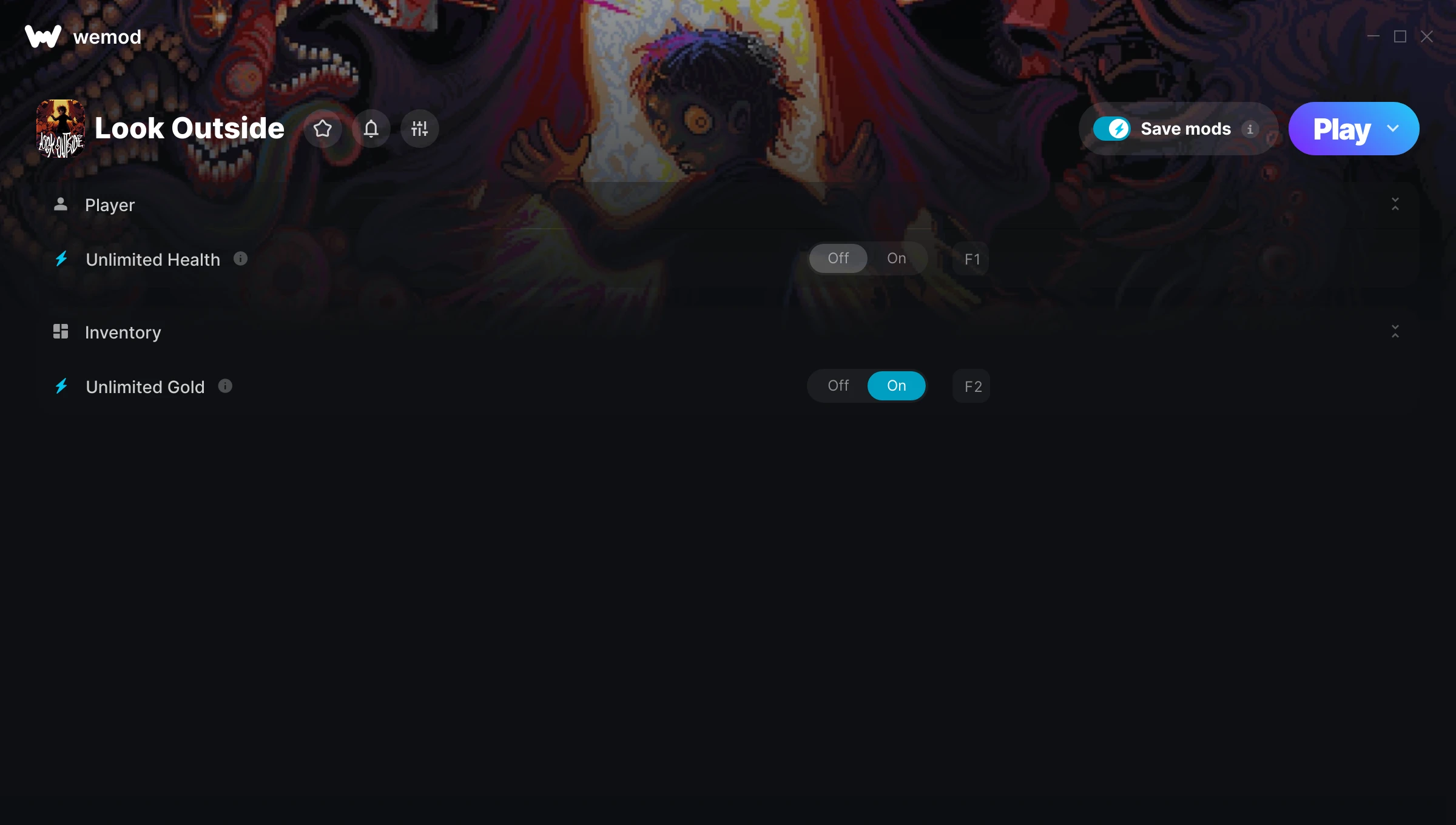
The Look Outside Trainer gives you access to 2 cheats that let you play the game however you want. Struggling with a tough section? Want to skip the grind? Just want to mess around? This trainer has you covered.
The cheat list below covers basically everything you’d want to tweak. Health, resources, speed – all of it.
If you missed Look Outside when it launched in 2025, now’s a great time to jump into this role-playing (rpg) and strategy title.
The best part? This PC trainer auto-updates whenever the game is patched. Zero effort on your part – it stays compatible in the background so you can just play.
Look Outside Trainer Cheats
This trainer includes 2 cheats covering health, resources.
| # | Cheat | Effect |
|---|---|---|
| 1 | Unlimited Health | Your health stays maxed out no matter what hits you |
| 2 | Unlimited Gold | Gold for days – never worry about currency again |
Download Look Outside Trainer
Download the latest version of this trainer for PC below.
| Version | Creator | Platform | Date Added | Download |
|---|---|---|---|---|
| Auto-Updating Version (Latest) | MrAntiFun | Steam | 2025-09-12 | Download |
How to Use This Trainer
- Launch Look Outside – Start the game and load into your save file or start a new game. Make sure it’s running before activating the trainer.
- Open the Trainer – Open the WeMod app and search for “Look Outside”. Click Play to launch the overlay. WeMod will detect the game and enable all available cheats.
- Flip On the Cheats – In the WeMod overlay, toggle the cheats you’re interested in. They apply immediately to your game session.
- Jump Back In – You’re good to go. Return to the game and enjoy your modified experience. Toggle cheats on or off anytime as you play.
Tips & Known Issues
- Keep this trainer offline. Single-player only – any online or multiplayer use risks a permanent ban from the game.
- Consider backing up your save files before using cheats, especially if you’re on your main playthrough.
- Launch the trainer with elevated permissions (Run as Administrator) to avoid access issues.
- Not on PC? Unfortunately, trainers don’t work on console or cloud gaming platforms – they require direct memory access.
- WeMod handles version compatibility automatically. When the game updates, the trainer follows shortly after.
Frequently Asked Questions
What should I do if the trainer stops working after an update?
If a game patch breaks things, the auto-updating trainer will fix itself automatically – usually within a day or two.
Can I customise how much health or money I get?
Some cheats include an edit mode where you can set a specific value rather than just maxing things out. Great for keeping things balanced if you want.
Will the trainer work with the latest game version?
If you’re using the Auto-Updating Version, yes – it patches itself after every game update.
Can I use multiple cheats at the same time?
Yes – enable as many as you like simultaneously. Combining cheats is where things get really fun.
Does this trainer work with Steam?
Yes. The trainer hooks into the game process when launched through Steam.