Persona5: The Phantom X Trainer
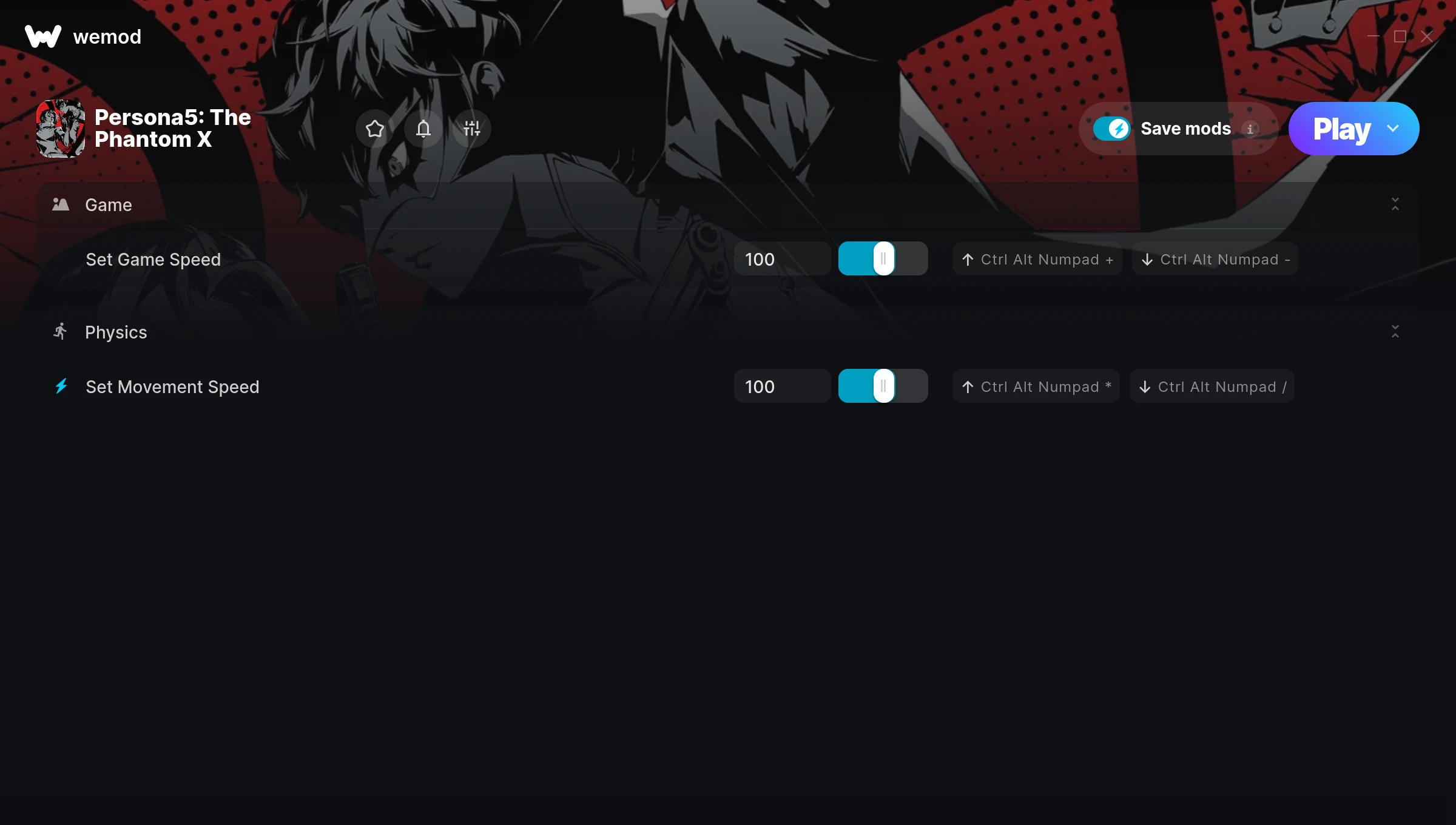
The Persona5: The Phantom X Trainer gives you access to 2 cheats that let you play the game however you want. Struggling with a tough section? Want to skip the grind? Just want to mess around? This trainer has you covered.
Honestly, half the fun is seeing what happens when you turn everything on at once.
Originally a 2024 release, Persona5: The Phantom X carved out a solid spot in the role-playing (rpg) and turn-based strategy (tbs) space and players keep coming back.
This is an auto-updating trainer that keeps pace with every game patch automatically. No need to manually grab new versions after updates.
Persona5: The Phantom X Trainer Cheats
This trainer includes 2 cheats covering movement, time.
| # | Cheat | Effect |
|---|---|---|
| 1 | Set Game Speed | Speed up or slow down the entire game to your liking |
| 2 | Set Movement Speed | Pick your own value for movement speed |
Download Persona5: The Phantom X Trainer
Download the latest version of this trainer for PC below.
| Version | Creator | Platform | Date Added | Download |
|---|---|---|---|---|
| Auto-Updating Version (Latest) | FLiNG | Steam | 2025-12-12 | Download |
How to Use This Trainer
- Boot Up Persona5: The Phantom X – Start the game like you normally would. Once you’re at the main menu or loaded into your save, you’re ready for the next step.
- Launch WeMod – Fire up the WeMod app and search for “Persona5: The Phantom X”. Hit Play and the overlay will appear over your game with all cheats ready to toggle.
- Activate Cheats – Toggle the cheats you want using the WeMod overlay or press the assigned hotkeys. Cheats activate in real-time while you play.
- Game On – You’re set. Head back into Persona5: The Phantom X and have fun. Remember, you can toggle cheats at any time – find the combination that works best for you.
Tips & Known Issues
- Trainers are designed for single-player use only. Using them online or in multiplayer will result in a ban.
- Having issues on Steam? Try disabling the Steam Overlay under Settings > In-Game. It can sometimes clash with trainers.
- If this is your primary save, consider making a backup first. Cheats won’t corrupt data, but it’s good to have a safety net.
- Trainers need direct access to the game’s memory on your PC. They won’t work with console editions or streamed versions.
- No need to check for updates manually with WeMod. The trainer patches itself whenever the game is updated.
Frequently Asked Questions
Is this trainer compatible with mods?
Usually, yes. Trainers and mods can run side by side without issues. The only time you might hit a snag is if a mod changes the same values the trainer is targeting.
Can I customise how much health or money I get?
Some cheats include an edit mode where you can set a specific value rather than just maxing things out. Great for keeping things balanced if you want.
Is this trainer free to download?
100% free. Hit one of the download buttons above and you can be up and running in seconds.
How often is this trainer updated?
This trainer auto-updates shortly after each game patch, so it stays compatible without you having to do anything.
Can I use multiple cheats at the same time?
Absolutely. Stack as many as you want. God mode plus unlimited ammo plus one-hit kills? Go for it. That’s half the fun.
How do I use this trainer?
Download the trainer, run it alongside the game, and use the hotkeys to toggle cheats on and off. It really is that simple.
Does this trainer work with Steam?
Yes, it works with the Steam version of the game.