Pit People Trainer
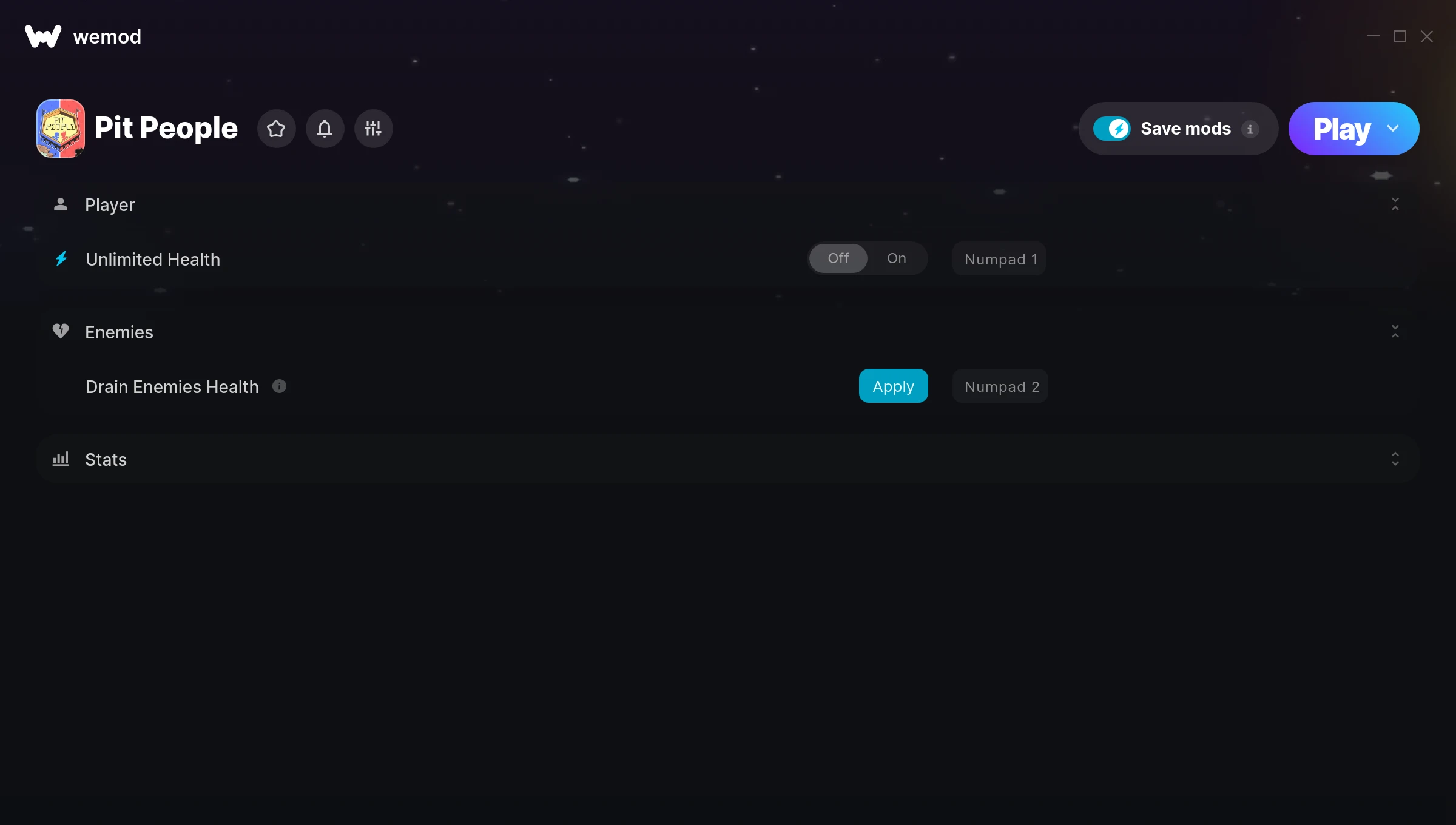
The Pit People Trainer gives you access to 3 cheats that let you play the game however you want. Struggling with a tough section? Want to skip the grind? Just want to mess around? This trainer has you covered.
Turn on god mode and play the game like a walking cutscene. No shame in it.
Since its 2018 release, Pit People has built a loyal following among role-playing (rpg) and simulator fans looking to customize their playthrough.
The best part? This PC trainer auto-updates whenever the game is patched. Zero effort on your part – it stays compatible in the background so you can just play.
Pit People Trainer Cheats
This trainer includes 3 cheats covering health, resources.
| # | Cheat | Effect |
|---|---|---|
| 1 | Unlimited Health | Your health stays maxed out no matter what hits you |
| 2 | Drain Enemies Health | Tweak the drain enemies health mechanic to your advantage |
| 3 | Add 1K Gold | Add extra 1k gold whenever you need it |
What Can You Do With This Trainer?
Here are some of the standout cheats in this trainer – the ones that really change how you play:
- Unlimited Health – Your health stays maxed out no matter what hits you
- Drain Enemies Health – Tweak the drain enemies health mechanic to your advantage
- Add 1K Gold – Give yourself more 1k gold on demand
And that’s just scratching the surface. The full Pit People cheat list above has everything you need to play completely on your own terms.
Download Pit People Trainer
Download the latest version of this trainer for PC below.
| Version | Creator | Platform | Date Added | Download |
|---|---|---|---|---|
| Auto-Updating Version (Latest) | STiNGERR | Steam | 2025-08-13 | Download |
How to Use This Trainer
- Start the Game First – Always start Pit People before the trainer. Load your save or start a new game – the trainer needs an active game process.
- Activate WeMod – Run the WeMod app, locate “Pit People”, and hit Play. WeMod attaches to the game and shows you the full cheat list in the overlay.
- Choose Your Cheats – Scroll through the WeMod overlay and enable the cheats that interest you. All changes happen live while you play.
- Game On – You’re set. Head back into Pit People and have fun. Remember, you can toggle cheats at any time – find the combination that works best for you.
Tips & Known Issues
- Keep this trainer offline. Single-player only – any online or multiplayer use risks a permanent ban from the game.
- Overlay apps from Discord, NVIDIA, or Razer can occasionally clash with trainer hooks. Disable them as a troubleshooting step.
- Having issues on Steam? Try disabling the Steam Overlay under Settings > In-Game. It can sometimes clash with trainers.
- A quick save backup takes seconds and gives you peace of mind when experimenting with trainer cheats.
- One of the perks of WeMod is automatic updates. The trainer syncs with game patches behind the scenes.
Frequently Asked Questions
Is this trainer compatible with mods?
Generally, yes. Most mods and trainers operate independently. You might see odd behaviour if a mod directly changes the same stats the trainer controls.
Will the trainer work with the latest game version?
The auto-updating trainer stays compatible with new patches on its own. If you grabbed the Standalone version, you might need to check for a newer release after big updates.
What should I do if the trainer stops working after an update?
If a game patch breaks things, the auto-updating trainer will fix itself automatically – usually within a day or two.
Do I need to restart the game after activating cheats?
No. Cheats are live the instant you toggle them. You can switch them on and off mid-gameplay without interruption.
How often is this trainer updated?
This trainer auto-updates shortly after each game patch, so it stays compatible without you having to do anything.
Does this trainer work with Steam?
Yes. The trainer hooks into the game process when launched through Steam.