RESONANCE OF FATE 4K HD EDITION Trainer
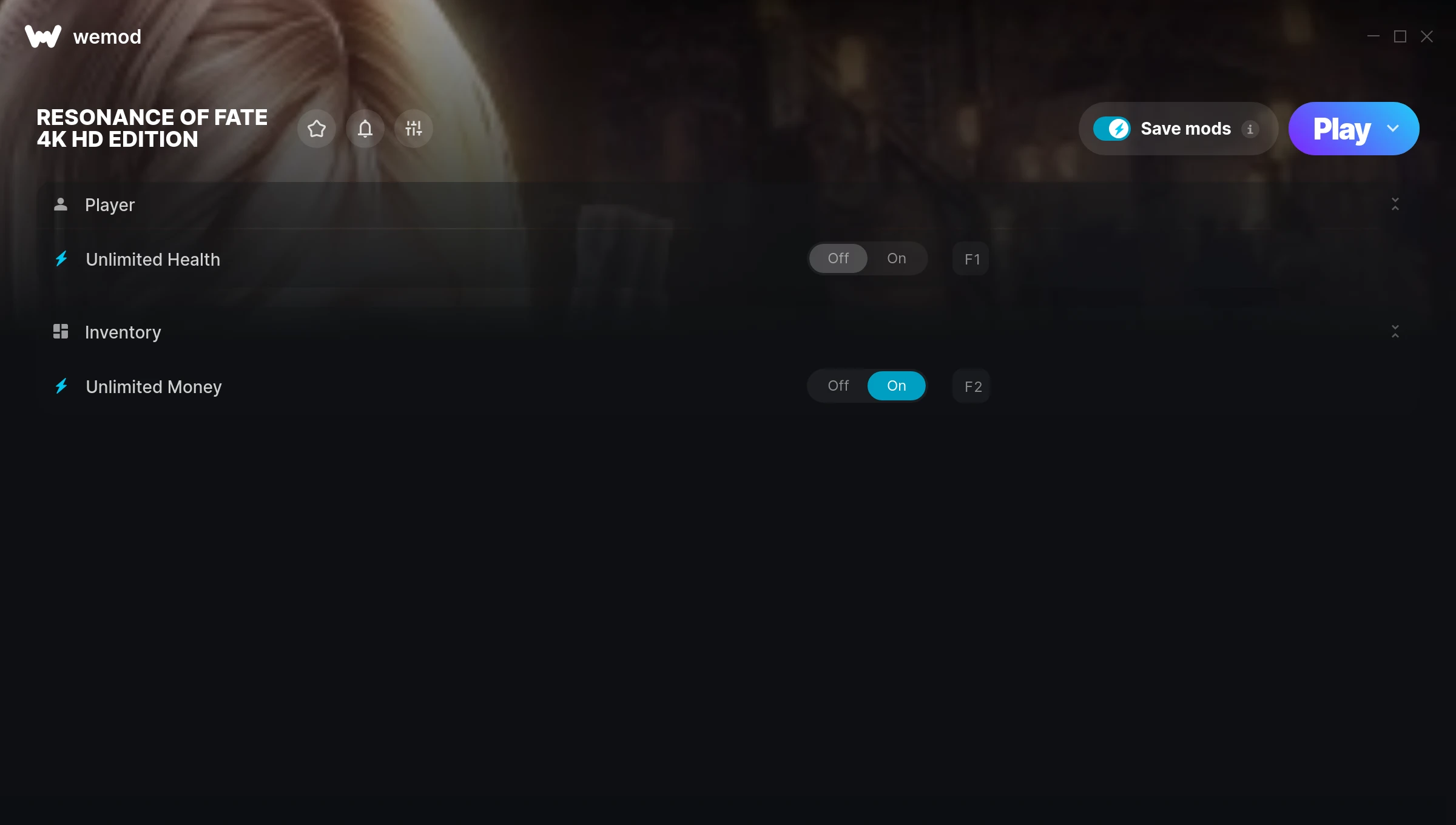
The RESONANCE OF FATE 4K HD EDITION Trainer gives you access to 2 cheats that let you play the game however you want. Struggling with a tough section? Want to skip the grind? Just want to mess around? This trainer has you covered.
Unlimited money removes the grind entirely – just buy what you want and get back to the fun parts. These cheats let you get past the frustrating parts and actually enjoy the game at your own pace.
The full cheat list below is pretty ridiculous in the best way. Scroll down and see for yourself.
The best part? This PC trainer auto-updates whenever the game is patched. Zero effort on your part – it stays compatible in the background so you can just play.
RESONANCE OF FATE 4K HD EDITION Cheats
This trainer includes 2 cheats covering health, resources.
| # | Cheat | Effect |
|---|---|---|
| 1 | Unlimited Health | Your health stays maxed out no matter what hits you |
| 2 | Unlimited Money | Buy anything you want without thinking about cost |
Download RESONANCE OF FATE 4K HD EDITION Trainer
Download the latest version of this trainer for PC below.
| Version | Creator | Platform | Date Added | Download |
|---|---|---|---|---|
| Auto-Updating Version (Latest) | STN | Steam | 2026-01-10 | Download |
How to Use This Trainer
- Start RESONANCE OF FATE 4K HD EDITION – Fire up the game and get to the main menu or load your save. The game needs to be running before you open the trainer.
- Launch WeMod – Fire up the WeMod app and search for “RESONANCE OF FATE 4K HD EDITION”. Hit Play and the overlay will appear over your game with all cheats ready to toggle.
- Flip On the Cheats – In the WeMod overlay, toggle the cheats you’re interested in. They apply immediately to your game session.
- Enjoy Your Playthrough – All done. Now play RESONANCE OF FATE 4K HD EDITION however you want. You can tweak your active cheats at any point without restarting.
Tips & Known Issues
- Only use this trainer in single-player. Online and multiplayer modes have anti-cheat systems that will detect and ban you.
- Some antivirus software may flag the trainer as a false positive. You may need to add an exception for it.
- The Steam Overlay can occasionally conflict with trainer software. Disable it in Steam settings if you notice problems.
- Right-click the trainer and select Run as Administrator to ensure it has the access it needs.
- Using WeMod? The trainer stays current on its own – it auto-patches after every game update.
Frequently Asked Questions
Can I use multiple cheats at the same time?
Of course. There’s no limit to how many you can have active. Layer them however you want.
Will the trainer work with the latest game version?
The auto-updating trainer stays compatible with new patches on its own. If you grabbed the Standalone version, you might need to check for a newer release after big updates.
Can I get banned for using this trainer?
Single-player? No risk at all. Online or multiplayer? Do not even think about it. Anti-cheat systems will catch you and you will be banned.
How do I use this trainer?
Just download the trainer and open it while the game is running. Each cheat has a toggle – flip them on or off as you play.
What should I do if the trainer stops working after an update?
If a game patch breaks things, the auto-updating trainer will fix itself automatically – usually within a day or two.
Does this trainer work with Steam?
It does. This trainer is built to work with the Steam version.