Rotwood Trainer
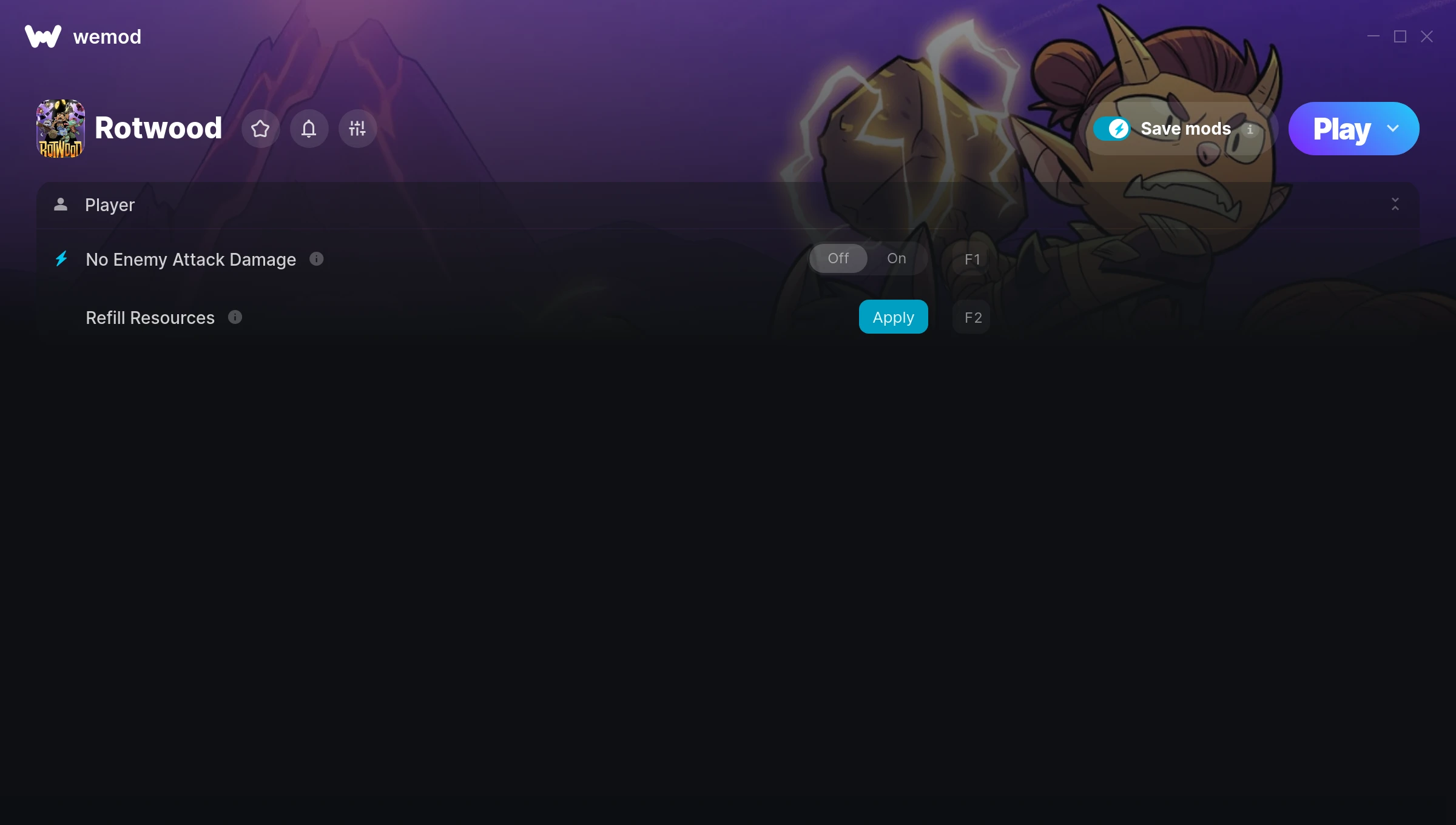
The Rotwood Trainer gives you access to 2 cheats that let you play the game however you want. Struggling with a tough section? Want to skip the grind? Just want to mess around? This trainer has you covered.
Some of these cheats are genuinely overpowered. You’ve been warned.
Rotwood has been a go-to role-playing (rpg) and hack and slash/beat ’em up title since 2024, and players are still finding new ways to enjoy it.
No need to check for updates manually. This auto-updating trainer keeps itself compatible with the latest version of the game so your cheats always work.
Rotwood Trainer Cheats
This trainer includes 2 cheats covering resources, combat.
| # | Cheat | Effect |
|---|---|---|
| 1 | No Enemy Attack Damage | Remove enemy attack damage from the equation |
| 2 | Refill Resources | Tweak the refill resources mechanic to your advantage |
Download Rotwood Trainer
Download the latest version of this trainer for PC below.
| Version | Creator | Platform | Date Added | Download |
|---|---|---|---|---|
| Auto-Updating Version (Latest) | MrAntiFun | Steam | 2026-02-06 | Download |
How to Use This Trainer
- Get Into Rotwood – Launch the game, get past the splash screens, and load into gameplay. Once you can see your character or the main menu, move to step 2.
- Start the Trainer – Open WeMod, type “Rotwood” in the search bar, and click Play. The overlay pops up in-game and you’re ready to go.
- Turn On Cheats – Pick the cheats you want from the WeMod overlay and switch them on. They kick in instantly and you can toggle them off anytime.
- Game On – You’re set. Head back into Rotwood and have fun. Remember, you can toggle cheats at any time – find the combination that works best for you.
Tips & Known Issues
- Only use this trainer in single-player. Online and multiplayer modes have anti-cheat systems that will detect and ban you.
- Trainers modify game memory, which can trigger antivirus warnings. These are false positives – add an exception if needed.
- Third-party overlays like Discord or GeForce Experience can sometimes interfere with trainers. Disable them if you have issues.
- If cheats aren’t activating, check that the trainer is running with Administrator rights.
- WeMod handles version compatibility automatically. When the game updates, the trainer follows shortly after.
Frequently Asked Questions
Can I customise how much health or money I get?
Some cheats include an edit mode where you can set a specific value rather than just maxing things out. Great for keeping things balanced if you want.
Will the trainer work with the latest game version?
The auto-updating trainer stays compatible with new patches on its own. If you grabbed the Standalone version, you might need to check for a newer release after big updates.
Will this trainer affect my save files?
No damage to saves. The trainer tweaks memory values on the fly, not your save data. That said, if you earn a million gold with cheats on, that gold saves too.
Can I use multiple cheats at the same time?
You can run every single cheat at once if you want. Mix and match until you find a combination you enjoy.
Can I get banned for using this trainer?
Single-player? No risk at all. Online or multiplayer? Do not even think about it. Anti-cheat systems will catch you and you will be banned.
Does this trainer work with Steam?
Fully compatible with Steam. Just launch the game through Steam and run the trainer alongside it.