Tabletop Tavern Trainer
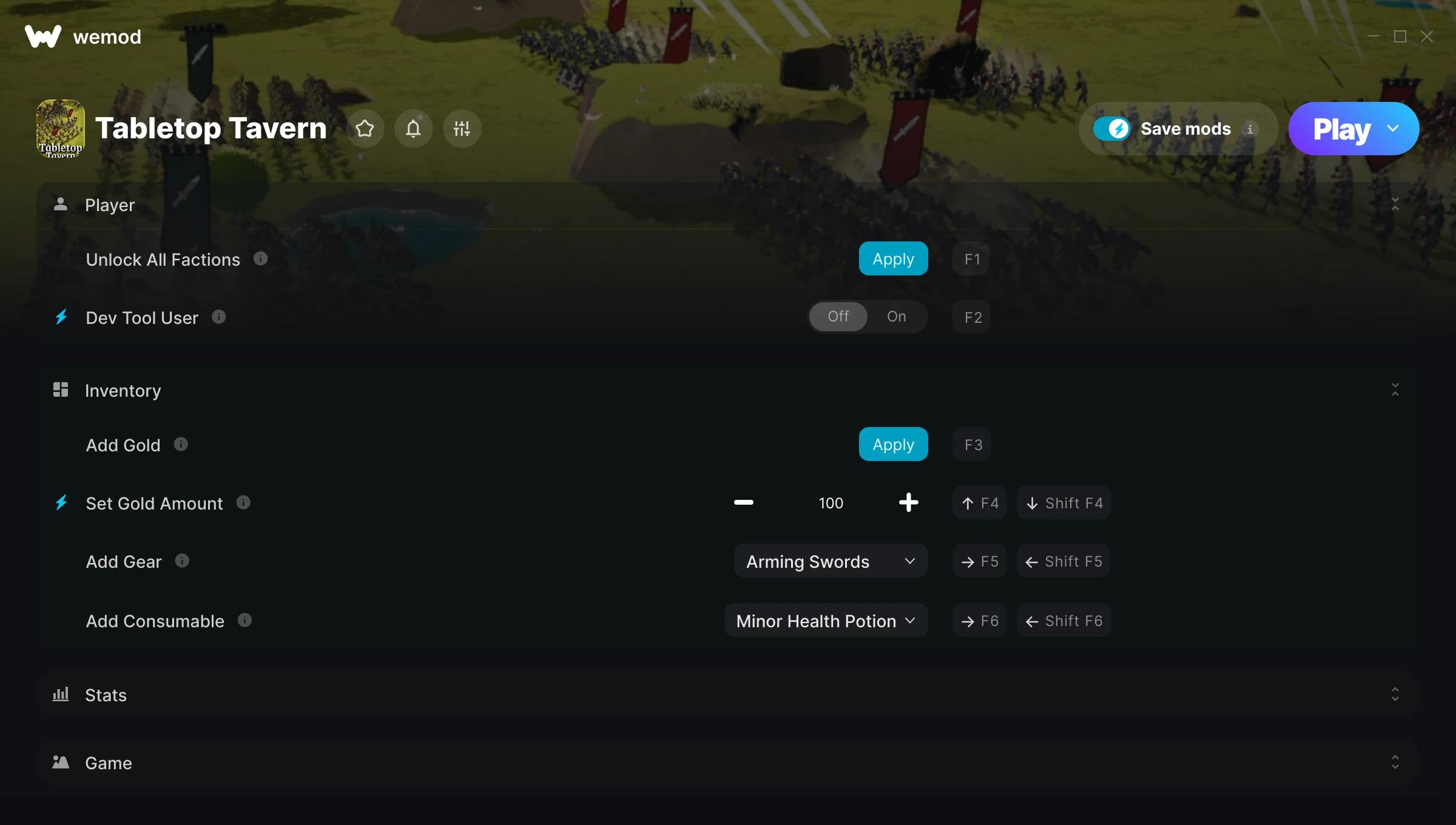
The Tabletop Tavern Trainer gives you access to 10 cheats that let you play the game however you want. Struggling with a tough section? Want to skip the grind? Just want to mess around? This trainer has you covered.
These aren’t subtle tweaks. Some of these cheats will completely change how the game feels.
Dropping in 2026, Tabletop Tavern brought something different to the real time strategy (rts) and strategy scene and players are still hooked.
The best part? This PC trainer auto-updates whenever the game is patched. Zero effort on your part – it stays compatible in the background so you can just play.
Some of the most popular cheats included in this trainer are Unlock All Factions, Dev Tool User, Add Gold, Set Gold Amount, and many more. These modifications let you customize difficulty, skip grinding, or simply experiment with the game in new ways.
Tabletop Tavern Trainer Cheats
This trainer includes 10 cheats covering resources, movement, experience, time.
| # | Cheat | Effect |
|---|---|---|
| 1 | Unlock All Factions | Instantly unlock every piece of content in the game |
| 2 | Dev Tool User | Tweak the dev tool user mechanic to your advantage |
| 3 | Add Gold | Give yourself more gold on demand |
| 4 | Set Gold Amount | Manually set your gold amount to any number |
| 5 | Add Gear | Give yourself more gear on demand |
| 6 | Add Consumable | Add extra consumable whenever you need it |
| 7 | Difficulty Level | Tweak the difficulty level mechanic to your advantage |
| 8 | Set Deposited Gold | Manually set your deposited gold to any number |
| 9 | Game Speed | Speed up or slow down the entire game to your liking |
| 10 | Auto-Win Battle | Tweak the auto win battle mechanic to your advantage |
What Can You Do With This Trainer?
Here are some of the standout cheats in this trainer – the ones that really change how you play:
- Unlock All Factions – Instantly unlock every piece of content in the game
- Dev Tool User – Tweak the dev tool user mechanic to your advantage
- Add Gold – Give yourself more gold on demand
- Set Gold Amount – Adjust gold amount to whatever feels right
- Add Gear – Give yourself more gear on demand
And that’s just scratching the surface. The full Tabletop Tavern cheat list above has everything you need to play completely on your own terms.
Recommended Cheat Presets
Not sure which cheats to enable? Here are some recommended preset combinations for different playstyles:
Farming Preset
Skip the grind entirely. Max out your loot, XP, and cash without spending hours farming the same enemies over and over.
- Add Gold
- Set Gold Amount
- Set Deposited Gold
Download Tabletop Tavern Trainer
Download the latest version of this trainer for PC below.
| Version | Creator | Platform | Date Added | Download |
|---|---|---|---|---|
| Auto-Updating Version (Latest) | Yxbx | Steam | 2026-04-27 | Download |
How to Use This Trainer
- Launch Tabletop Tavern – Start the game and load into your save file or start a new game. Make sure it’s running before activating the trainer.
- Start the Trainer – Open WeMod, type “Tabletop Tavern” in the search bar, and click Play. The overlay pops up in-game and you’re ready to go.
- Switch On Your Cheats – Browse the cheat list in the WeMod overlay and toggle on whatever you want. Effects are instant and reversible.
- Play Your Way – That’s the full setup. Get back into Tabletop Tavern and play on your own terms. Adjust cheats whenever the mood strikes.
Tips & Known Issues
- Keep this trainer offline. Single-player only – any online or multiplayer use risks a permanent ban from the game.
- Third-party overlays like Discord or GeForce Experience can sometimes interfere with trainers. Disable them if you have issues.
- Antivirus software may detect the trainer as suspicious. This is normal for game trainers – add an exclusion to proceed.
- It’s good practice to back up your saves before activating cheats. That way you can revert if anything feels off.
- WeMod handles version compatibility automatically. When the game updates, the trainer follows shortly after.
Frequently Asked Questions
Is this trainer compatible with mods?
Usually, yes. Trainers and mods can run side by side without issues. The only time you might hit a snag is if a mod changes the same values the trainer is targeting.
What cheats are included in this trainer?
This trainer packs 10 cheats covering everything from infinite health to unlimited resources and more. The full list is in the table above.
Can I customise how much health or money I get?
Some cheats include an edit mode where you can set a specific value rather than just maxing things out. Great for keeping things balanced if you want.
What should I do if the trainer stops working after an update?
If a game patch breaks things, the auto-updating trainer will fix itself automatically – usually within a day or two.
Does this trainer work with Steam?
Fully compatible with Steam. Just launch the game through Steam and run the trainer alongside it.