The Oregon Trail Trainer
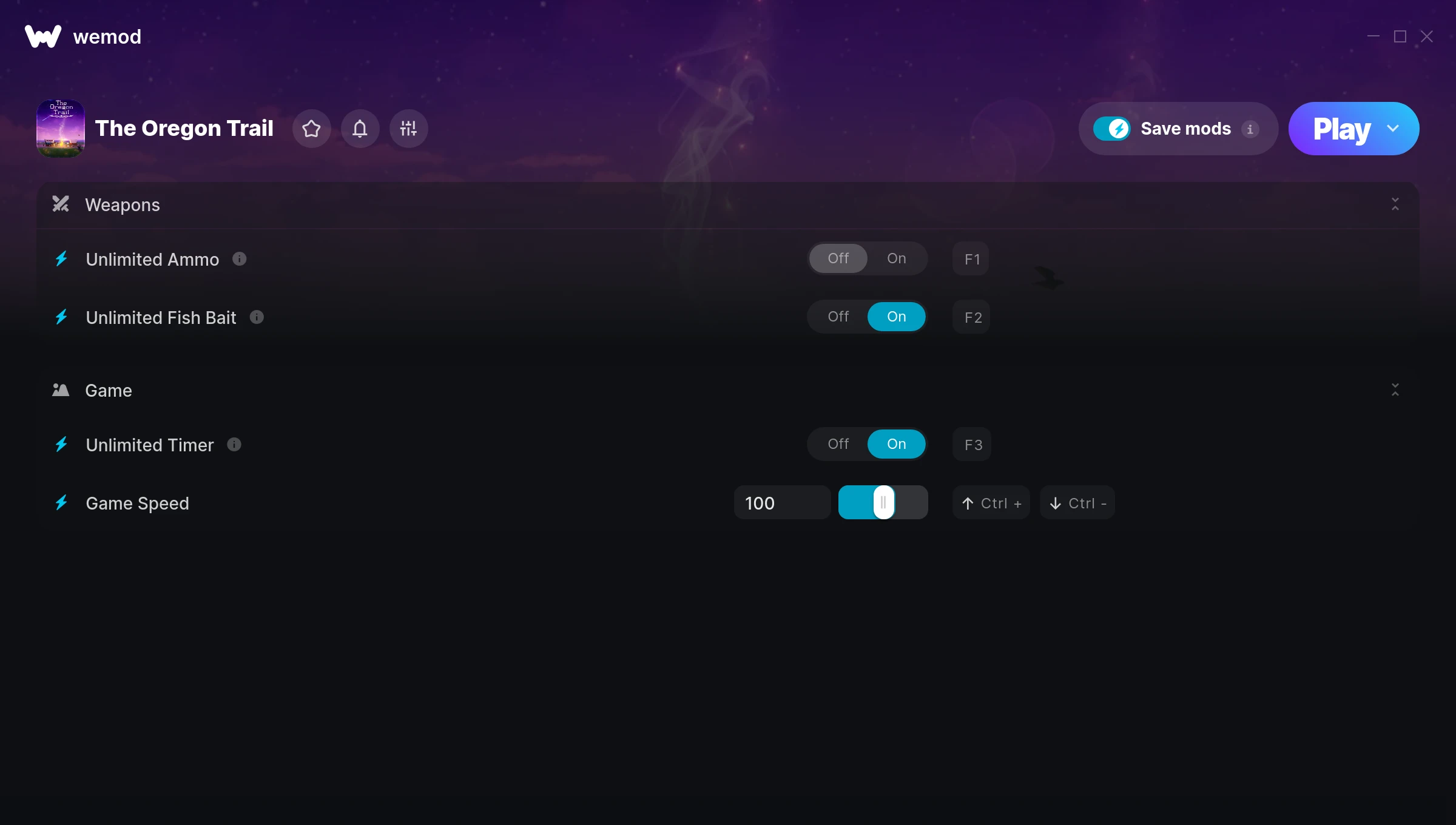
The The Oregon Trail Trainer gives you access to 4 cheats that let you play the game however you want. Struggling with a tough section? Want to skip the grind? Just want to mess around? This trainer has you covered.
There’s a reason trainers have been around since the DOS era. They just make games more fun.
This simulator and strategy title has been around since 1971 and remains a popular pick for players looking to push their experience further.
This trainer stays in sync with game patches automatically. You’ll never have to worry about downloading a new version after an update – it handles everything behind the scenes.
The Oregon Trail Trainer Cheats
This trainer includes 4 cheats covering ammo, movement, time.
| # | Cheat | Effect |
|---|---|---|
| 1 | Unlimited Ammo | Fire away without ever worrying about running dry |
| 2 | Unlimited Fish Bait | Remove all limits on your fish bait |
| 3 | Unlimited Timer | Your timer never runs out or depletes |
| 4 | Game Speed | Speed up or slow down the entire game to your liking |
What Can You Do With This Trainer?
Here are some of the standout cheats in this trainer – the ones that really change how you play:
- Unlimited Ammo – Fire away without ever worrying about running dry
- Unlimited Fish Bait – Use your fish bait as much as you want without limits
- Unlimited Timer – Your timer never runs out or depletes
- Game Speed – Speed up or slow down the entire game to your liking
And that’s just scratching the surface. The full The Oregon Trail cheat list above has everything you need to play completely on your own terms.
Download The Oregon Trail Trainer
Download the latest version of this trainer for PC below.
| Version | Creator | Platform | Date Added | Download |
|---|---|---|---|---|
| Auto-Updating Version (Latest) | ColonelRVH | Steam | 2026-01-09 | Download |
How to Use This Trainer
- Fire Up The Oregon Trail – Open the game and let it load fully. Whether you’re continuing a save or starting new, just make sure it’s running.
- Open WeMod Overlay – Search for “The Oregon Trail” in WeMod and click Play. The in-game overlay will appear with toggles for every available cheat.
- Select and Activate – Choose your cheats from the WeMod overlay and flip them on. Every toggle takes effect right away with no need to reload.
- Enjoy the Game – You’re all set. Play the game with your cheats active and switch them around as you go. Try different combinations to see what’s the most fun.
Tips & Known Issues
- Keep this trainer offline. Single-player only – any online or multiplayer use risks a permanent ban from the game.
- Third-party overlays like Discord or GeForce Experience can sometimes interfere with trainers. Disable them if you have issues.
- Having issues on Steam? Try disabling the Steam Overlay under Settings > In-Game. It can sometimes clash with trainers.
- Make a copy of your save data before experimenting with cheats. Better safe than sorry.
- One of the perks of WeMod is automatic updates. The trainer syncs with game patches behind the scenes.
Frequently Asked Questions
Is this trainer compatible with mods?
Generally, yes. Most mods and trainers operate independently. You might see odd behaviour if a mod directly changes the same stats the trainer controls.
Can I get banned for using this trainer?
Trainers are for single-player only. Seriously, do not try these in online or multiplayer modes – that is a fast track to a ban.
How do I know which version to download?
This trainer auto-updates whenever the game is patched, so you always have the latest compatible version. Just download it once and you’re set.
Will this trainer affect my save files?
No damage to saves. The trainer tweaks memory values on the fly, not your save data. That said, if you earn a million gold with cheats on, that gold saves too.
Can I use multiple cheats at the same time?
You can run every single cheat at once if you want. Mix and match until you find a combination you enjoy.
Does this trainer work with Steam?
It does. This trainer is built to work with the Steam version.